Automated audit trails: why they’re so important and how to make the switch

Keeping clear and accurate financial records is one of the basic tenets of running a business. Without them, you’re asking for trouble.
Investors, shareholders, and governments all want to make sure that the company is what it claims to be, does what it claims to do, and spends how it claims to spend. And the results if you fail to do this properly can be devastating to your business.
Audit time can be stressful and scary. And you’ll always be worried about little surprises hidden under a pile of papers. That is, unless you digitize and automate, and get ready for the eventual audit ahead of time.
As we’ll illustrate, audit preparation isn’t a last-minute job. In fact, you can stay ready for audit 24/7. With good transaction data captured automatically at the source, you barely have to lift a finger.
But we’ll get into all that shortly. Let’s start with the fundamentals.

The importance of financial auditing
To understand the values of a robust audit trail, you first need to remember why audits matter in the first place. An audit ensures that your financial statements are accurate, and that the company is spending money legally. Auditors go through a company’s bookkeeping ledger and match the transactions recorded against credit card statements or other financial documents.
While an audit can be done by anyone — you can audit your own finances, for example — we usually think of this process occurring in two specific cases:
You or your business is being audited by a government agency — the IRS (USA), or HMRC (UK), for instance — to ensure you’re following the law; or
Your business is being audited by a third party in preparation for a merger or acquisition
Both of these are mandatory in one way or another. If the government wants to audit your business, you don’t have a say in the matter. And if you’re trying to raise funds or have your company acquired, investors will want to make sure they’re getting what they’ve bargained for.
In either case, it’s vital that your financial statements are accurate. And to assess their accuracy, auditors will rely on supporting documents that you need to provide.
What is an audit trail?
A financial audit trail is a collection of documents or files that help to prove that financial records are accurate. Auditors work backwards from the financial statement to see every step that led to the final record — like tracing your path back using breadcrumbs.
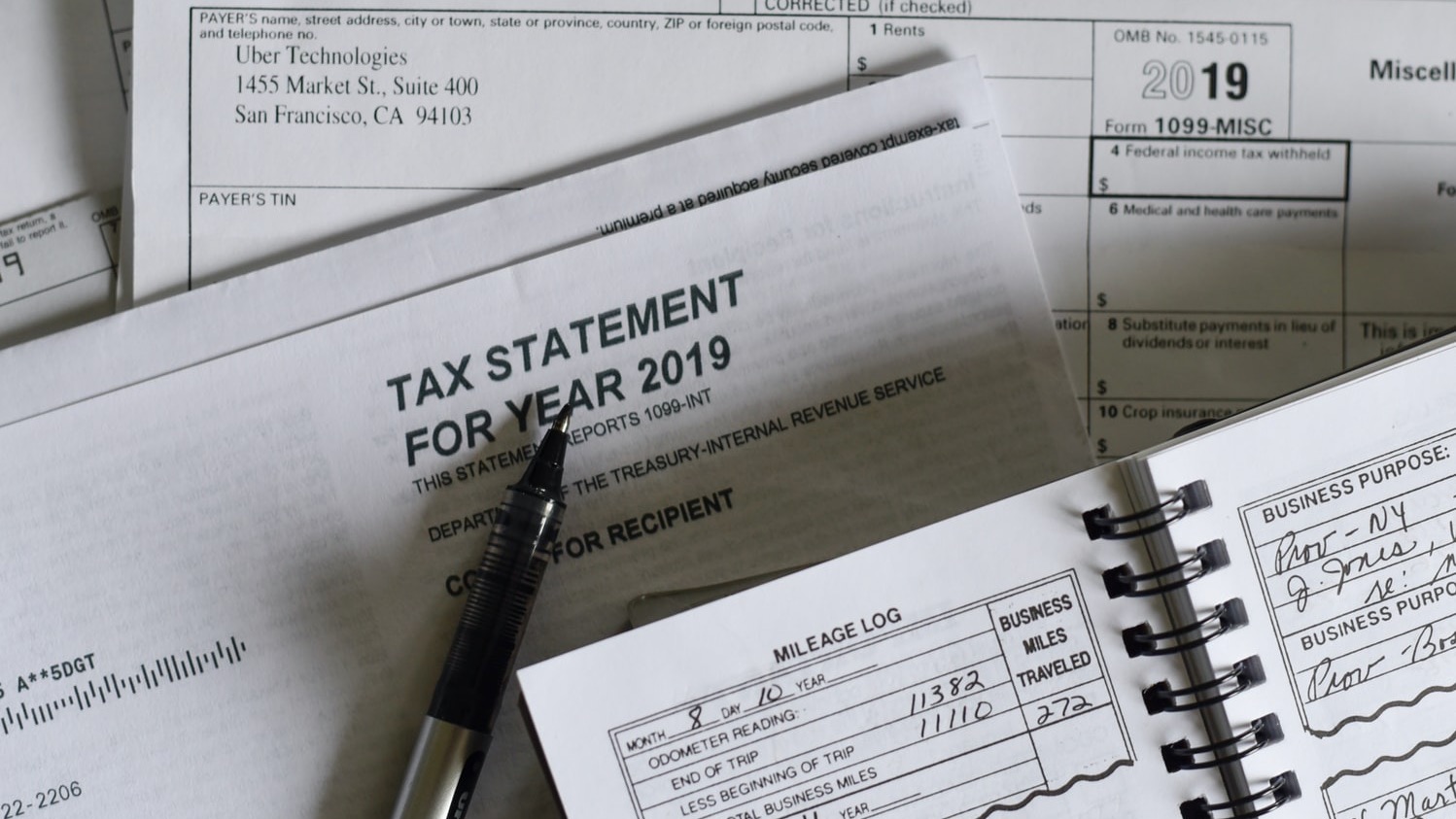
Effective audit trails not only include documents themselves, but also track updates and alterations to records, and the people who made them. An audit trail wouldn’t work if it could simply be changed right before the audit takes place. (This would also likely be illegal, for what it’s worth.)
Of course, audit trails also exist outside financial record-keeping. For example, a computer log showing every login attempt counts. So does the ability to look back through the “version history” of a Word or Google document.
Finance teams need to provide the same possibilities when looking through a company’s records. You need to know who requests, approves, and executes each transaction, and you’ll need documentary evidence along the way.
Documents in an audit trail
So what kinds of documents make up an audit trail? Some of these are obvious, while others you may not have considered:
Receipts or invoices for every company transaction
Recorded approval for transactions, from a person with authority to give it
Change logs for any updates or alterations to purchase requests or approvals
Clear reasons given in any cases where the proper document can’t be provided
On top of simply possessing these documents, finance teams should ensure that they meet a certain level of authenticity.
Information that should be present on audit documents
Official financial records should of course live up to a particular standard. A receipt isn’t just any old scrap of paper, and purchase approvals also need to be recognizable as official.
The company — in line with local regulations — will decide its own standards. But typically official documents should have:
Time stamps to prove when they were created
A clear description of the transaction in question
An identifier for the person who made or approved the transaction
A record of any changes made to the document, with time stamps and identifiers to match
As technology advances, it’s becoming more important that these aspects occur automatically. Rather than a person verifying the time and place of an activity, it’s more reliable when done by computers.
As we’ll see shortly, an automated audit trail also saves time and energy, and ensures that you’ll be ready for any serious audit that approaches.
How to automate your financial audit trail
The financial audit trail revolves mainly around transactions: money coming into the company and purchases going out. So to automate the audit trail, you need solutions that digitize documents and capture key details at the point of payment. Otherwise, you’ll always have manual work to do.
Effective automation will target each of the key steps in the process.
Requests and approvals
Every company purchase requires some form of approval, even if the spender is pre-approved. This can occur before payment — as for purchase orders — or after the transaction — as we see with expense claims. But either way, someone with sufficient authority needs to approve.
Which in most companies happens by email or in writing, so you have a record.
But the best method is to require approval within the payment system itself. For example, suppose you use virtual credit cards for online purchases. When an employee wants to take a software subscription, they create a virtual card. But before the funds are “unlocked” for them, their manager needs to approve within the system.
The same works for corporate expense cards (they’re like company cards, but safer), and for digitized expense reports. An employee requests funds (or a reimbursement) electronically, their manager is notified and can approve or decline, and then the funds are released to that employee.
This way, you have the request and approval, the people who made each, the date, time, and reason for spending all in one place, with no email trail to worry about.
Transaction data
Perhaps the most important element of your audit trail is having your full payment history available on command. But that gets tricky when you have different, disconnected ways of paying for things.
If you have to look back through credit card statements, expense claims (and their receipts), invoices, and petty cash, you’re creating extra work just to compile the data. Instead, you want transaction data captured at the source, categorized and saved into one central repository.
This is why we always advocate for all-in-one spending platforms. If you can manage in-person card payments, virtual card payments, employee expense reimbursements and invoices from the same solution, you always know where to find transaction data.
Every transaction is automatically recorded and stored in an easy-to-find place, ready to hand over to auditors in one go.
Supporting documents
For many finance team members, it can feel like chasing teammates for receipts and invoices is half the job. And nobody signs up for that.
So one critical step in automating the audit trail is to give team members incentives to submit documents on time. The first step is to make tools available — a mobile app to snap pictures of receipts is a great option. So is a standard forwarding address for all their invoices. You want to keep the barriers as low as possible.
And you also need some ramifications for those who won’t follow the rules. For example, Spendesk’s Play by the Rules system blocks employees from spending if they have too many late or missing receipts. (It gives them plenty of warnings and chances to make it right, too.)
As we’ll see, if you’re relying on paper or email documents as evidence, you’re likely to find endless late or missing submissions. But if you let team members use the tools they know and love (like their phones), receipts come in on time and error-free.
A financial information hub
The vital characteristics of your data hub are that records exist and can be easily found. And the beauty of working with one central spending solution (as mentioned above) is that both will always be true.
First, for team members to spend, they have to follow every step in the process. They’ll be required to seek approval before spending, and reminded to upload receipts when they’re done.
And simply as a matter of course, everything is recorded in the system, with no extra work from finance. So you have the full audit trail waiting for you. No need to create special filing systems or copy everything in triplicate.
Essentially, you have a perfect audit trail without trying.
Automated audit trails: what’s preventing you from making the switch today?
Let’s look at this from the other side. Suppose you stick with the expense processes you (and everyone else) have been using for decades. Can you automate with the tools you already have?
A few crucial (and painful) common business practices are keeping many companies trapped in the past.
Paper records
To automate effectively, you need to digitize. In practice, this means you simply can’t rely on paper receipts, invoices, expense claims, purchase orders, or any other paper records. These always need human intervention, either to file in huge cabinets or manually enter into digital records.
Digitized e-receipts are now accepted and encouraged by governments around the world. They’re obviously easier to store and harder to lose than paper, and they’re much faster to find in case of audit (if saved sensibly). And the same goes for invoices and expense claims.
Email approvals
When the average employee makes a large purchase using company money, they need managerial approval. And to track these approvals, many companies rely on an email chain that can then be printed or saved for later.
While this is “digital,” it’s still manual and slow. Emails need to be forwarded on to finance teams, and it’s common to have to wade back through months of communications to find them. Instead, you want approval workflows built into your purchasing systems. This way, approvals are recorded as a matter of everyday business.
Shared company cards
Among the litany of issues with the company credit card is the fact that they’re not actually designed to be shared. Companies everywhere do it, of course, but then have to follow up with emails and credit card statements to explain every purchase.
And then there are the security-conscious companies that don’t share cards around. Instead, they require the same office managers and finance team members to make every single purchase. This is tedious, frustrating work that also can’t be automated while relying on shared cards.
Audit preparation starts here
There’s a fun saying that applies to fitness, education, and really life in general:
“Stay ready so you don’t have to get ready”
That’s the basic ethos of this article. Why wait until an audit approaches to get your financial audit trail in place? This only creates a serious panic at the time when you can least afford one.
Instead, you can have spending processes that build the audit trail as you go. And without relying on you and your team to be extra diligent along the way.
In fact, smart spend management tools take the hard work off your shoulders, and keep you compliant as a simple matter of course. An automated audit trail is just one result of adopting these smart tools.
Learn how better spend management keeps you in total control of company spending and frees up your time and teams:
What Is an Audit Trail and How Does It Work?
Audit trail or audit log is a record of events made by a computer system, an automated data logging. It puts in black and white how a transaction was completed and creates an auditable record that can be referenced later. With all this talk about fraud and embezzlement, there is one thing you can do to help deter it: implement an audit trail.

Alice Bled • Libeo
Published on Oct 26, 2022 | Updated on Nov 7, 2022
What is an Audit Trail?
The term 'audit trail' comes from accounting, where it refers to a set of records that shows how transactions have changed over time. In financial analysis, an audit trail keeps tracks of any changes made to financial statements and other important documents. These records allow financial decision makers to track the history of the document, and to help auditors assess the validity of your financial statements:
- If you’re auditing the books of another company, you may need to see the audit trail for their financial statements.
- If you’re an accountant preparing financial statements for your own business or clients, you should maintain an audit trail so that you can support your statements with evidence when necessary.
The main purpose of an audit trail is to provide proof that transactions were recorded accurately and that no unauthorized changes were made.
What types of organizations use audit trails?
Nowadays, nearly all Industries rely on audit trails to meet compliance standards, improve security, and maintain operational control over their business processes. From CRM softwares like Salesforce to Cloud computing platforms like AWS, most tools provide their users with an audit trail to track user activity and API usage.
In process and research fields, whether it be in financial analysis or clinical research, audit trails are used to create a step-by-step record of how qualitative studies are conducted.
What is the difference between audit log and audit trail?
- An audit trail is a recording of all user actions. Its purpose is to prevent/detect malicious use.
- A log is a recording of what happens on a system. One of its main purposes is to analyse system malfunctioning, but it can also be used to investigate malicious use and other things.
Audit trail: example
For example, if you have an invoice with a list price of £1000 and you send it through multiple stages (e.g., approval and payment), each stage may create an audit trail entry in your accounting system. This will show how much money was added at each stage. If there are no errors or fraud involved, then these entries should match up perfectly at the end of the process (i.e., when the transaction is complete):
If someone tries to change an invoice after it's been approved but before it's paid for (e.g., they add a few extra items), then there will be discrepancies between their records and yours once you check them against each other manually or automatically by running reports on both systems at once.
What should an audit trail include?
The Audit Trail may include information about the transaction, such as the date and time it occurred, as well as information about why it was processed. Audit trail requirements vary depending on the type of business and industry, but typically include:
- Transaction data : Information about each transaction that was processed by the system. This might include fields such as date, amount and type of transaction (purchase order, refund, etc.). It might also include information about who initiated or authorized the transaction.
- Event data: Information about each event that triggered processing of a particular transaction. This might include fields such as time stamp and user ID for each event that caused a change in status (e.g., when an invoice was approved).
In accounting, an audit trail consists of two parts:
- The chronological order of all changes made to account balances or transactions;
- The identification of who made each change and when it occurred.

CENTRALISE ALL YOUR INVOICES IN ONE PLACE
Perform bulk imports of your accounts payable invoices then let our OCR technology automatically extract the data and convert it to electronic format
The Importance of an Audit Trail for Accountants and Bookkeppers
Companies use audit trails for internal control purposes, as well as for regulatory compliance and legal purposes.
For financial organizations, which are subject to regulatory audit and outside reviews, financial sector regulations are enough reason to implement sound and secure audit trails to maintaining a successful business. In addition, having audit logs provides evidence of a mature organization that demonstrates a commitment to compliance and control.
The Importance of Audit Trails to streamline audit process
Audit trails help accountants and bookkeepers ensuring accuracy and compliance with accounting standards such as GAAP (Generally Accepted Accounting Principles) or IFRS (International Financial Reporting Standards).
In order to provide value added services in invoice processing, accounting firms offer audit trails. This allows auditors to trace back through all transactions in order to verify that no errors were made during processing. Through this function, auditors can ensure that each entry was made correctly and accurately reflects its source document.
In the case of invoice processing, a company may want to know who approved the purchase order and when it was approved. This information can be stored in a database so that when the invoice comes in, accounting teams can check the database to trace back who approved the purchase order and when they approved it. If someone were to dispute the validity of this transaction, accounting teams could rely on the database entry to prove that there has been an approval.
How to Create a Reliable Audit Trail
The exact nature of an audit trail will vary from one organization to the next. Some companies may back up every transaction to disk, while others may create a hash value for each transaction log entry. Regardless of the method employed, however, the purpose of an audit trail is always the same: maintain full visibility into all changes made to information stored within your system.
It provides financial and compliance teams peace of mind that no unauthorized changes have been made and that only authorized personnel have access to data within the accounting software program. There are several ways you can implement an audit trail in your accounting operations:
- Create an automated email reminder. You can set up automated email reminders so that every time someone pays or receives money, they'll receive an automatic notification from their bank account saying that the money has been received or sent out. This will help ensure that all payments are recorded properly and nobody misses anything important during busy seasons or long days at work!
- Use software with built-in audit trails. Most accounting software has built-in auditing capabilities, which means you can create an audit trail right inside the application itself. If you use QuickBooks Online, Oracle or Xero for example, you can set up a receipt rule to automatically generate an audit trail for every transaction you record. This will show all the details surrounding each transaction so that you can see exactly what happened when it happened.
Connecting accounting tools: how Libeo helps accountants build strong, reliable audit trails
Libeo is a fully integrated and automated business-to-business payments platform, bridging the gap between invoices, payments, reconciliation and accounting. The platform allows for end-to-end management of the purchasing cycle:
- One single platform to manage and pay all your supplier invoices
- Scans and sorts all of your invoices
- Reduces manual processing errors and secures payments to prevent fraud
- Digitization of your approval workflows
- Simple and secure payments without chasing bank account details or logging into your online banking
- Integration with several accounting tools
From invoice collection.
Perform bulk imports of your accounts payable invoices from your computer or smartphone. Then the OCR technology automatically extract the data and convert it to electronic format. Your invoices are collected and centralised to avoid losses and duplications:
This function gives you an overview of upcoming and pending payments:
. To control and approbation
Every invoice or credit note imported into Libeo is subject to a control procedure to verify its identity, content and detect duplicate documents
Follow the validation status of your invoices, step by step:
. To payment automation!
From your accounting preferences, configure your automation rules according to amounts, suppliers, accounting accounts, etc. This way you can automate recurring payments without altering the security of your accounts payable:
From invoice reception to its final archiving Libeo provides accountants and their clients with optimal transparency on the entire supplier invoice management process. The solution provides its users with a reliable and reinforced audit trail thanks to its integration with accounting softwares such as Xero and QuickBooks, covering the end-to-end supplier cycle.

How much are you (actually) paying in accounts payable?
Calculate your invoice processing costs with our simulator and discover how much you could be gaining with Libeo.
What Is an Audit Trail, How Does It Work, Types, and Example
Adam Hayes, Ph.D., CFA, is a financial writer with 15+ years Wall Street experience as a derivatives trader. Besides his extensive derivative trading expertise, Adam is an expert in economics and behavioral finance. Adam received his master's in economics from The New School for Social Research and his Ph.D. from the University of Wisconsin-Madison in sociology. He is a CFA charterholder as well as holding FINRA Series 7, 55 & 63 licenses. He currently researches and teaches economic sociology and the social studies of finance at the Hebrew University in Jerusalem.
What Is an Audit Trail?
An audit trail is a step-by-step record by which accounting, trade details, or other financial data can be traced to their source. Audit trails are used to verify and track many types of transactions, including accounting transactions and trades in brokerage accounts.
An audit trail is most often utilized when the accuracy of an item needs to be verified, as it might be in the case of an audit. Audit trails can be useful tools when determining the validity of an accounting entry, source of funds, or trade.
Key Takeaways
- An audit trail is a sequential record detailing the history and events related to a specific transaction or ledger entry.
- Maintaining an audit trail is often a regulatory requirement in many financial domains, as well as an accounting best practice.
- Order audit trails provide evidence and information for regulators in cases of suspected fraud or illegal financial activity.
- The use of audit trails helps to stabilize the overall economy by confirming the information corporations release to the public.
- Regulatory institutions such as the SEC and the NYSE will use audit trails for the explicit reconstruction of trades when there are questions as to the validity or accuracy of trade data.
Understanding an Audit Trail
Audit trails can be used in accounting when an auditor or examiner needs to verify figures such as revenue, net earnings, or earnings per share (EPS). Transactions that are involved in computing a company’s revenue, net earnings, or earnings per share are reviewed and the calculations may be redone if figures were incorrectly classified.
The cost of goods sold (COGS), for example, is an expense item subtracted from gross revenue that’s used when calculating net earnings. The COGS figure would be double-checked by verifying the transactions and data sources that went into calculating the cost of goods sold. All elements of the final numbers are double-checked along the audit trail to verify the final figure.
All public companies undergo a financial audit as part of their reporting responsibilities.
Types of Audit Trails
Audit trails, or rather the process of following an audit trail, are found in many different areas of finance. When buying a home, for example, a mortgage lender may utilize an audit trail to determine the source of funds for a down payment. They may ask to see a bank statement showing the deposit of funds into the account and ask for additional verification regarding the source of the deposit.
The Securities and Exchange Commission (SEC) and NYSE will use audit trails for the explicit reconstruction of trades when there are questions about the validity or accuracy of trade data. This is done to ensure that the trades taking place on major exchanges are in compliance with current regulations.
Of course, audit trails can also be used to track improper market activity. If it is believed, for example, that a particular entity is trading large volumes of a thinly traded stock for the purpose of manipulating the share price, a regulator can utilize an audit trail to help identify the culprit.
A regulator will then document and analyze all houses and brokers involved in specific trades for the offending security to determine whose activity is abnormal and who might be the manipulator. Depending on the complexity of the trading scheme being used, reconstructing the trade history may require forensic accounting in addition to audit trail data.
Advantages and Disadvantages of Audit Trails
Audit trails are a vital tool used by accountants to hold corporations accountable for their actions. Without the use of audit trails to confirm financial information, there would be no reason to believe in the legitimacy of a company's financial reports. In this way, audit trails not only protect consumers from fraudulent reporting, they also help to stabilize the overall economy.
Audit trails also force entities to maintain a thorough and updated audit log and trail system, which further cuts down on fraud and other types of financial crime. In industries such as healthcare, the meticulous keeping of audit logs helps ensure that sensitive information, such as HIPAA-protected data, can only be accessed by the appropriate parties.
While audit trails provide financial information that is absolutely necessary for the smooth flow of business, there are challenges to maintaining and implementing the practice.
The biggest issue faced by corporations is the time and money it takes to maintain a sufficiently compliant audit log, especially when the audit log is automated. Logs also may be difficult to navigate and store as they increase in size. Furthermore, access may be too broad, which can compromise the integrity of the data.
Finally, as in the case of banks looking to approve loans to their members, sometimes the requirements of audit trails are unnecessarily rigid. If, for example, a consumer fails to keep appropriate financial records, they may be unfairly rejected for loans for which they would otherwise be approved.
Encourages user accountability and compliance
Helps maintain a well-functioning economy
Protects against fraud
Costliness in terms of time and money
Can slow business operations
Requirements may be too rigid
Examples of an Audit Trail
The Order Audit Trail System (OATS) is an automated trade entry system established by the Financial Industry Regulatory Authority (FINRA) that is used to record information relating to orders, quotes, and other trade-related data from all equities traded on the National Market System (NMS). This system simplifies an order’s progression from its initial receipt to its eventual execution or cancellation, for easy tracking or auditing purposes.
One of the purposes of OATS is monitoring for suspicious behavior and providing an audit trail for investigators. Because of the data that is recorded, anyone involved in suspicious activity is easier to find.
A significant case occurred on May 6, 2010, when a day trader «spoofed» the S&P 500 E-mini market. He used an automated program that started a domino effect of sell orders which led to a flash crash that day. The man responsible, a London resident, was caught and arrested in 2015. In 2016 he pleaded guilty to spoofing and wire fraud.
While a number of parties were involved in providing testimony and evidence, and this case involved futures, not stocks, it shows the importance of order audit trails and financial oversight. The regulators were able to see that Navinder Singh Sarao, the man responsible, put out hundreds of huge orders with no intention of filling them, but rather for the sole purpose of manipulating the market in his preferred direction.
Another famous example of fraud discovered by auditing practices in recent years was the case of Enron. In the late 1990s, Enron was praised for its innovation and was one of the darlings of Wall Street. However, the company had significant exposure to some of the hardest-hit sectors of the dotcom bubble crash in 2000. Instead of eating its losses and moving forward honestly, the company hid its losses from investors and inflated profits in other sectors to appease shareholders.
The firm tasked with auditing the company, the now-defunct Arthur Andersen, signed off on Enron’s reports even though they knew the documents were fraudulent. Eventually, the losses were too big to hide and Enron was forced to file for bankruptcy.
Even though Arthur Andersen's CEO ordered auditors to destroy all Enron documents that revealed fraud, eventually the truth came out and employees at both Enron and Arthur Andersen were charged criminally.
The Enron case presents one of the most convincing arguments of the need for accurate and thorough audit logs.
In response to the Enron scandal, President George W. Bush signed into law the Sarbanes-Oxley Act. The Act heightened the consequences for destroying, altering, or fabricating financial statements and trying to defraud shareholders.
Auditing FAQs
What Are Auditing Standards in the United States?
Companies in the United States are required to abide by generally accepted accounting principles (GAAP).
What Is Internal Auditing?
Internal audits evaluate a company’s internal controls, including its corporate governance and accounting processes. This report provides management with the tools necessary to attain operational efficiency by identifying problems and correcting lapses before they are discovered in an external audit.
What Is Materiality in Auditing?
According to the U.S. GAAP, materiality is described in this way: "The omission or misstatement of an item in a financial report is material if, in the light of surrounding circumstances, the magnitude of the item is such that it is probable that the judgment of a reasonable person relying upon the report would have been changed or influenced by the inclusion or correction of the item."
How Will I Know If the IRS Is Auditing Me?
If you are being audited by the IRS, you will be notified by mail. The IRS does not notify individuals via telephone. For more information, consult the IRS website on audits.
What Should a General Ledger Audit Trail Include?
A general ledger audit trail should record all of a company's transactions and all of the documents—whether paper or electronic—related to those transactions. This could include invoices, purchase orders, and expense reports, as well as any other information that can confirm the source and contents of the transaction.
What Documents Are Included in a Payroll Audit Trail?
A payroll auditing trail should include all employees' identification information, expense reports, tax documents, and any documentation related to changes in their salary as well as to bonuses or additional compensation.
What is Audit Trail & How to be ready for one? | Nanonets

How easy is it to go back and find information about your business? If a customer calls you and asks about their payment, can you see the date it was received and deposited?
If not, it may be time to rework your current accounting policies to implement audit trails.
Despite what many business owners believe, audit trails aren’t reserved only for companies that receive an audit. Every business can benefit from transparency throughout operations and the ability to pinpoint the time and date information was sent, received, or entered.
Understanding the basics, benefits, and importance of an audit trail will help your business prepare, maintain, and overcome challenges in your company.
What is an Audit Trail?
An audit trail is a date and time that a transaction, event, project, or entry was made. The purpose of an audit trail is to show supporting information on the accuracy and completeness of an item. Audit trails are commonly used throughout the business realm, from both an auditor’s perspective and members of management.
An audit trail can track multiple documents or transactions related to a single project. For example, your business may establish a trail for accounts payable remittances from start to finish.
Think about your current processes. Are there areas in that you already have an audit trail established?
Be audit ready always. Keep all your documents, accounting, and payment logs ready with Nanonets. Try it for free, or schedule a call with an automation expert.
How to Do an Audit Trail: What Should Be Included?
An audit trail should include the necessary information to backtrack what occurred and who was involved. You may see different audit trails based on the application area. This information should be collected and documented chronologically to outline what transpired. Other standard information that should be documented includes:
The What — The specifics of the item, transaction, or document being tracked should be known throughout the process.
The Who — Each individual involved in the process should be identifiable. There are often multiple people involved in a single audit trail.
The When — Documentation of when each action occurred is vital. This is your timestamp to see when items were completed or sent out.
The Where — Technology has made it simple to pinpoint where each action occurred. Maybe a team member submitted a document at home or sent an email within the office. Each location should be captured in the audit trail.
The How — The channels the item went through should also be identifiable. This could be an email, in-person exchange, or the mail.
Keystroke monitoring is another important component of how to do an audit trail.
This involves an extensive review of the characters typed during a session and is primarily used for security purposes. Audit logging should have controls in place to prevent and document unauthorized access to certain functions of your business.
Your business should consider the external privacy laws associated with online monitoring. Nevertheless, keystroke monitoring is vital to your internal controls and audit trail.
What is an Example of an Audit Trail?
Audit trails can range from simple to complex. Odds are your business will have a combination of both.
Let’s say your company is looking to hire an additional employee that will primarily be remote. The audit trail for a laptop purchase would include the following steps:
- The hiring manager requests a laptop purchase from the finance department.
- The finance department submits the purchase order to the laptop company and records the cost, shipping time, product purchased, location, and date purchased.
- Once the laptop arrives at the business, the mail department will log the item received and send it to the hiring manager.
- The hiring manager will then contact the employee to deliver the laptop.
Each step will include key details, including the person involved, the date, the communication method, and the timestamp. If the laptop never arrives, the finance department has an order confirmation, including all relevant information, to send to the laptop company. In addition, when there is clear documentation in each step, team members will stay on the same page and have less confusion.
Switch to a secure SOC2 and GDPR software that tracks all your documents, payments & accounting processes.Try it for free, or schedule a call with an automation expert.
Why are Audit Trails Important?
Audit trails are vital for both small, growing, and large businesses.
The first advantage that business owners realize with audit trails is fraud prevention. Creating an inclusive audit trail is a component of your business’s internal controls. By documenting each person that works on the project and the actions taken, employees will be less likely to commit fraud as the likelihood of being caught is heightened.
Additionally, audit trails lead to smoother outside review services, such as a review and audit. When a third party can see the path of transactions and documents, they will have fewer questions for management and will be more likely to issue you a clean opinion. Fewer questions translate to reduced costs since the professionals won’t need to spend as much time tracing the document to the different stages.
Disaster recovery is another significant benefit of audit trials. A comprehensive and accessible audit trail can help your business deal with an unexpected crisis or disaster. If a weather event takes down your office and records, your audit trail is a backup to recreate your accounting system with accurate numbers. Companies with audit trails can bounce back quicker and prevent a total loss.
Certain industries are subject to broader compliance regulations. For example, if your business works on government contracts, you will be frequently asked to provide detailed information before your business is paid. An audit trail is critical to compliance with government contracts and regulatory agencies.
How to Prepare for an Audit Trail as a Controller?
Whether your business is planning on having an independent audit in the upcoming months or looking to revisit current procedures, the burden falls on you as the controller to prepare properly.
First, you want to clearly understand where you need audit trails. Think of where your business needs more documentation. Is it accounts payable or accounts receivable? How about human resources?
After you uncover the areas you want to improve, you can create an actionable plan to revamp your procedures. You must ensure your employees clearly understand the processes they will need to go through. This might include training on proper procedures or creating a manual for employees.
If you have an auditor requesting an audit trail for a specific business component, they will generally outline all the information you need to provide. Having the necessary procedures already in place is critical to receive a clean audit opinion and having transparency throughout your operations.
Grow your business with Nanonets’ pay-as-you-go solutions. Track expenses, pay invoices, automate data entry, and more. See how you can save more than $90k annually.
How Do You Maintain an Audit Trail?
Implementing a compelling audit trail requires consistent oversight and adjustments. If your business is trying out different audit trail procedures for the first time, it will most likely take trial and error before you find the procedures that work best for your company.
At first, you may need to review the audit trails weekly to ensure employees are going through the correct procedures.
After operations run smoothly, you can shift to monthly or quarterly audit trail maintenance. Each discrepancy in your audit should be immediately followed up on to determine weaknesses.
For example, suppose you uncover that a payable skipped management authorization. In that case, you will need to look into how that mistake occurred and implement additional safeguards to prevent the issue from happening again.
What are the Challenges Associated with Managing an Audit Trail?
Despite the growing list of benefits that audit trails provide businesses, there are some challenges you may need help with.
First, your business may run into storage issues due to the high amount of data needed to keep an accurate audit trail. Your business may need to upgrade servers to store all of the necessary information.
Furthermore, businesses may experience lag time in opening files depending on the audit trail size. The difficulty of navigation can be improved with strong servers and speed optimization.
Another challenge is determining how long to keep audit trails. At a minimum, your business should store audit trails until the project is complete. For example, an accounts payable audit trail should be kept until the invoice is paid. However, many businesses keep the documentation for as long as possible if storage is not an issue. Issues may arise months after the initial invoice is paid, making it essential to have the information accessible.
Investing in a cloud-based storage solution can help mitigate some of the challenges storage presents.
Summary
As mundane as an audit trail may seem, they are vital to the long-term success of your business. This component of your business should be a priority from increased efficiency to reliability in disasters. Understanding the best way to implement this piece of internal control into your business can take time and effort. This is why the team at Nanonets is here to help.
Reach out to our automation experts today to learn more and discuss the next best steps for your business.