What Is Keyboard Ghosting And How To Stop It
Thankfully, if you’re suffering from keyboard ghosting, your computer isn’t haunted. It just means that there are hardware limitations to your keyboard that are causing problems when you press multiple keys at once. You can know more about what causes keyboard ghosting, how to test for it, and what you can do about it below.
What is Keyboard Ghosting?#
Keyboard ghosting occurs when you press a key on your keyboard and the keystroke doesn’t register. Pressing a key does nothing—it isn’t registered by your Pc or Mac and nothing appears on the screen. This is keyboard ghosting in action. Keyboard ghosting often occurs when you’re pressing multiple keys at the same time. Some of the keys you press will register, but some of them may ghost. When you’re typing, this isn’t such a big issue—you’ll rarely want to use several keys at once. When you’re gaming, however, you’ll often press multiple keys at the same time. If one or more of these keystrokes don’t register, it can ruin your gaming experience.
Why Does Keyboard Ghosting Happen?#
Keyboard ghosting is a consequence of the way that keyboards work. In some keyboards, there are wires for each row of keys and for each column of keys. When you press a key, your computer will receive a signal from the column wire of the key you have pressed, and a signal from the row wire. From these two signals, you can determine exactly which key has been pressed. When you press three keys in two different rows and two different columns, however, then things can get mixed up. Your computer sees that two different row wires have been activated, and two different column wires, but it can’t say for certain which individual keys caused those signals since there are multiple possible combinations that would produce the same output. You may find that you get a response from a key you didn’t press, or no response from a key that you did press.
How to Test for Keyboard Ghosting#
If you’re concerned that you may be suffering from keyboard ghosting, you can test for it. You could try using a word processing app and pressing combinations of keys to see which appear in your document, but this isn’t particularly accurate. Fortunately, there are websites that make testing for keyboard ghosting quick and easy. One solution is offered by Microsoft for PC users, but you can try it on any device. To test for keyboard ghosting using the Microsoft anti-ghosting demo: If some of the keys that you pressed are not registering, then you have issues with keyboard ghosting. If all the keys work, keep these four keys held down (W, S, A, and D) and try holding down other keys to see if you can find a combination that doesn’t work. Keyboard ghosting probably isn’t an issue for you if you’re unable to do so.
How to Prevent Keyboard Ghosting#
If you’re experiencing keyboard ghosting, then there are a limited number of things you can do about it. Since the cause is often a limitation of your physical hardware, you really only have two main options.
Use an Anti-Ghosting Keyboard#
If the cause of your problem is a wired or Bluetooth keyboard, then the simplest solution is to replace this keyboard with one that is specifically designed to be anti-ghosting. These keyboards get around the problems that cause ghosting in different ways. The simplest anti-ghosting keyboards will have a different arrangement of wires so that ghosting doesn’t occur for the most common combinations of keystrokes. However, the problem may still arise if you use less common keystroke combinations. Some anti-ghosting keyboards use extra wires to ensure that every key creates unique signals so that you don’t experience ghosting no matter which keys you press. The extra circuitry in these keyboards makes them more expensive. Other anti-ghosting keyboards use a separate diode for every key to ensure that no matter which combination of keys is pressed, every key will always register. Once again, the design of these keyboards makes them more expensive. If you want a keyboard that can handle any combination of keystrokes no matter the number of keys pressed, then look for an N-key rollover keyboard. This type of keyboard can register every key, no matter how many you’re holding down at once. You can check out some anti-ghosting keyboards below.
Remap Your Keyboard#
If you don’t want to spend money on a new keyboard, or your problem is with the built-in keyboard of your laptop, then your options are very limited. The only real workaround is to remap your keyboard so that the key combination you want to use is one that your keyboard is able to register. Remapping your keyboard means changing the response that each key gives. For example, you can remap your keys so that when you press the A key, your computer types a B. There are apps that can remap your keys for you. The good news is that these apps usually make it simple to turn the remapping on and off, so you don’t have to learn how to type from scratch.
Your Keyboard Matters#
For many of us, keyboard ghosting isn’t really an issue. When you’re browsing the internet or typing an email, you’ll rarely need to press a combination of multiple keys that leads to keyboard ghosting. If you’re gaming, however, then keyboard ghosting could be a real issue. The best way to get around these problems is to invest in a keyboard that has anti-ghosting properties. Make sure to do your research—not all anti-ghosting keyboards are created equal. Your keyboard is a vital part of your computer system, so you need to take good care of it. If your keyboard is causing problems, there are some keyboard fixes that may work. If your laptop keyboard has issues, then you may need to completely replace it. Comment Name * Email *
Δ Save my name and email and send me emails as new comments are made to this post.
What is Anti-Ghosting? – Keyboard FAQs
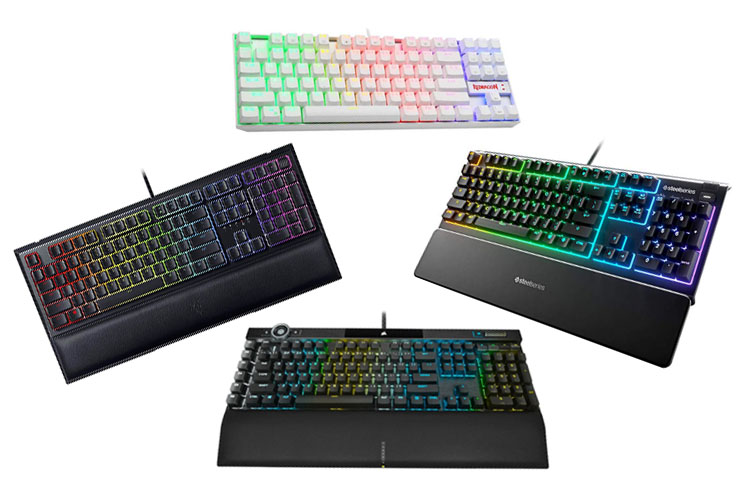
Keyboard manufacturers often include marketing terms such as anti-ghosting in the packaging of their keyboards. Even before mechanical keyboards became popular, anti-ghosting was a big selling point for gaming keyboards. However, many users are still not aware of what it means.
Ghosting occurs when you press multiple keys simultaneously, and your other keys fail to register. Ghosting can be a real problem for gamers who must press multiple keys simultaneously. An anti-Ghosting keyboard function addresses this problem allowing users to press several keys at the same time and have all of the keystrokes register correctly.
To further add to the confusion, the terms anti-ghosting and N-Key Rollover (NKRO) are interchanged often. So the question is, what is Anti-ghosting, and why does it matter?
In this article, we will be aiming to answer that question. We will also be differentiating it with NKRO to help users fully grasp whether Anti-ghosting is a necessary feature or just a marketing gimmick.
Ghosting in Keyboards, Defined
Before we dive into Anti-ghosting, let us first discuss keyboard ghosting. Ghosting in keyboards is a phenomenon that occurs when multiple keys are pressed simultaneously on a keyboard. When ghosting occurs, some of the pressed keys are not registered despite the keys being properly actuated.
This may not seem like an issue for regular users, and after all, most users rarely have to actuate multiple keys simultaneously. However, ghosting can become a big problem for more demanding tasks requiring multiple key combinations.
For instance, gamers constantly press multiple keys at the same time. Some genres, such as fighting games, require precise inputs. If one of the player’s key presses does not register, that could easily make the player lose the round or the entire game. This is the reason why so many gaming keyboards heavily advertise their anti-ghosting features.
Ghost Inputs
Our previous definition is how keyboard manufacturers use the term. However, this definition is incorrect. Ghosting is traditionally referred to as having ghost inputs. In a nutshell, ghost inputs happen when a key actuates without being pressed by the user. For instance, if the user pressed multiple keys at once, an unrelated key that the user did not press can register on the screen.
However, this definition of ghosting is no longer used. This is because computer keyboards have advanced so much that ghost inputs have become rare. So for this article, we will be using the definition that manufacturers use for ghosting.
Causes of Ghosting in Keyboards

There are three possible causes of ghosting in keyboards: the lack of proper hardware to process the signals of the keyboards, dirt/debris underneath the keycaps, and the lack of proper software support for multiple key presses. First off, many keyboard manufacturers choose to use cheaper components inside the PCB. Naturally, the result would have several limitations in the features present and the maximum number of key presses accepted.
Another reason is dirty and debris under the keycaps. This is quite common, especially since many gamers eat snacks in front of their keyboards. And when gunk accumulates underneath the keycaps, the keys become unresponsive.
Lastly, the communication protocol between the hardware and software may limit the maximum number of simultaneous keys reported. However, it is unlikely for this to be the case with modern computer OS.
Keyboard Rollover
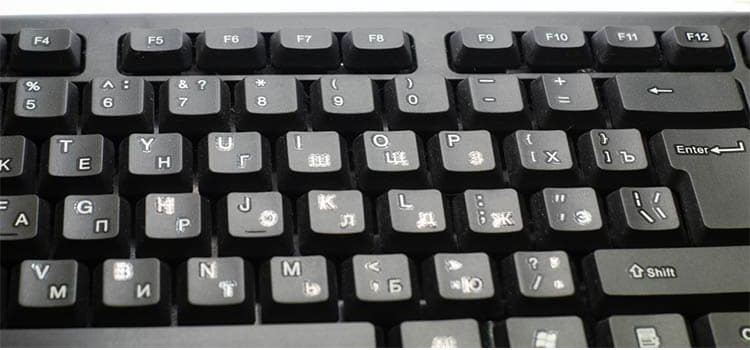
Manufacturers have acknowledged that ghosting is an issue for casual and serious keyboard users. Their answer to this problem is to implement rollover in keyboards. Rollover is a hardware function that allows users to accept a specific number of inputs.
Keyboard manufacturers then used the term N-key Rollover to denote how many keys a keyboard can accept. They also introduced the term anti-ghosting, which we will be discussing next.
Defining Anti-Ghosting in Keyboards
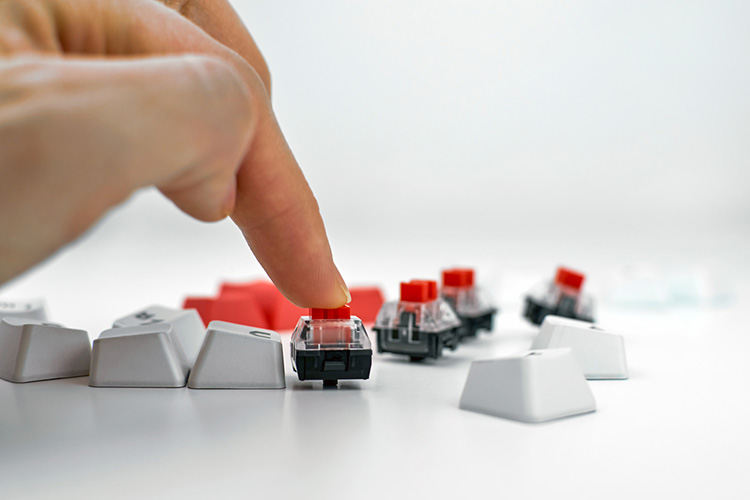
Anti-ghosting is very similar to the function of NKRO. It aims to solve keyboard ghosting by allowing multiple user keystrokes to register. The difference between NKRO and Anti-ghosting lies in their implementation.
NKRO is almost exclusively used for mechanical keyboards because of their superior components. And depending on the keyboard model, some mechanical keyboards can even allow full NKRO throughout the entire keyboard.
On the other hand, anti-ghosting is a feature that is not exclusive to mechanical keyboards, and because anti-ghosting is more limited than NKRO, it’s only applied in certain areas, such as the WASD keys. Essentially, this means that keyboard manufacturers guarantee that the essential parts of the keyboard will register their keystrokes without fail.
Is Anti-Ghosting an Important Feature?
Despite not being quite as advanced as full NKRO support, Anti-ghosting is still a crucial feature to have. This is because manufacturers will be able to implement the benefits of NKRO in a wide range of keyboards.
Budget gaming keyboards, for instance, utilize rubber-dome switches. And as we have discussed earlier, switches based on membrane switches will not have the same accuracy or capacity to implement NKRO. But with Anti-ghosting technology, even membrane keyboard-based devices will still work decently.
In addition, Anti-ghosting can also be applied with laptop keyboards/Chiclet keyboards. This is great since not all laptop brands can accommodate mechanical keyboards. It also assures gamers can play competitive matches without resorting to using an external keyboard.
Технология защиты от привидений в игровых клавиатурах: как она работает?
Конечно, если у вас есть игровая клавиатура, вы наверняка читали, что на ней есть технология защиты от привидений , хотя это правда, что большинство из них не объясняют, для чего это и как работает. Эта технология необходима в игровые клавиатуры , и в этой статье мы расскажем вам, почему это так, и, конечно же, как это работает, чтобы вы могли понять это точно.
Игровые клавиатуры обладают рядом характеристик, которых обычно не хватает обычным клавиатурам, и среди них есть технология защиты от ореолов, которую мы часто видим выражением английского термина «N-Key Rollover». Эта технология, как мы объясним ниже, может иметь несколько уровней эффективности и выражается переменной перед «сменой ключа», поскольку не все производители могут реализовать ее одинаковым образом. В любом случае, мы собираемся начать с самого начала, то есть с объяснения того, что такое фантомный хостинг, чего, как вы уже догадались из названия этой технологии, мы всегда будем избегать.
Что такое ореолы и почему они возникают?
Когда мы говорим о клавиатурах, ореолы Это явление возникает, когда вы одновременно нажимаете больше клавиш, чем может поддерживать клавиатура. Например, на клавиатуре, в которой отсутствует технология защиты от ореолов, в момент, когда вы нажимаете три клавиши одновременно, клавиатура «блокируется», и много раз оборудование издает звуковой сигнал, чтобы сообщить нам об этом.
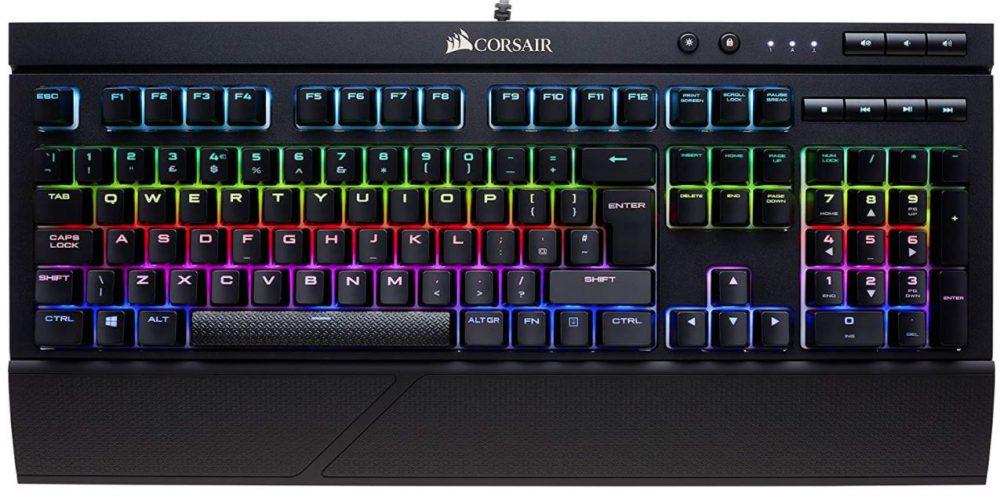
Паразитное или двоение определяется как проблема, при которой определенные комбинации из трех или более клавиш могут вызвать регистрацию дополнительной клавиши, хотя большинство производителей клавиатур используют этот термин для обозначения отсутствия регистрации какого-либо нажатия клавиш. , и поэтому мы должны называть это блокировкой, а не фантомом.
Чтобы упростить внутреннюю схему клавиатуры, клавиши подключены к сетке, известной как матрица. Контроллер клавиатуры по очереди подает ток к каждому столбцу в матрице и проверяет, какие строки излучают ток; это указывает, какие пересечения сетки внутри столбца являются замкнутыми переключателями (которые были нажаты), и двоение происходит, когда ток течет в противоположном направлении вокруг матрицы, и заставляет строку излучать ток, когда этого не должно быть.
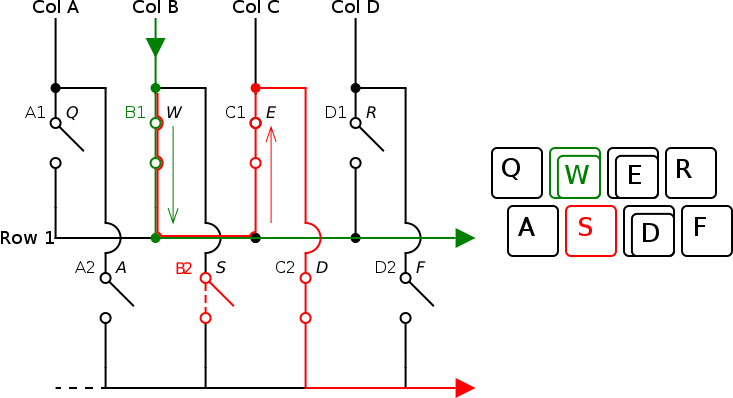
Однако, как мы уже говорили, производители относят термин «двоение» к блокировке клавиш, но мы объяснили, что такое «фантомное» изображение на самом деле, потому что оно связано; Блокировка — это средство предотвращения двоения, когда контроллер запрограммирован на обнаружение комбинаций нажатий клавиш, которые могут вызвать двоение, и игнорирование всех клавиш, которые могут быть результатом двоения. Сбои — это простой и распространенный способ решения проблемы ореола, но он приводит к обходу / игнорированию нажатий клавиш, что очень проблематично для игр.
Вкратце, ореолы — это эффект, который из-за конструкции матрицы клавиатуры может вызвать клавиши, которые не были нажаты для регистрации ; В свою очередь, блокирование это средство, позволяющее избежать появления ореолов, но на самом деле это так называемое ореол, поскольку его эффект заключается в том, что клавиатура не может обнаруживать одновременные нажатия клавиш (что, в свою очередь, является средством от ореола).
Как работает технология защиты от привидений?
Технология Anti-Ghosting основана на конструкции матричного переключателя, которая предотвращает зависания при нажатии определенных комбинаций клавиш. Он не снимает блокировку, за исключением некоторых случаев, и на самом деле во многих из них это маркетинговое преувеличение, но качество этой оптимизации матрицы означает, что мы сможем нажимать большое количество клавиш одновременно без сбоев.
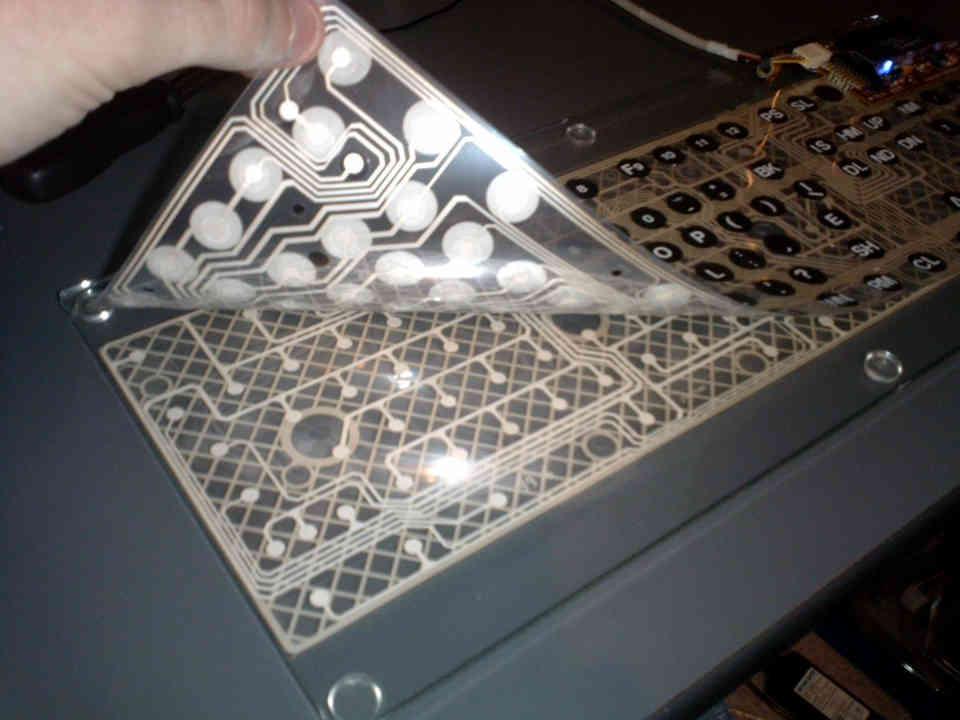
Чтобы объяснить уровень или способность матрицы поддерживать одновременное нажатие клавиш, у нас есть термин » Key Rollover «. Например, клавиатура с 10-клавишной технологией защиты от одновременного нажатия клавиш означает, что она поддерживает одновременное нажатие до 10 клавиш до достижения уровня блокировки, в то время как 5-клавишная клавиатура с одновременным нажатием клавиш поддерживает одновременное нажатие только 5 клавиш. время, прежде чем мы дойдем до этого. Мы также можем видеть эти сокращенные термины как 10KRO или 5KRO в случае этих двух примеров, которые мы поместили.
Конечно, у нас также есть игровые клавиатуры с более продвинутыми матрицами, которые достигают столь -называемый N-Key Rollover , сокращенно NKRO . Этот термин относится к клавиатурам, матрица которых ни в коем случае не страдает от эффекта ореола или блокировки и, следовательно, позволяет вам нажимать столько клавиш одновременно, сколько вы хотите, регистрируя их все в том же порядке, в котором они были нажаты. Очевидно, что это как раз самая желанная вещь в игровой клавиатуре, поскольку она позволяет нам постоянно удерживать столько клавиш, сколько нам нужно, без блокировки.
Как проверить ореолы на клавиатуре
Когда вы используете клавиатуру для игр, вы, очевидно, не хотите, чтобы она имела ореолы (кейлоггер, который вы не нажимали) или сбой при нажатии различных комбинаций клавиш. Представьте, что вы играете в шутер от первого лица и продвигаетесь по диагонали (например, клавиши W + D) во время спринта (клавиша SHIFT) и хотите прыгнуть (клавиша пробела). Если на вашей клавиатуре нет технологии защиты от привидений, при нажатии четвертой клавиши произойдет сбой, и, следовательно, ваш персонаж не будет прыгать.
Что такое N-Key Rollover и Anti-Ghosting?
Многие клавиатуры, особенно предназначенные для геймеров, рекламируют две функции, которые не требуют пояснений и, как правило, не очень хорошо объясняются. Этими функциями являются «одновременное нажатие клавиши N» и «защита от ореолов».
Ролловер N-key
Ролловер используется для определения количества клавиш, которые можно нажать одновременно. Клавиатуры, на которых отображается функция одновременного нажатия клавиш с определенным количеством клавиш, могут одновременно принимать ввод только от этого количества клавиш. Клавиатуры, рекламирующие одновременное нажатие клавиш N, могут принимать одновременный ввод всех клавиш на клавиатуре.
Старый разъем PS / 2 мог полностью переключаться с n-клавишами, но ранние USB-клавиатуры — нет. USB-клавиатуры, как правило, ограничивались возможностью одновременного нажатия клавиш с 6 клавишами, что позволяло одновременно нажимать до 6 буквенных клавиш и четырех клавиш-модификаторов (например, «shift»). Однако совсем недавно стали доступны USB-клавиатуры, которые предлагают полное одновременное нажатие клавиш N, хотя это все еще не универсальная функция.
Совет: PS / 2 — это стандарт коннекторов, названный в честь компьютеров IBM «Personal System / 2», на которых он был впервые использован в 1987 году. Он не имеет отношения к игровой консоли PlayStation 2 от Sony.
Анти-привидение
Anti-ghosting — это технология, предназначенная для предотвращения случайного нажатия клавиш. Как правило, это искусственное ограничение количества физически близко расположенных клавиш, которые можно нажимать одновременно. Он предназначен для предотвращения случайного нажатия пользователем большего количества клавиш, чем предполагалось.
Anti-ghosting — это, как правило, форма одновременного нажатия двух или трех клавиш. Один конкретный сценарий, для которого он разработан, — это геймеры, которые часто используют клавиши WASD для перемещения в видеоиграх. Однако, как правило, вам не нужно или не нужно нажимать все эти клавиши одновременно, поэтому клавиатура пытается ограничить активацию клавиш, нажатых чуть позже, предполагая, что они были случайными активации.
Использование слова «ореолы» для этого сценария технически некорректно, поскольку этот термин используется специально для обозначения ложного обнаружения нажатий клавиш. Обычно это проблема дешевых мембранных клавиатур, особенно старых, где нажатие двух клавиш может иногда вызывать ложное обнаружение нажатия третьей, несвязанной клавиши.