Обзор умной колонки Bose Home Speaker 500
Поддержки AirPlay 2 нет, но она появится уже вот-вот!
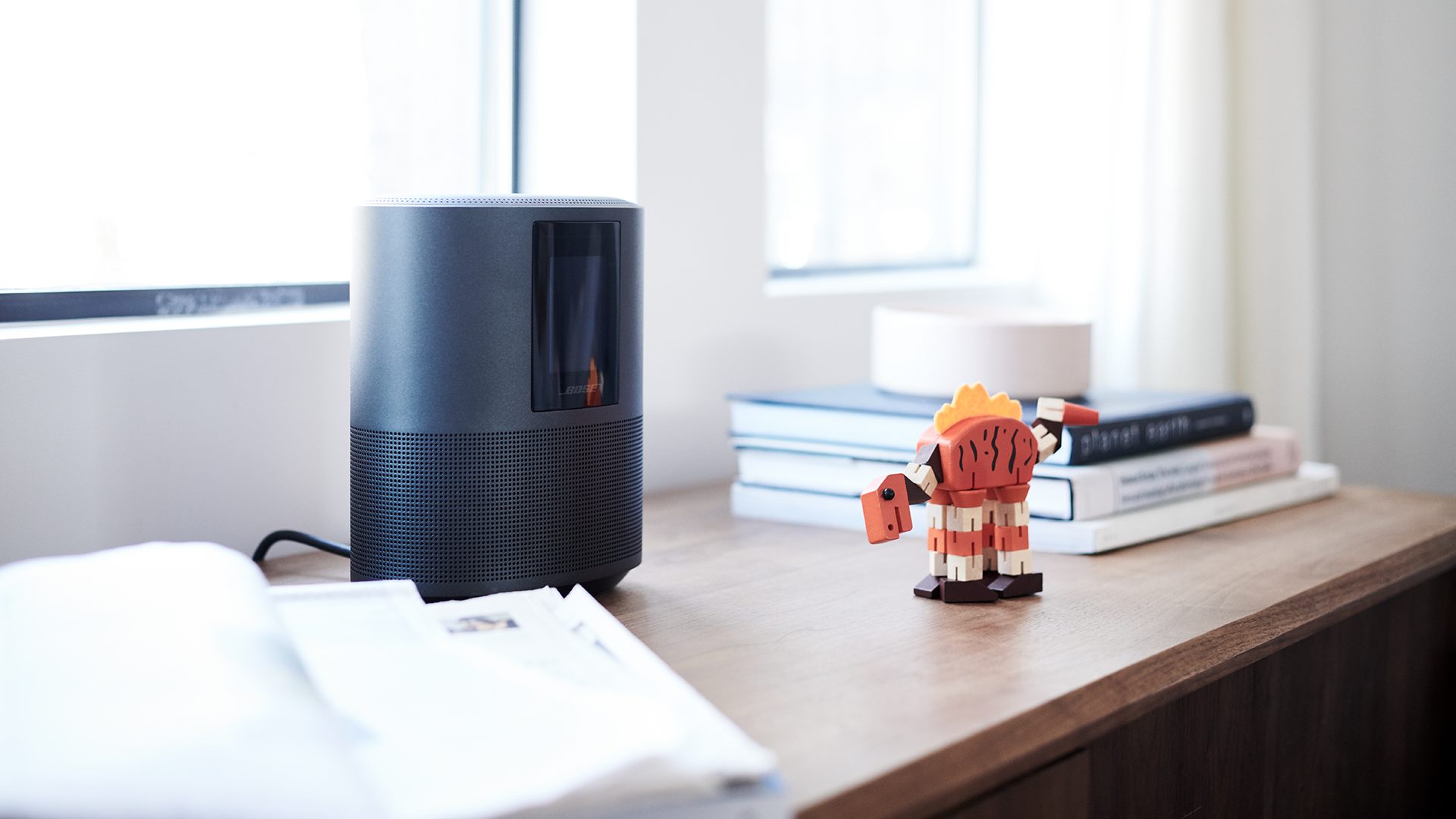
Хочется, предваряя материал, как-то лишний раз признаться в любви к Bose. Я не так уж много электроники использую постоянно, но среди этих вещей обязательно присутствуют Bose QC35 — наушники с шумоподавлением, способные оставить меня наедине со своими мыслями в любой ситуации. Жду лета, чтобы начать таскать Bose Frames. Маленькая Bose SoundLink Revolve+ радует на даче. В общем, я люблю Bose, и мне было тяжело иметь дело с Bose Home Speaker 500: не совсем понимаю выбранный компанией путь. Давайте расскажу обо всём по порядку.
Мультирум
Если коротко, Bose Home Speaker 500 входит в новую линейку Bose, состоящую из трёх устройств: это компактная колонка Speaker 500, саундбары Soundbar 500 и Soundbar 700 — все они оснащены голосовым ассистентом Amazon Alexa. «Алекса» в нашей стране не работает ни в каком виде, расходимся, храни нас всех Бог.
Тем не менее я всё равно взял Bose Home Speaker 500 для тестирования, чтобы показать вам. И заодно поразмышлять: а почему, собственно, в Bose выбрали Alexa? И почему эти замечательные колонки не поддерживают AirPlay 2 (оговорюсь, поддержка должна появиться позже)? Я предполагаю, что причина тут очень простая: работать с Amazon любой западной компании очень выгодно, наверняка такие устройства можно хорошо так продавать через уже упомянутый Amazon, наверняка есть всякие интересные условия. То есть для компании это хорошо. Но для меня как для простого русского мужчины средних лет с кучей комплексов, это странно.
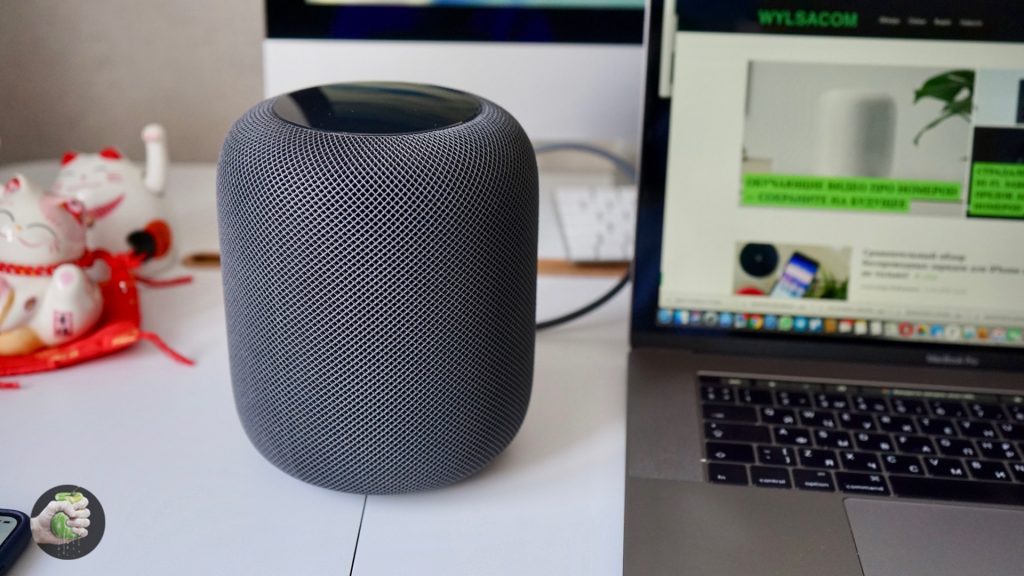
Я люблю Bose. Но ещё мне нравится поддержка AirPlay 2. Смотрите, у меня дома стоят уже два Apple HomePod в стратегических местах и одна колонка Sonos One с поддержкой AirPlay 2. Причём поддержка появилась ещё летом, прилетела с очередной прошивкой. Я могу отправить звук с iPhone на все три колонки разом, то есть одно и то же будет играть на всех устройствах в сети и на HomePod, и на Sonos. И это базовая возможность iOS, не нужно никуда заходить, всё происходит в меню плеера. А что будет делать Bose Home Speaker 500? Молчать? Пока да.
Поругать устройство хотел за два момента. Во-первых, даже западные пользователи не особо жалуют «Алексу». Например, вот выдержка из недавней записи в официальном сообществе Bose:
I will NEVER buy a Bose product with Alexa built in. Amazon has ZERO concern for privacy or security. They will be hacked and the «private» recorded conversations of millions will be out there. Amazon does not care about anything but monetizing personal data — just like Facebook and Google.
Вот здесь можете почитать подробней. У нас «Алекса» вообще не работает, так к чему вообще возить сюда эту серию?
Во-вторых, вот были системы SoundTouch, с их помощью Bose хотела потеснить Sonos с трона мультирум-короля. Не удалось. Мало того, из систем SoundTouch последовательно убрали поддержку первой версии AirPlay, новых сервисов не добавилось, каких-то уникальных возможностей тоже не появилось. И теперь, оказывается, AirPlay 2 появится не в SoundTouch, а в новой линейке. Об этом официально заявили в Bose в конце лета. Прошивка должна прилететь в самом начале 2019 года, то есть уже вот-вот.
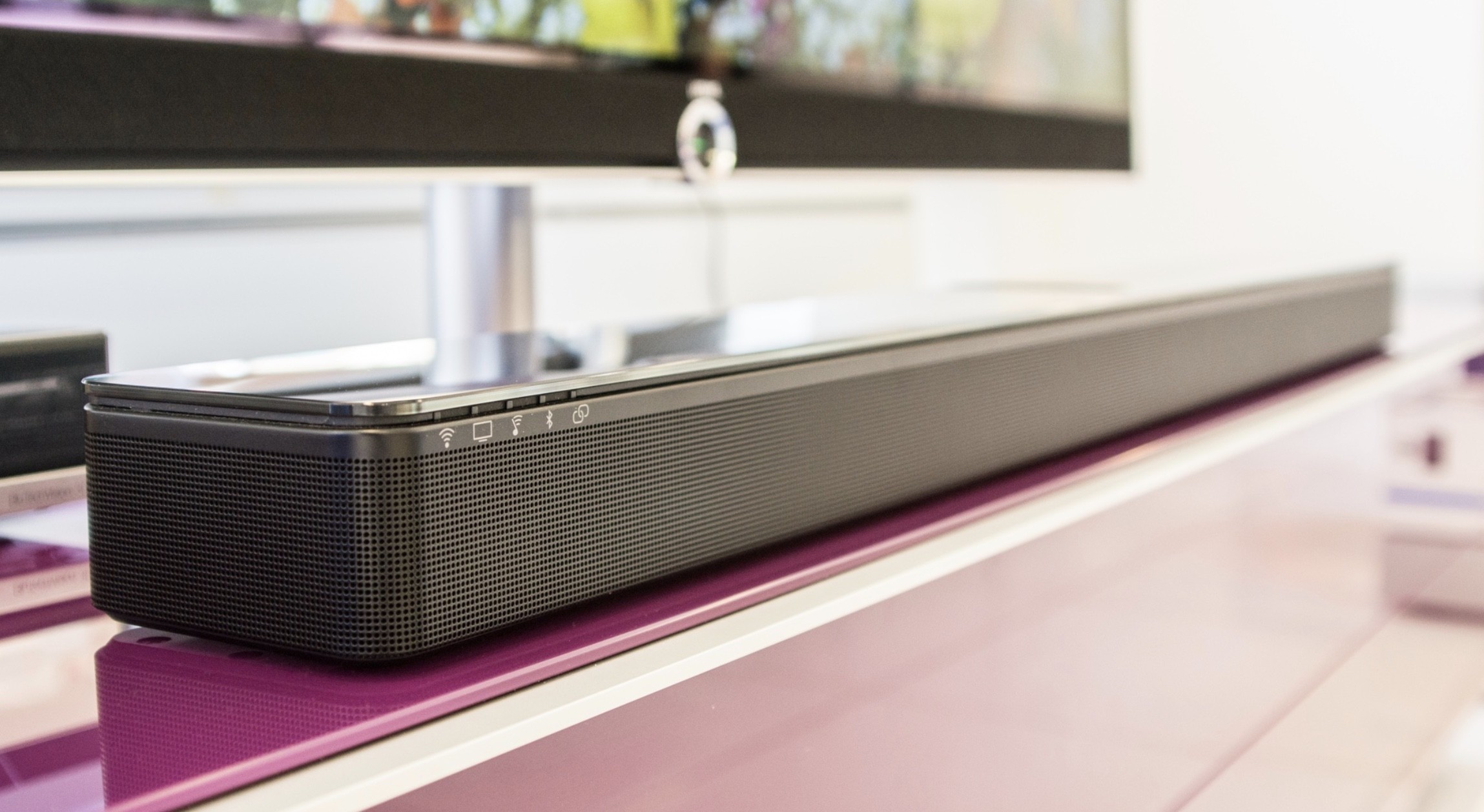
Поэтому, если вы хотите колонку Bose с AirPlay 2, вам нужно смотреть в сторону Speaker 500, саундбаров Soundbar 500 и Soundbar 700. Замечу, их можно дооснастить тылами и сабвуфером, это круто. И тут же хочу ответить на вопрос касательно SoundTouch. Вы спросите: «Это всё? Конец линейке?» Я подозреваю, что да, поддерживаться они скоро перестанут. Если хотите современную историю для дома, лучше смотреть в сторону новых устройств. Немножко обидно, но обоснование тут простое: наверняка дело ещё и в железе, не только в софте.
Если вы купили Bose SoundTouch 300 по моей (в том числе и по моей) наводке пару лет назад — можете спокойно пользоваться дальше, система крутая, особенно в паре с сабом и тылами. Но немножко обидно, что прямо из меню Айфона нельзя закинуть на неё трек и пусть он орёт в гостиной и по всему дому.
Подводя итог (при том, что я ещё не написал ничего про колонку) — если вы не понимали, зачем покупать в России Bose Home Speaker 500 и другие колонки из новой линейки, то вот вам ответ: ради AirPlay 2. Это будет покруче всяких бестолковых голосовых помощников.
На всякий случай: вот наш обзор Apple HomePod, а вот здесь прекрасная статья AlexMak про то, как использовать два HomePod одновременно (немножко страданий).
Дизайн
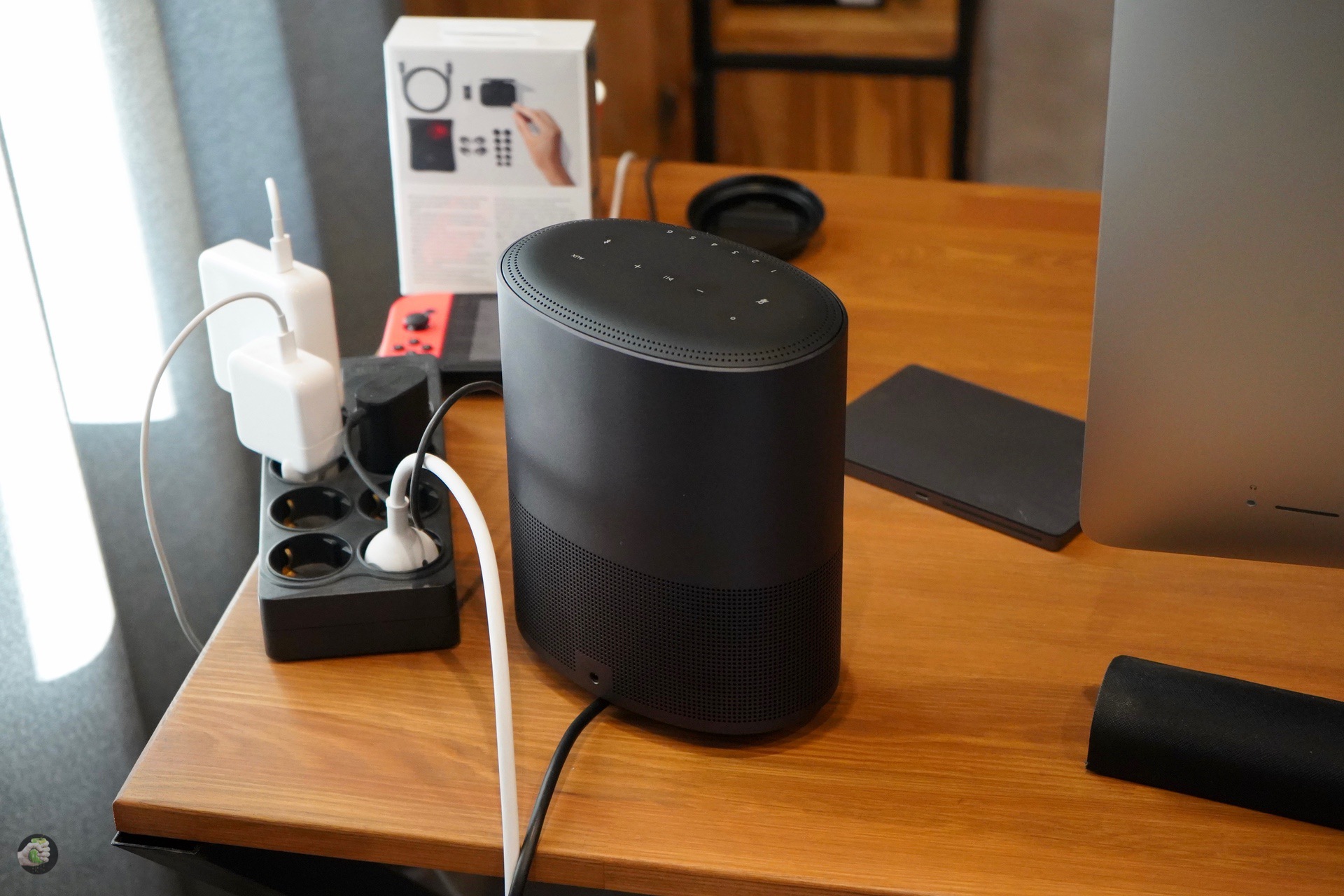
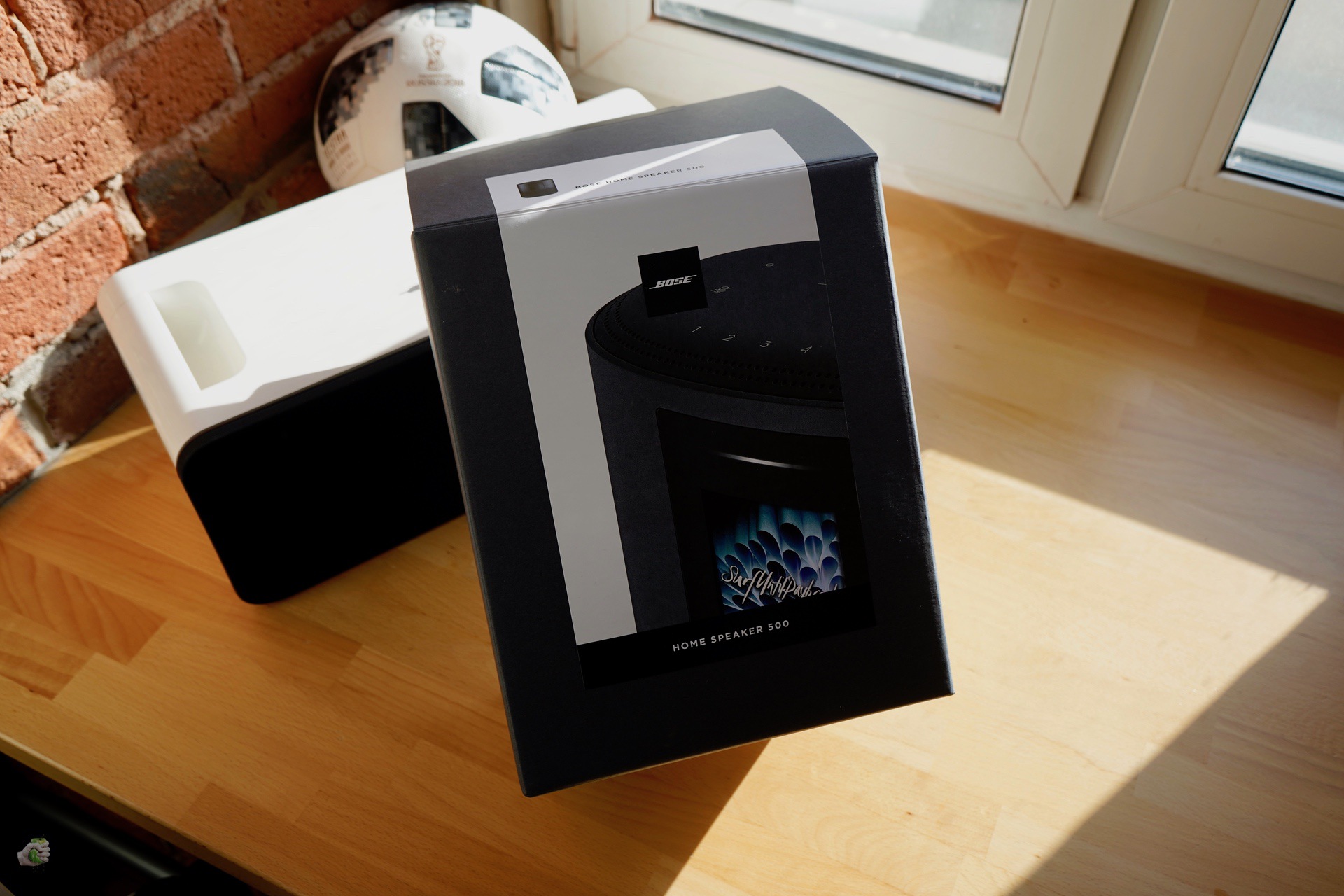
Давайте уже подступим к устройству. Интересно, что у Bose Home Speaker 500 изменена упаковка: на смену белой с синим пришла стильная чёрная коробка с красивой фотографией. В комплекте нет ничего, кроме колонки и кабеля. Могу сказать, что для смартфона вам понадобится приложение Bose Music. Это новая программа, то есть теперь у Bose их три: кроме Music есть ещё Connect для портативных устройств и SoundTouch для систем SoundTouch соответственно. Вернее, нет, их даже четыре, потому что есть специальная утилита для умных берушей Sleep Buds. Вот наш обзор:
Обзор умных беруш Bose noise-masking sleepbuds
/>Сергей Кузьмин
24 Сентябрь 2018
Понятно, объединить столь разные возможности в одном приложении сложно, но что будет дальше? Шесть приложений Bose, семь?
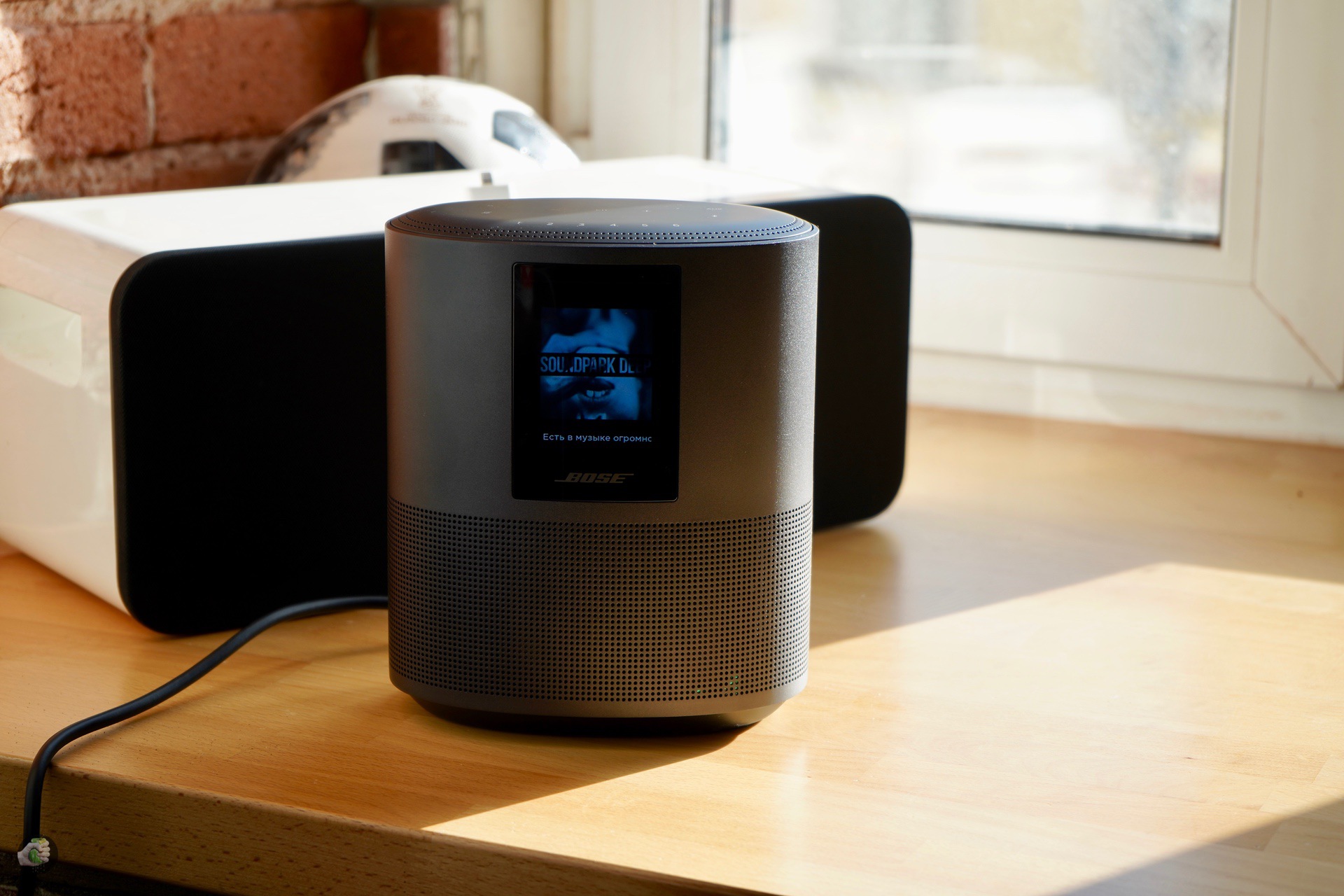
К программе мы ещё вернемся, потому что без неё использовать колонку практически невозможно. Как мне кажется, в Bose Home Speaker 500 читается современный дизайн-код компании: корпус из алюминия и перфорация чем-то напоминают SoundLink Revolve — на верхней части отзывчивые сенсорные кнопки с цифрами для быстрого перехода к предустановкам, как это было в SoundTouch, выход для сетевого кабеля перенесли на нижнюю часть для пущей аккуратности.
Устройство выпускается в двух цветах: чёрном и серебристом. Будь моя воля, взял бы чёрную версию, смотрится брутально. Обратите внимание: на корпусе нет швов, это очень круто, особенно если сравнивать с некоторыми одноклассниками — да-да, я про Sonos One, где царство пластика.
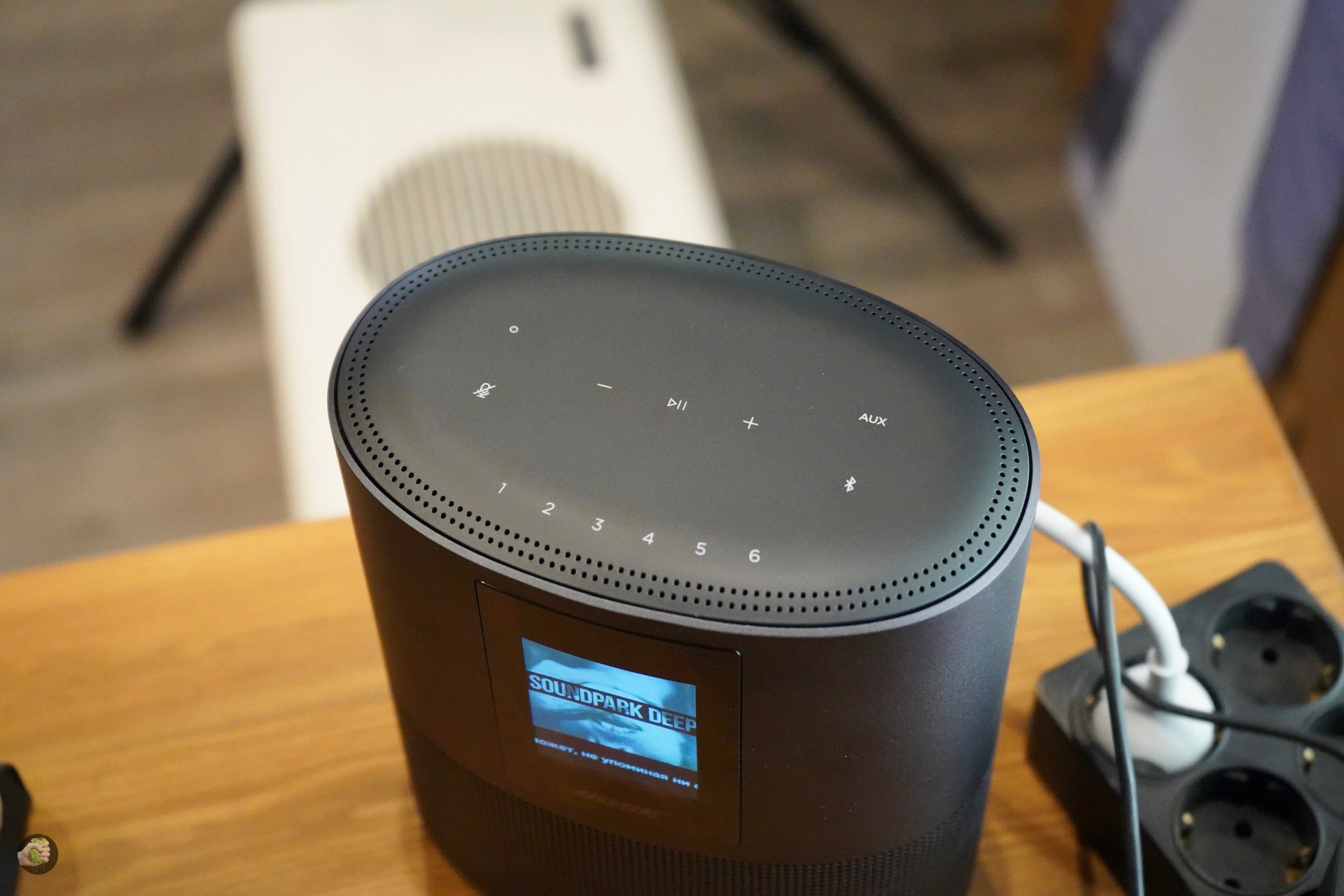
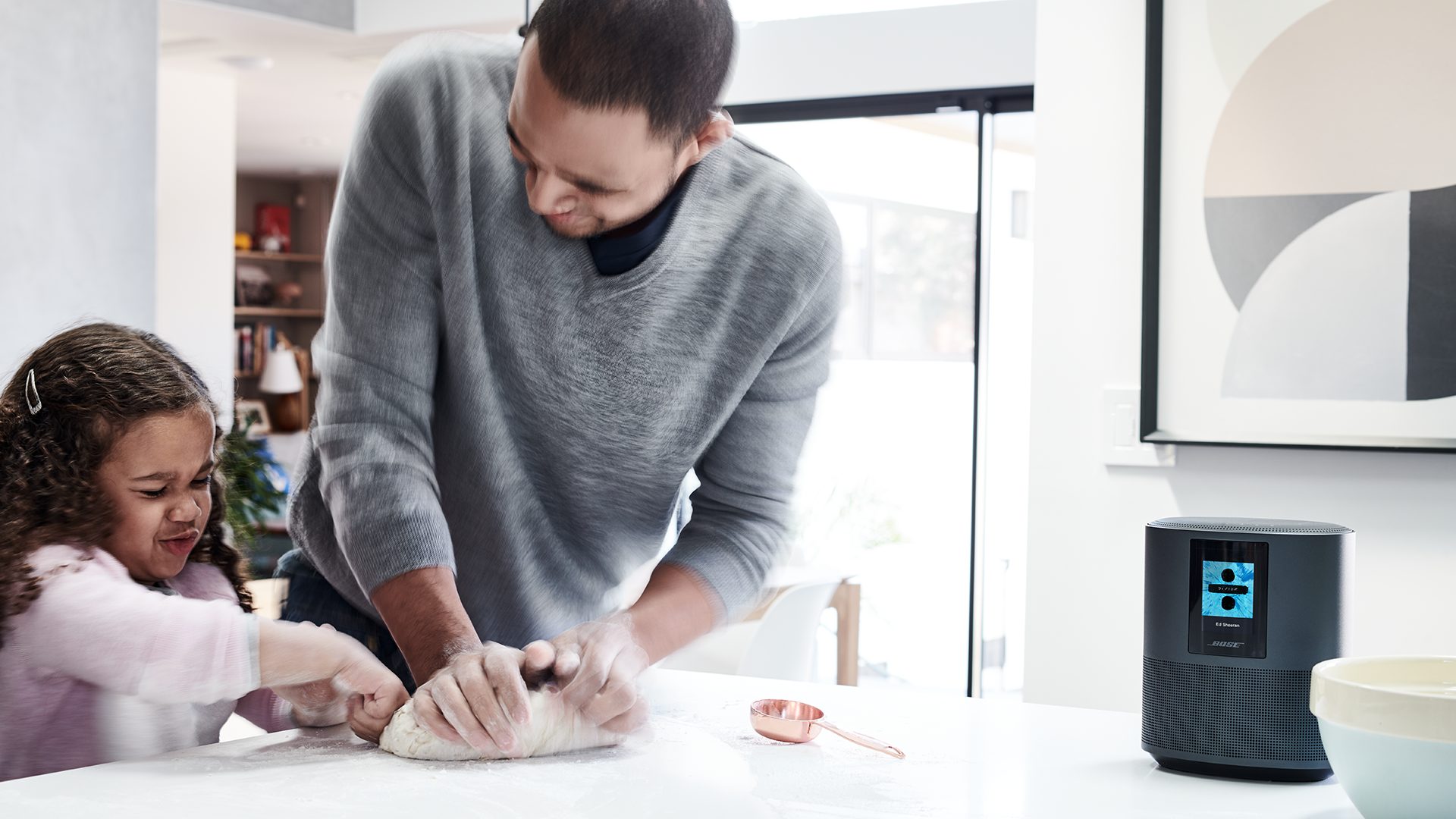
Экран на фронтальной панели может показывать обложки альбомов, время, служебную информацию. Время я бы не стал отключать: например, колонка стоит у вас на кухне, бросил взгляд и понял, что давно уже пора выйти, а не тупить с Айфончиком в одной руке и чашкой кофе в другой. Не очень понравилось сенсорное управление на верхней панели, люблю обычные кнопки. Но сенсоры срабатывают как должно, проблем с ними нет.
В целом настройка и установка максимально простые. Дома наверняка найдётся немного места для такого устройства. Сетевой кабель в комплекте достаточно длинный, ну и не могу не упомянуть: у вас дома должен быть Wi-Fi для полноценной работы колонки.
Способы воспроизведения музыки
Программа Bose Music позволяет воспроизводить звук несколькими способами. Способ первый: это классический мультирум, Wi-Fi и всё как положено. Вы вводите данные своих аккаунтов Spotify, Deezer, TuneIn, затем обращаетесь к библиотекам сервисов. Предположу, что Spotify у вас нет, но Deezer и TuneIn наверняка найдутся. Прямо со смартфончика в приложении управляете музыкой из любого места дома. Хорошо. Но есть тут нюансы. Как вы можете видеть, сервисов тут всего ничего, из доступного в России только Deezer и TuneIn. К библиотеке смартфона при таком подключении обратиться не получится. То есть возможности мультирума в плане сервисов ограничены. С SoundTouch система не дружит. И, получается, либо радио и Deezer, либо подключаться не по Wi-Fi. Поэтому переходим к способу второму.
Обзор Bose Home Speaker 500: умная колонка от известного бренда
Многие люди не могут представить свой день без любимой фоновой музыки. В настоящее время все виды беспроводных колонок набирают большую популярность. Такое устройство позволяет наслаждаться музыкой гораздо лучшего качества, чем из динамиков, используемых в смартфонах. Сегодня мы подробнее рассмотрим умную колонку Bose Home Speaker 500.

Home Speaker 500 — это лучшее предложение от известного производителя музыкального оборудования высокого класса, компании Bose. Я проверил, насколько колонка хороша в повседневном использовании.

Характеристики Bose Home Speaker 500
- Марка: Bose.
- Название: Home Speaker 500.
- Цвет корпуса: чёрный, серебряный.
- Количество микрофонов: 8.
- Подключение: Wi-Fi, Bluetooth, Apple AirPlay 2.
- Входы/выходы: 3,5 мм вход, сервисный порт Micro-USB, кабель питания.
- Совместимость с ОС: Android, iOS, Windows, Mac, Linux.
- Гарантия: 1 год.
- Цена: 499 $ (36 000 р.).
- Размеры: 203?170?109 мм.
- Вес: 2,15 кг.
Эта колонка довольно большая: высота 20,3 см, ширина 17 см, глубина 10,9 см. С весом 2,15 кг. У неё нет своей батареи, поэтому вы должны подключиться к электрической сети. Девайс также имеет сенсорные кнопки управления и ЖК-дисплей.

Что в коробке?
Оборудование приходит к нам в серой минималистской упаковке, с изображениями колонки, и краткой информацией о содержании. В коробке, кроме динамика, вы также найдёте шнур питания и документацию.

Дизайн и внешний вид
Bose Home Speaker 500 изготовлена из матового анодированного алюминия. Благодаря этому высококачественному материалу, колонка выглядит очень элегантно и приятна на ощупь. К сожалению, он не слишком устойчива к царапинам.

Дизайн прост — если смотреть сверху, устройство напоминает эллипс. Нижняя часть, благодаря скрытому динамику, имеет соответствующие отверстия. Посередине верхней части вы найдёте небольшой ЖК-дисплей. Внизу разъём для кабеля питания, а также AUX.

Внешне Home Speaker 500 очень привлекательное устройство, и, разместив его в гостиной, вы безусловно, не испортите целостность любого декора.

Дисплей и управление
Колонка Bose Home Speaker 500 по сравнению со своим собратом (Home Speaker 300) оснащена ЖК-дисплеем. Здесь есть две функции — одна из них отображает время, при режиме покоя, вторая, во время воспроизведения музыки демонстрирует графику с названием радиостанции, обложки песни, именем автора или названием.

В верхней части устройства вы найдёте полезные сенсорные кнопки. К сожалению, они не выделены. Цифры от 1 до 6 являются персонализированными элементами управления, которым мы можем назначить определённые функции через приложение. Символами «+» и «-» обозначены клавиши регулировки громкости, а между ними размещена кнопка паузы.

Приложение и голосовой помощник
Чтобы настроить устройство, загрузите приложение Bose Music на свой смартфон. Оно не слишком интуитивно понятное, но добавляет функциональности. С его помощью мы также подключаем колонку к сети Wi-Fi. Таким образом, оборудование может работать удалённо, когда мы неуправляем им, через смартфон. В приложении возможно назначить функции кнопкам в верхней части — таким образом, после нажатия выбранной цифры, колонка включит, например, нужную радиостанцию, или плей-лист Spotify и т. д.

Приложение также позволяет соединить несколько Bose Home Speaker 500 в группу для одновременного воспроизведения. Мы также можем использовать его для регулировки качества звука, в частности, высоких и низких частот. Музыка воспроизводится классическим способом, по Bluetooth. Тем не менее устройство не имеет подключения NFC.

Однако, самым большим недостатком, на мой взгляд, является голосовой помощник. Home Speaker 500 позиционируется как умная колонка, которая работает с голосовым помощником Google Assistant, а также Amazon Alexa. К сожалению, в нашей стране оба варианта недоступны, даже несмотря на наличие помощника Google на русском языке.
На мой взгляд, это огромный минус — в результате Bose Home Speaker 500 — просто обычный динамик без каких-либо дополнительных интеллектуальных функций. Поэтому остаётся актуальным вопрос — стоит ли покупать умную колонку, которая у нас не имеет умных функций?

Качество звука Bose Home Speaker 500
Давайте перейдём к самому важному аспекту, а именно к качеству воспроизводимого звука. Bose — известная компания, которая производит высококачественное музыкальное оборудование. Мы можем найти их звуковые системы, например, в автомобилях премиум сегмента.

Настало время включить музыку и оценить качество звука. При такой огромной цене мы не должны разочаровываться — ведь эта колонка, безусловно, является одной из лучших на рынке. Воспроизводимый звук сочный и яркий, он очень приятен на слух. Благодаря приложению мы можем настроить низкие и высокие частоты так, чтобы они соответствовали личным предпочтениям. Максимальная громкость очень высокая, и, на мой взгляд, уже на уровне 50%, довольно громкая. главное, искажения не появляются даже при максимальном уровне.

Звук — самое большое преимущество этого устройства. Для многих Home Speaker 500 будет лучшей колонкой, которую они когда-либо слышали. Здесь у меня нет никаких оговорок — это продукт высшего класса, и он заслужил высокой оценки.
Колонка Bose Home Speaker 500 была призвана стать ответом на Apple HomePod. Следовательно, должна быть в первую очередь умной колонкой. К сожалению, в нашей стране мы не получаем умных возможностей, и в результате имеем только обычную колонку.
Стоит ли покупать?
Однако, как домашняя аудиосистема, Home Speaker 500 прекрасно работает и воспроизводит звук высочайшего качества. Мобильное приложение позволяет настроить устройство в соответствии с требованиями и управлять оборудованием без использования смартфона. А элегантный вид, позволит использовать девайс в качестве элемента дизайна интерьера. Самым большим недостатком оборудования является его высокая цена — официально 36 000 р.

А что вы думаете о Bose Home Speaker 500? Как вы считаете, скоро, и будет ли доступен нам помощник Google вообще? Жду комментариев ниже. Спасибо за то, что прочитали мою статью, и до встречи в следующем обзоре!
Bose Home Speaker 500 operation manual
Please read and keep all safety and use instructions.
Important Safety Instructions
1. Read these instructions.
2. Keep these instructions.
3. Heed all warnings.
4. Follow all instructions.
5. Do not use this apparatus near water.
6. Clean only with a dry cloth.
7. Do not block any ventilation openings. Install in accordance with the manufacturer’s instructions.
8. Protect the power cord from being walked on or pinched particularly at plugs, convenience receptacles, and the point where they exit from the apparatus.
9. Only use attachments/accessories specified by the manufacturer.
10. Unplug this apparatus during lightning storms or when unused for long periods of time.
11. Refer all servicing to qualified personnel. Servicing is required when the apparatus has been damaged in any way, such as power-supply cord or plug is damaged, liquid has been spilled or objects have fallen into the apparatus, the apparatus has been exposed to rain or moisture, does not operate normally, or has been dropped.
This symbol on the product means there is uninsulated, dangerous voltage within the product enclosure that may present a risk of electrical shock.
This symbol on the product means there are important operating and maintenance instructions in this guide.
Contains small parts which may be a choking hazard. Not suitable for children under age 3.
This product contains magnetic material. Consult your physician on whether this might affect your implantable medical device.
• To reduce the risk of fire or electrical shock, do NOT expose this product to rain, liquids or moisture.
• Do NOT expose this product to dripping or splashing, and do not place objects filled with liquids, such as vases, on or near the product.
• Keep the product away from fire and heat sources. Do NOT place naked flame sources, such as lighted candles, on or near the product.
• Do NOT make unauthorized alterations to this product.
• Do NOT use a power inverter with this product.
• Do NOT use in vehicles or boats.
• Where the mains plug or an appliance coupler is used as the disconnect device, the disconnect device shall remain readily operable.
Use at altitude less than 2000 meters only.
• The product label is located on the bottom of the product.
NOTE: This equipment has been tested and found to comply with the limits for a Class B digital device, pursuant to Part 15 of the FCC Rules. These limits are designed to provide reasonable protection against harmful interference in a residential installation. This equipment generates, uses, and can radiate radio frequency energy and, if not installed and used in accordance with the instructions, may cause harmful interference to radio communications. However, there is no guarantee that interference will not occur in a particular installation. If this equipment does cause harmful interference to radio or television reception, which can be determined by turning the equipment off and on, the user is encouraged to try to correct the interference by one or more of the following measures:
• Reorient or relocate the receiving antenna.
• Increase the separation between the equipment and receiver.
• Connect the equipment into an outlet on a circuit different from that to which the receiver is connected.
• Consult the dealer or an experienced radio/TV technician for help.
Changes or modifications not expressly approved by Bose Corporation could void the user’s authority to operate this equipment.
This device complies with part 15 of the FCC Rules and with Industry Canada license-exempt RSS standard(s). Operation is subject to the following two conditions: (1) This device may not cause harmful interference, and
(2) this device must accept any interference received, including interference that may cause undesired operation. This equipment should be installed and operated with a minimum distance of 30 cm between radiator and your body.
Bose Corporation hereby declares that this product is in compliance with the essential requirements and other relevant provisions of Directive 2014/53/EU and all other applicable EU directive requirements. The complete declaration of conformity can be found at: www.Bose.com/compliance
The product, in accordance with the Ecodesign Requirements for Energy Related Products Directive 2009/125/EC, is in compliance with the following norm(s) or document(s): Regulation (EC) No. 1275/2008, as amended by Regulation (EU) No. 801/2013.
Required Power State Information
Power consumption in specified power mode, at 230V/50Hz input
Wi-Fi ® , Bluetooth ® < 2.0 W
Time after which equipment is automatically switched into mode
Power consumption in networked standby if all wired network
ports are connected and all wireless network ports are activated,
at 230V/50Hz input
Wi-Fi : Deactivate by pressing and holding the Play/Pause
and Bluetooth buttons simultaneously for at least 5 seconds.
Network port deactivation/activation procedures. Deactivating all
Repeat to activate.
networks will enable standby mode.
Bluetooth : Deactivate by clearing the pairing list by pressing
and holding the Bluetooth button for 10 seconds. Activate by
pairing with a Bluetooth source.
Frequency band of operation 2400 to 2483.5 MHz :
• Bluetooth/Wi-Fi: Maximum transmit power less than 20 dBm EIRP.
• Bluetooth Low Energy: Maximum power spectral density less than 10 dBm/MHz EIRP.
Frequency bands of operation 5150 to 5350 MHz and 5470 to 5725 MHz :
• Wi-Fi: Maximum transmit power less than 20dBm EIRP.
• This device is restricted to indoor use when operating in the 5150 to 5350 MHz frequency range in all EU Member States listed in the table.
This symbol means the product must not be discarded as household waste, and should be delivered to an appropriate collection facility for recycling. Proper disposal and recycling helps protect natural resources, human health and the environment. For more information on disposal and recycling of this product, contact your local municipality, disposal service, or the shop where you bought this product.
China Restriction of Hazardous Substances Table
Names and Contents of Toxic or Hazardous Substances or Elements
Toxic or Hazardous Substances and Elements
This table is prepared in accordance with the provisions of SJ/T 11364.
O: Indicates that this toxic or hazardous substance contained in all of the homogeneous materials for this part is below the limit requirement of GB/T 26572.
X: Indicates that this toxic or hazardous substance contained in at least one of the homogeneous materials used for this part is above the limit requirement of GB/T 26572.
Taiwan Restriction of Hazardous Substances Table
Equipment name: Powered Speaker, Type designation: 423888
Restricted substances and its chemical symbols
Note 1: “○” indicates that the percentage content of the restricted substance does not exceed the percentage of reference value of presence.
Note 2: The “−” indicates that the restricted substance corresponds to the exemption.
Date of Manufacture : The eighth digit in the serial number indicates the year of manufacture; “8” is 2008 or 2018.
China Importer : Bose Electronics (Shanghai) Company Limited, Part C, Plan 9, No. 353 North Riying Road, China (Shanghai) Pilot Free Trade Zone
EU Importer : Bose Products B.V., Gorslaan 60, 1441 RG Purmerend, The Netherlands
Taiwan Importer : Bose Taiwan Branch, 9F-A1, No.10, Section 3, Minsheng East Road, Taipei City 104, Taiwan Phone Number: +886-2-2514 7676
Mexico Importer : Bose de México, S. de R.L. de C.V. , Paseo de las Palmas 405-204, Lomas de Chapultepec, 11000 México, D.F. Phone Number: +5255 (5202) 3545
Input power rating : 100 — 240V  50/60Hz; 25W
Amazon, Alexa, Amazon Music and all related logos are trademarks of Amazon, Inc. or its affiliates. Android and Google Play are trademarks of Google Inc.
The Bluetooth ® word mark and logos are registered trademarks owned by Bluetooth SIG, Inc. and any use of such marks by Bose Corporation is under license.
This product contains the iHeartRadio service. iHeartRadio is a registered trademark of iHeartMedia, Inc.
Apple and the Apple logo are trademarks of Apple Inc., registered in the U.S. and other countries. App Store is a service mark of Apple Inc.
This product is protected by certain intellectual property rights of Microsoft. Use or distribution of such technology outside of this product is prohibited without a license from Microsoft.
This product incorporates Spotify software which is subject to 3rd party licenses found here: www.spotify.com/connect/third-party-licenses
Spotify is a registered trademark of Spotify AB. Wi-Fi is a registered trademark of Wi-Fi Alliance ® . Bose Corporation Headquarters: 1-877-230-5639
©2018 Bose Corporation. No part of this work may be reproduced, modified, distributed or otherwise used without prior written permission.
Please complete and retain for your records
The serial and model numbers are located on the bottom of the speaker.
Serial number: _____________________________________________________________________
Model number: ____________________________________________________________________
Please keep your receipt with your owner’s guide. Now is a good time to register your Bose product. You can easily do this by going to global.Bose.com/register
WHAT’S IN THE CARTON
Connect the speaker to power.
Manually set the speaker to network standby.
BOSE MUSIC APP SETUP
Download the Bose Music app.
EXISTING BOSE MUSIC APP USERS
Add the speaker to an existing account.
Connect to a Wi-Fi® network.
If the speaker is not connected to a network.
If the speaker is connected to a network.
Media playback and volume.
Amazon Alexa controls.
Set up Alexa using the Bose® Music app.
Use the speaker controls.
Connect a mobile device .
Disconnect a mobile device.
Reconnect a mobile device.
Clear the speaker pairing list.
Connect an audio cable.
Bluetooth connection status.
Microphone off indicator.
Updates and errors.
Turn the display off.
CARE AND MAINTENANCE
Clean the speaker.
Replacement parts and accessories.
Try these solutions first.
Reset the speaker.
Restore the speaker network and audio settings.
WHAT’S IN THE CARTON
CONTENTS
Confirm that the following parts are included:
Bose ® Home Speaker 500
*May ship with multiple power cords. Use the power cord for your region.
NOTE: If any part of the product is damaged, do not use it. Contact your authorized Bose dealer or Bose customer service.
Visit: worldwide .Bose.com/Support/HS500
SPEAKER PLACEMENT
RECOMMENDATIONS
For best performance, follow these recommendations when placing the speaker:
Do NOT place the speaker on top of audio/video equipment (receivers, TVs, etc.), or any other object that may generate heat. Heat generated by these items may result in poor speaker performance.
Do NOT place any objects on top of the speaker or in front of the speaker.
To avoid interference, keep other wireless equipment 1 – 3 ft. (0.3 – 0.9 m) away from the speaker. Place the speaker outside and away from metal cabinets and direct heat sources.
Place the speaker on its rubber base on a stable and level surface. Make sure there is an AC (mains) outlet nearby.
POWER
CONNECT THE SPEAKER TO POWER
1. Connect the power cord into
2. Plug the other end of the power cord into an AC (mains) outlet. The speaker powers on.
NETWORK STANDBY
The speaker transitions to network standby when audio has stopped and you have not pressed any buttons for 20 or more minutes. To wake the speaker from network standby:
Tap any button on the speaker.
Play or resume audio using your mobile device or the Bose ® Music app. Talk to Alexa.
NOTE: You can still access Alexa in network standby as long as it is set up using the Bose Music app and the microphone is on (see page 28).
Manually set the speaker to network standby
Tap and hold the Play/Pause button F for 2 seconds.
The speaker display changes to the clock or fades to black.
BOSE MUSIC APP SETUP
The Bose ® Music app lets you set up and control the speaker from any mobile device such as a smartphone or tablet. Using the app, your device acts as a remote for the speaker.
From the app, you can stream music, set and change presets, add music services, explore internet radio stations, configure Alexa and manage speaker settings.
NOTE: If you have already created a Bose account in the app for another Bose product, see “Existing Bose Music app users” on page 14.
DOWNLOAD THE BOSE MUSIC APP
1. On your mobile device, download the Bose Music app.
2. Follow the app instructions.
NOTE: For support information related to the Bose Music app, visit: worldwide .Bose.com/Support/HS500
EXISTING BOSE MUSIC APP USERS
ADD THE SPEAKER TO AN EXISTING ACCOUNT
1. In the Bose ® Music app, from the My Bose screen, tap H.
NOTE: To return to the My Bose screen, tap Z in the top left corner.
2. Follow the app instructions.
CONNECT TO A WI-FI NETWORK
If the speaker is not connected to a network
If your speaker is no longer connected to a network because your Wi-Fi name, password or router has changed, add the speaker to your existing network.
1. Open the Bose Music app.
2. Select your speaker.
3. On the speaker, press and hold the AUX button and the Play/Pause button F until the light bar pulses amber.
4. Follow the app instructions.
If the speaker is connected to a network
If your speaker is connected to a network and you would like to switch to a new network, add the speaker to the new network.
1. In the Bose Music app, from the My Bose screen, select your speaker.
2. Tap the speaker image in the bottom-right corner of the screen.
3. Tap Settings > Wi-Fi > Select a Different Network .
4. Follow the app instructions.
SPEAKER CONTROLS
Preset buttons (see page 20)
SPEAKER FUNCTIONS
Speaker controls are located on the top of the speaker.
NOTE: You can also control your speaker using the Bose ® Music app.
Media playback and volume
NOTE: To quickly decrease the volume, tap and hold z.
NOTE: To quickly increase the volume, tap and hold H.
The Action button b and Microphone off button nare used to control Alexa. For more information about how to access Alexa using speaker controls, see page 19.
Microphone off button
PRESETS
The speaker includes six presets that you can set to your favorite music service stations, playlists, artists, albums or songs from your music library. Once set, you can access your music at any time, with a simple touch of a button or by using the Bose ® Music app.
For more information about setting and using presets, see “Preset Personalization” on page 20.
AMAZON ALEXA
The speaker is Amazon Alexa enabled. With Alexa, you can ask to play music, hear the news, check the weather, control smart home devices and more. Using Alexa on your speaker is as simple as asking. Just ask or use the Action button b and Alexa responds instantly.
NOTE: Alexa isn’t available in all languages and countries.
SET UP ALEXA USING THE BOSE ® MUSIC APP
1. In the Bose Music app, from the My Bose screen, select your speaker.
2. Tap the speaker image in the bottom-right corner of the screen.
3. Tap Settings > Voice Assistant > Add .
4. Follow the app instructions.
ACCESS ALEXA
You can access Alexa using your voice or the Action button b.
NOTE: For more information about what Alexa can do, visit: worldwide .Bose.com/Support/HS500
Use your voice
To access Alexa, say the wake word, “Alexa,” then your request.
EXAMPLE OF WHAT TO SAY
“Alexa, what’s the weather?”
“Alexa, play Niall Horan.”
Amazon Music is set as the default music service. To
change the default music service, use the Alexa app.
“Alexa, turn the volume up.”
Play from a specific audio service
“Alexa, play NPR on iHeartRadio.”
Play on a specific speaker
“Alexa, play funk in the living room.”
EXAMPLE OF WHAT TO SAY
“Alexa, next song.”
“Alexa, set a timer for 5 minutes”
“Alexa, what new skills do you have?”
The Action button b and Microphone off button nare used to control Alexa. They are located on the top of the speaker.
Action button 

Microphone off button
Tap b then say your request.
For a list of things to try, visit:
Stop alarms and timers
Turn the microphone on/off
NOTE: When the microphone is off, nglows solid
red, and you can’t access Alexa.
PRESET PERSONALIZATION
You can control presets using the Bose ® Music app or the buttons on the top of the speaker.
NOTE: You can’t set presets if streaming music in Bluetooth mode or AUX mode.
SET A PRESET
1. Stream music using the Bose Music app.
2. While the music is playing, tap and hold a preset button until you hear a tone.
The screen display shows that the preset has been set.
PLAY A PRESET
Once you personalize presets, tap a preset button to play music.
BLUETOOTH CONNECTIONS
Bluetooth wireless technology lets you stream music from mobile devices such as smartphones, tablets and laptop computers. Before you can stream music from a device, you must connect your device to the speaker.
When using Bluetooth on the speaker, note the following:
You can store up to eight mobile devices in the speaker pairing list. You can connect and play audio from only one device at a time.
You can also manage Bluetooth connections using the Bose ® Music app.
CONNECT A MOBILE DEVICE
1. Tap and hold the Bluetooth button l until the light bar pulses blue.

 Bluetooth button
2. On your device, turn on the Bluetooth feature.
TIP: The Bluetooth menu is usually found in the Settings menu.
3. Select your speaker from the device list.
TIP: Look for the name you entered for your speaker in the Bose ® Music app. If you didn’t name your speaker, the default name appears.
Once connected, the light bar glows solid white. Your speaker’s name appears in the mobile device list.
DISCONNECT A MOBILE DEVICE
Use the Bluetooth menu on your mobile device to disconnect your device.
RECONNECT A MOBILE DEVICE
1. Tap the Bluetooth button l.
The screen display shows which device is currently connected.
2. Tap l again within two seconds to connect to the next mobile device in the speaker pairing list. Repeat until you see the correct mobile device name.
3. Play audio on the connected mobile device.
CLEAR THE SPEAKER PAIRING LIST
Tap and hold l for 10 seconds until the light bar pulses blue twice. The speaker is ready to connect to a mobile device (see page 22).
WIRED CONNECTIONS
CONNECT AN AUDIO CABLE
You can connect a smartphone, tablet, computer or other type of mobile device to the speaker using a 3.5 mm audio cable (not provided).
1. Using a 3.5 mm audio cable, connect your audio device to the AUX connector on the speaker.
2. On the top of the speaker, select AUX.
The light bar glows solid white then fades to black.
SPEAKER STATUS
The LED light bar located on the front of the speaker shows the speaker status.
WI-FI STATUS
Shows the Wi-Fi connection status of the speaker.
LIGHT BAR ACTIVITY
Connecting to Wi-Fi
Solid white then fades
Connected to Wi-Fi
BLUETOOTH CONNECTION STATUS
Shows the Bluetooth connection status for mobile devices.
LIGHT BAR ACTIVITY
Ready to connect a
to mobile device
Connecting to a
Solid white then fades
Pulses blue twice
Pairing list cleared
AUX STATUS
Shows the connection status for devices connected using an AUX cable.
LIGHT BAR ACTIVITY
Solid white then fades
Connected to AUX source
ALEXA STATUS
Shows the status of Amazon Alexa.
LIGHT BAR ACTIVITY
White light slides to the
Alexa is listening
center then glows solid
White light slides to
Alexa is thinking
Pulsing white (full)
Alexa is speaking
Notification from Alexa
Microphone off indicator
Microphone off indicator
Microphone is off
UPDATES AND ERRORS
Shows the status of the software updates and error alerts.
LIGHT BAR ACTIVITY
Wi-Fi setup in progress
White light slides from
White light slides from
Pulses amber four times
Source error – refer to the
Bose ® Music app
Pulses red four times
Request is temporarily
unavailable, try again later
Speaker error – contact
Bose customer service
SPEAKER DISPLAY
The speaker display shows speaker information and icons as well as the streaming service, album and artist currently playing.
SET THE CLOCK
Use the Bose ® Music app to set the display clock.
TURN THE DISPLAY OFF
The display is always lit. To turn the display off:
1. Disable the clock using the Bose Music app.
2. Manually set the speaker to network standby (see page 12).
ADVANCED FEATURES
DISABLE/ENABLE WI-FI
Press and hold Play/Pause F and the Bluetooth button l until the light bar slides to the center, then glows solid white.

 Bluetooth button
When Wi-Fi is disabled/enabled, the light bar pulses white twice, then fades to black.
CARE AND MAINTENANCE
CLEAN THE SPEAKER
Clean the surface of the speaker with a soft, dry cloth.
Do NOT use any sprays near the speaker. Do NOT use any solvents, chemicals or cleaning solutions containing alcohol, ammonia or abrasives.
Do NOT allow liquids to spill into any openings.
REPLACEMENT PARTS AND ACCESSORIES
Replacement parts and accessories can be ordered through Bose customer service. Visit: worldwide .Bose.com/Support/HS500
LIMITED WARRANTY
The speaker is covered by a limited warranty. Visit our website at global.Bose.com/warranty for details of the limited warranty.
To register your product, visit global.Bose.com/register for instructions. Failure to register will not affect your limited warranty rights.
TROUBLESHOOTING
TRY THESE SOLUTIONS FIRST
If you experience problems with the speaker, try these solutions first:
Make sure the speaker is connected to a live AC (mains) outlet (see page 12). Secure all cables.
Verify the state of the light bar (see page 26).
Download the Bose ® Music app and run available software updates.
Move the speaker and mobile device away from possible interference (wireless routers, cordless phones, televisions, microwaves, etc.).
Move the speaker within the recommended range of your wireless router or mobile device for proper operation.
OTHER SOLUTIONS
If you could not resolve your issue, see the table below to identify symptoms and solutions to common problems. If you are unable to resolve your issue, contact Bose customer service.
Visit: worldwide .Bose.com/Support/HS500
Plug the power cord into a different AC (mains) outlet.
power on Unplug the power cord, wait 30 seconds, and firmly plug it back in to the AC (mains) outlet.
Speaker doesn’t respond Make sure you are using the Bose Music app for setup. during setup
Bose Music app doesn’t work on mobile device
Make sure the Bose Music app is compatible with your mobile device. Visit: worldwide .Bose.com/Support/HS500
Uninstall the Bose Music app on your mobile device then reinstall the app (see page 13).
Speaker doesn’t connect to Wi-Fi network
In the Bose ® Music app, select the correct network name, and enter network password.
Make sure the speaker and your mobile device are connected to the same Wi-Fi network.
If your Wi-Fi network information has changed, see page 14. Enable Wi-Fi on the device you are using for setup.
Close other open applications on your mobile device.
If your router supports both 2.4GHz and 5GHz bands, make sure both the device (mobile or computer) and speaker are connecting to the same band.
NOTE: Give each band a unique name to make sure you’re connecting to the correct band.
Reset the router.
Uninstall the Bose Music app on your mobile device. Unplug the power cord, wait 30 seconds and firmly plug it into the AC (mains) outlet. Download the app and restart setup.
Increase the volume on the speaker and mobile device.
Stop other audio or video streaming applications.
Switch to a difference source.
Play audio from a different application or music service.
Intermittent or no audio
Make sure you’re using a compatible Bluetooth mobile device.
NOTE: You can’t connect Bluetooth headphones to
Restart your mobile device.
Unplug the power cord, wait 30 seconds, and firmly plug it back
in to the AC (mains) outlet.
Speaker doesn’t connect to a mobile device.
On your mobile device, turn the Bluetooth feature off and then on again. Remove the speaker from the Bluetooth menu. Connect again.
Connect a different mobile device (see page 22).
Make sure you’re using a compatible Bluetooth mobile device.
NOTE: You can’t connect Bluetooth headphones to the speaker.
Remove the speaker from your mobile device Bluetooth pairing list and connect again (see page 22).
Clear the speaker pairing list (see page 24).
Speaker isn’t visible to add to a nother Bose ® account
In the Bose Music app, make sure the speaker is set to Public.
Make sure the speaker and your mobile device are connected to the same Wi-Fi network.
Make sure Alexa has been set up using the Bose Music app (see
NOTE: The speaker must be set up and connected to your Wi-Fi
network using the Bose Music app.
Alexa doesn’t respond
Make sure you’re in a country where Alexa is available.
Make sure the Microphone off button nis not glowing red.
Tap nto turn on the microphone.
For additional support, visit:
RESET THE SPEAKER
Factory reset clears all source, volume and network settings from the speaker and returns it to original factory settings.
Press and hold the Volume down button z and the AUX button for 10 seconds.

 AUX button
The light bar slides to the center.
When the speaker finishes resetting, the light bar pulses white twice.
Restore the speaker network and audio settings
Set up the speaker using the Bose Music app (see page 13).
Læs og opbevar venligst alle sikkerhedsog brugsinstruktioner.
1. Læs disse instruktioner.
2. Gem disse instruktioner.
3. Ret dig efter alle advarsler.
4. Følg alle instruktioner.
5. Anvend ikke dette apparat i nærheden af vand.
6. Rengør kun med en tør klud.
7. Undgå at blokere ventilationsåbningerne. Installer i overensstemmelse med producentens instruktioner.
8. Beskyt netledningen mod at blive trådt på eller klemt, specielt ved stikket, stikkontakter, og hvor den kommer ud af udstyret.
9. Brug kun tilslutningsudstyr/tilbehør, der er angivet af producenten.
10. Afbryd strømmen til apparatet under tordenvejr, eller når det står ubrugt i lang tid.
11. Overlad al service til kvalificeret servicepersonale. Et serviceeftersyn er påkrævet, når apparatet på nogen måde er beskadiget, hvis f.eks. netledningen eller stikket er beskadiget, der er blevet spildt væske, eller der er kommet objekter ind i apparatet, hvis apparatet er blevet udsat for regn eller fugt, ikke virker normalt eller er blevet tabt.
Dette symbol på produktet angiver, at der er uisoleret farlig spænding indeni produktet, som kan være så kraftig, at der er risiko for elektrisk stød.
Dette symbol på produktet betyder, at der findes vigtige oplysninger til drift og vedligeholdelse i denne vejledning.
Indeholder små dele, som kan udgøre en kvælningsfare. Egner sig ikke til børn under 3 år.
Dette produkt indeholder magnetisk materiale. Kontakt din læge for at finde ud af, om dette kan påvirke din implanterbare medicinske enheds funktion.
• Systemet må IKKE udsættes for regn eller fugt af hensyn til risikoen for brand eller elektrisk stød.
• Udsæt IKKE dette produkt for dryp eller stænk, og placer ikke genstande, der er fyldt med væske, på eller nær ved produktet.
• Hold altid produktet væk fra ild og andre varmekilder. Placer IKKE nogen form for åben ild (f.eks. stearinlys) på eller tæt ved produktet.
• Foretag IKKE nogen uautoriserede ændringer af produktet.
• Brug IKKE en strømomformer med dette produkt.
• Brug IKKE produktet i køretøjer eller på både.
• Hvis netstikket eller stikdåsen anvendes som afbryder, skal denne afbryder være let at komme til.
Må kun bruges i en højde, der er mindre end 2000 meter.
• Produktmærkaten er placeret i bunden af produktet.
OPLYSNINGER OM REGLER
BEMÆRK: Dette udstyr er testet og det er blevet konstateret, at det overholder grænseværdierne for en digital enhed i Klasse B i henhold til afsnit 15 i FCC-reglerne. Disse grænser er udviklet til at yde rimelig beskyttelse mod skadelig interferens i en privat installation. Dette udstyr genererer, bruger og kan udstråle radiofrekvensenergi,
og kan – hvis det ikke installeres og bruges i overensstemmelse med instruktionerne – forårsage skadelig interferens i forbindelse med radiokommunikation. Dette garanterer dog ikke, at der ikke kan forekomme interferens i en bestemt installation. Hvis dette udstyr forårsager skadelig interferens i forbindelse med radioog tv-modtagelsen, hvilket kan kontrolleres ved at slukke og tænde for udstyret, opfordres brugere til at forsøge at eliminere interferensen ved hjælp af en eller flere af følgende fremgangsmåder:
• Ret modtageantennen i en anden retning, eller flyt antennen.
• Skab større afstand mellem udstyret og modtageren.
• Tilslut udstyret til en stikkontakt på et andet kredsløb end det, som modtageren er tilsluttet.
• Kontakt forhandleren eller en radio/tv-tekniker for at få hjælp.
Ændringer eller modifikationer, der ikke udtrykkeligt er godkendt af Bose Corporation, kan ophæve brugerens ret til at betjene dette udstyr.
Denne enhed overholder del 15 i FCC-reglerne og Industry Canadas licensfritagede RSS-standard(er). Driften er underlagt følgende to betingelser: (1) Denne enhed må ikke forårsage skadelig interferens, og (2) denne enhed skal acceptere enhver modtaget interferens, herunder interferens, der kan forårsage uønsket drift. Dette udstyr skal installeres og anvendes med en afstand på mindst 30 cm mellem radiatoren og din krop.
Bose Corporation erklærer hermed, at dette produkt stemmer overens med de væsentlige krav og andre relevante bestemmelser i direktiv 2014/53/EU og alle andre krav i EU-direktiver. Den fulde overensstemmelseserklæring kan findes på: www.Bose.com/compliance
Produktet overholder i henhold til direktiv 2009/125/EF om rammerne for fastlæggelse af krav til miljøvenligt design af energirelaterede produkter følgende standard(er) eller dokument(er): Forordning (EF) nr. 1275/2008 med ændringerne i forordning (EU) nr. 801/2013.
Обзор Bose Home Speaker 500

Дизайн: отлично смотрится где угодно
Нам нравится внешний вид этого домашнего стерео. Бозе проделал фантастическую работу, уладив все детали. Алюминиевый корпус хорошо сложен, цветной ЖК- экран хорошо виден, а сенсорный интерфейс в верхней части имеет приятный вид.
Овальная форма и чистый современный дизайн также выделяют эту акустическую систему среди других, которые мы рассмотрели. Везде, где бы мы ни говорили, эта стереосистема Bose отлично смотрится и прекрасно вписывается в обстановку.
Нижняя часть корпуса имеет резиновые нескользящие накладки, благодаря чему она устойчива на любой поверхности и остается на месте при нажатии на встроенные кнопки. Даже кабель питания имеет чистую конструкцию — он вставляется в дно под углом, удерживая его в стороне и легко размещая вне поля зрения.
Кнопки на самом деле не кнопки, а емкостные сенсорные датчики, так что вы просто касаетесь поверхности, и происходит волшебство. С другой стороны, цветной ЖК-дисплей не сенсорный. Он просто отображает обложку альбома для того, что играет, и любые системные сообщения, например, к какому устройству он подключен. Цвета яркие и четкие, поэтому дисплей можно легко увидеть через всю комнату.

Процесс установки: в основном на одном дыхании
Bose Home Speaker 500 имеет простой и упрощенный дизайн, которым приятно пользоваться. Когда мы открыли коробку, мы были удивлены, увидев только две вещи: кабель питания и стереосистему. Мы настроили систему и соединились со смартфоном через Bluetooth за считанные минуты. В Bose есть отличные инструкции о том, как использовать все встроенные функции и как подключиться к приложению Bose Music.
Bose Home Speaker 500 имеет простой и упрощенный дизайн, которым приятно пользоваться.
Поддержка Alexa и Google Assistant позволяет вам использовать голосовое управление функциями докладчика и потоковую передачу аудио через ваши любимые интернет-сервисы.
Эти интернет-сервисы просты в использовании с помощью приложения Bose Music, но мы столкнулись с проблемами при входе в Pandora и Amazon Music. Прочитав другие обзоры, мы не единственные, у кого возникли проблемы с настройкой некоторых потоковых сервисов. Приложение Bose Music кажется самым слабым звеном этой домашней стереосистемы.

Связь: Bluetooth лучше, чем Wi-Fi
Bose Home Speaker 500 может воспроизводить музыку из нескольких потоковых сервисов по Wi-Fi и может управляться либо Amazon Alexa, либо с помощью приложения Bose Music. Вы также можете подключиться к динамику через Bluetooth и Apple AirPlay 2 или использовать стандартное вспомогательное гнездо 3,5 мм.
Вы можете воспроизводить музыку напрямую через соединение Wi-Fi из Spotify, Pandora, TuneIn, iHeartRadio, Amazon Music, SiriusXM и Deezer. Кроме того, Apple AirPlay 2 обеспечивает доступ к сервисам Apple Music . Wi-Fi было легко настроить, но мы обнаружили, что Bluetooth является более надежным соединением — мы подозреваем, что проблема с подключением Wi-Fi может быть связана с микропрограммой или программным обеспечением, которая будет решена в будущем.
Приложение Bose Music кажется самым слабым звеном этой домашней стереосистемы.
Как и все Bluetooth-стерео и гарнитуры, которые мы тестировали в прошлом, Bose Home Speaker 500 не очень хорошо работал с Chromebook. Bluetooth будет случайным образом отключаться каждые полчаса или около того, что не очень хорошо, когда вы пытаетесь разглядеть свое любимое шоу на Netflix. К счастью, соединение было отличным и стабильным на устройствах с Windows, iOS и Android.

Программное обеспечение: новое приложение Bose Music
Home Speaker 500 использует новое приложение Bose Music для настройки, управления и просмотра музыки, в то время как старые продукты Bose SoundTouch используют приложение SoundTouch. К сожалению, Home Speaker 500 не совместим с динамиками Bose SoundTouch, и нам хотелось бы, чтобы они работали в обратной совместимости.
Мы протестировали три относительно новые акустические системы Bose, все из которых продаются по цене около 300 долларов США, и ни одна из них не совместима друг с другом. Если вы заинтересованы в объединении нескольких систем, убедитесь, что вы знаете, какие из них можно подключить. Новое семейство Bose Smart Speaker все еще довольно мало и включает в себя Bose Soundbar 500 и 700, Bose Bass Module 500 и 700 и Bose Surround Speakers.
Новое приложение Bose Music персонализировано, так что вы можете установить свои любимые плейлисты или станции в качестве предустановок и получить к ним быстрый доступ. Несколько пользователей могут загрузить приложение на свои отдельные устройства, чтобы каждый член домохозяйства мог управлять своим собственным контентом, что упрощает переключение списков воспроизведения Spotify, когда кто-то другой хочет перенять выбор музыки.
Поначалу приложение Bose Music может быть немного сложным для навигации. Похоже, вы можете назвать свои устройства, если у вас есть несколько динамиков и управлять ими из приложения (это было бы удобно, если бы у вас был динамик на кухне, один в офисе, а другой в гостиной). Обратите внимание, что некоторые пользователи жаловались, что существуют проблемы с управлением каждым громкоговорителем отдельно, изменением источников звука, подключением к потоковым службам и подключением к их громкоговорителям через Wi-Fi.

Качество звука: самый широкий стереозвук Bose
Home Speaker 500 от Bose обладает четким и четким звучанием с очень широкой звуковой сценой. Он использует два пользовательских драйвера, направленные в противоположных направлениях, отражая звук от стен и наполняя любую комнату фирменным тоном и качеством Bose.
Независимо от того, какой звук вы слушаете, эта система охватывает все основы.
Акустическая система может быть очень громкой с минимальным искажением. Мы протестировали систему с фильмами, телешоу и множеством музыки разных жанров. Широкая звуковая сцена делает прослушивание классической, джазовой и живой музыки особенно приятным. Чистый и артикулированный бас отлично подходит для электронной музыки и хип-хопа, но вы не получите этот басовый удар, если вы это то, что вы ищете. Для металла и более тяжелой прогрессивной музыки мы обнаружили, что средний диапазон хорошо настроен на искаженные гитары и агрессивный вокал.
Мы всегда находили, что динамики Bose имеют превосходное качество звука, и Bose Home Speaker 500 не разочаровывает. Независимо от того, какой звук вы слушаете, эта система охватывает все основы.
Цена: цена более высокого качества
Независимо от того, как вы смотрите на это, стоимость стереосистемы Bose Home Speaker 500 составляет 399,95 долларов США. У Bose есть новая урезанная версия под названием Home Speaker 300 без ЖК-дисплея за 259,95 долларов США (MSRP). Поскольку мы всегда контролировали систему с помощью другого устройства, мы не нашли ЖК-экран дополнительной стоимости и решили, что систему 300 стоит проверить, хотите ли вы сэкономить немного денег.
Если вы хотите добавить в группу ораторов другие интеллектуальные колонки Bose, инвестиции быстро возрастут. Варианты звуковой панели Bose составляют 549,95 долл. США и 799,95 долл. США (MSRP), параметры модуля баса — 399,95 долл. США и 699,95 долл. США (MSRP), а если вы хотите добавить акустические системы Bose Surround, вы ожидаете дополнительно 299,95 долл. США (MSRP). Если в прошлом вы использовали другие продукты Bose, вы знаете, что при более высокой цене вы получите более качественный звук и отличный дизайн.
Конкурс: Bose Home Speaker 500 против Apple HomePod
Сложно сказать, в чем заключается конкуренция Bose Home Speaker 500. Он дороже, чем Sonos One и Google Home вместе взятые. Если вы нашли их немного под MSRP, вы можете купить два умных динамика Sonos One и связать их вместе за ту же цену или меньше.
Интеллектуальная акустическая система Apple HomePod является близким конкурентом, но тот факт, что она является частью экосистемы Apple, ограничивает возможности многих потребителей. Тем не менее, дизайн, сборка и качество звука находятся на уровне Home Speaker 500 и продаются примерно на 100 долларов дешевле, чем Bose. Продукты Apple, кажется, всегда работают хорошо, в то время как Home Speaker 500 страдает от проблем с подключением к Wi-Fi. Это проблема, потому что подключение по Wi-Fi является одним из основных преимуществ Bose.
Отличный звук и дизайн, но подождите, пока он поступит в продажу.
Несмотря на все, что нам нравится в этом динамике, Bose Home Speaker 500 слишком дорогой из-за проблем с подключением к Wi-Fi. Это будет отличная покупка, если вы найдете ее со скидкой.