VOCALOID 5 Tutorial 1. New Functions and Basics

This is our first tutorial on YAMAHA’s “VOCALOID 5” plugin.
Though many computer music makers may already know, VOCALOID uses actual vocal recordings and uses VOCALOID technology to designate pitches and allows you to create vocal melodies.
- Applying detailed pitch nuances and vibrato
- Adjust volume and loudness
- Detailed edits to rhythm and timing, etc.
Various edits can be made to fit your track.
Because lyrics can be input to each note, it works great as a vocal track for your original music.
We will be taking a look at VOCALOID basics, as well as the various functions added in this latest version.
VOCALOID 5 Tutorial 1 Video Access
- 1 Tutorial 1. New Functions and Basics
- 2 Tutorial 2. Phrase Functions and Editing Parts
- 3 Tutorial 3. Entering Lyrics / Attack & Release / Emotion Tool
- 4 Tutorial 4. Creating Harmony Tracks / Adjusting Effects / Individual Outputs
- 5 Creating a Melody #1
- 6 Using Attack Effects #2
- 7 Using Release Effects #3
Complete compatibility with AU plugins (Logic Pro)
This current version is now completely compatible with Apple’s Logic Pro as an AU plugin.
Opening/syncing VOCALOID can be done smoothly.
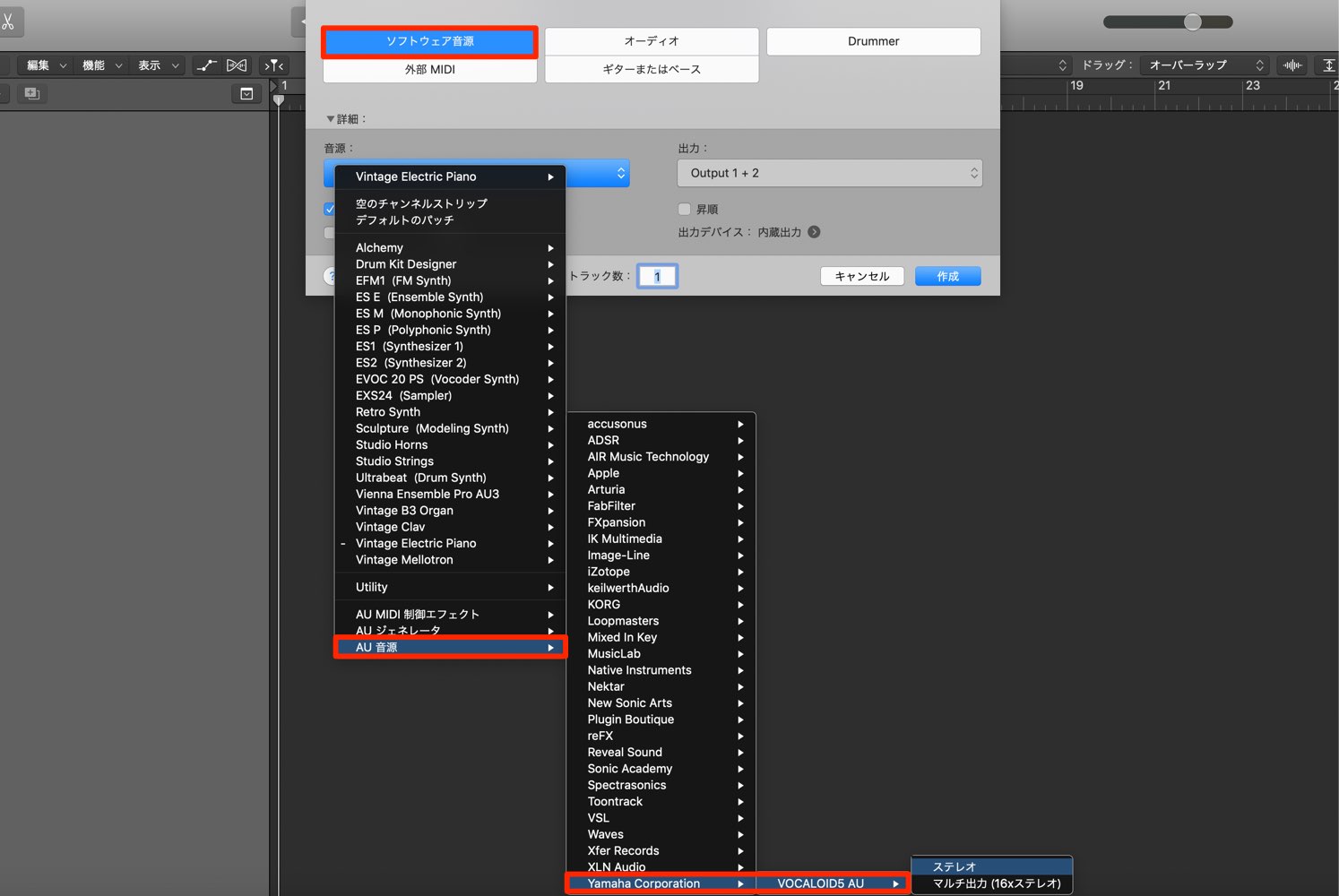
Create an instrument track, and select “VOCALOID 5 AU” as a software synth to open it.
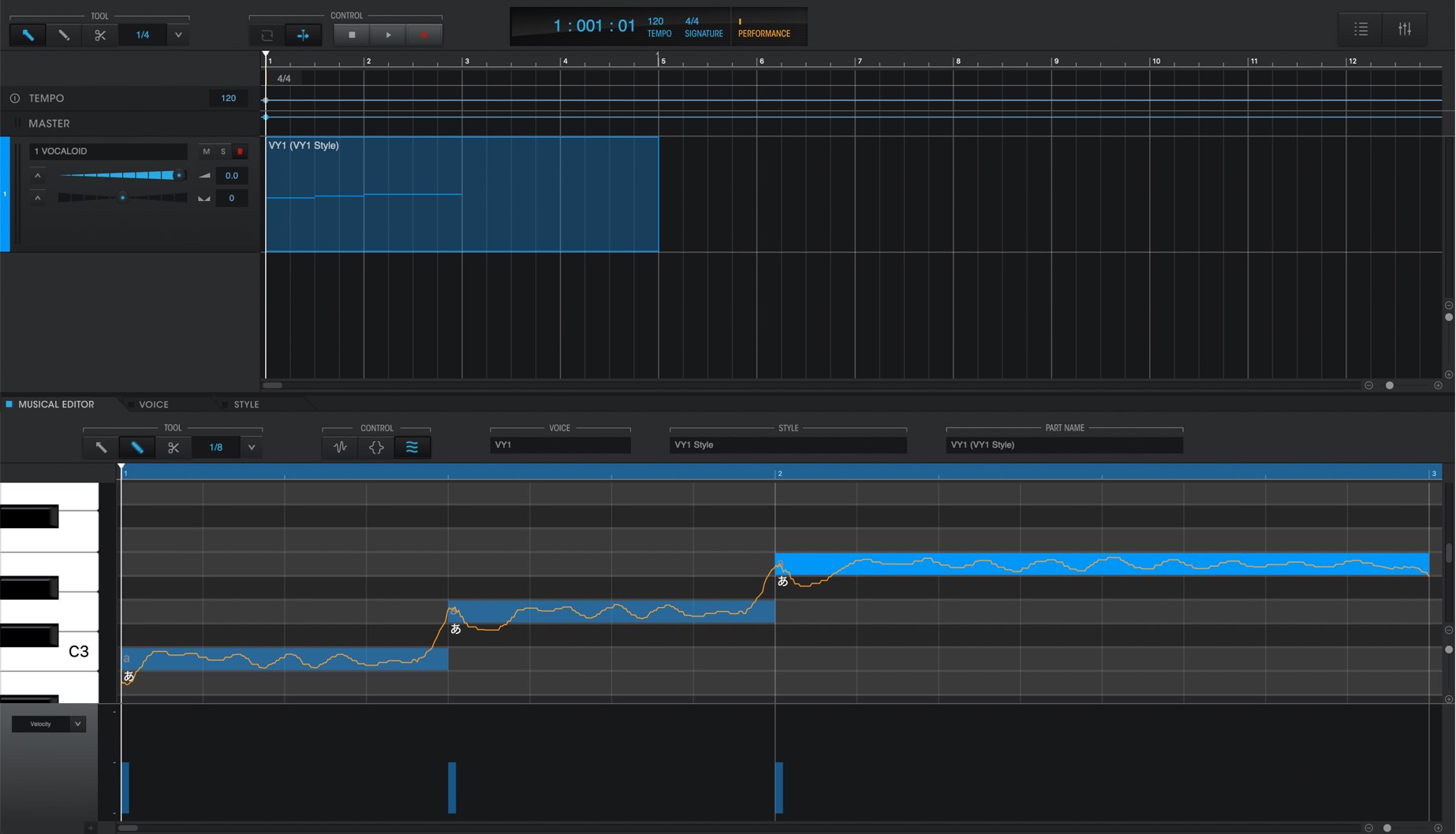
VOCALOID will open like shown, allowing you to get right into production.
It plays back seamlessly with your DAW as well.
Of course, it is compatible as a VST plugin in DAWs such as Cubase as well.
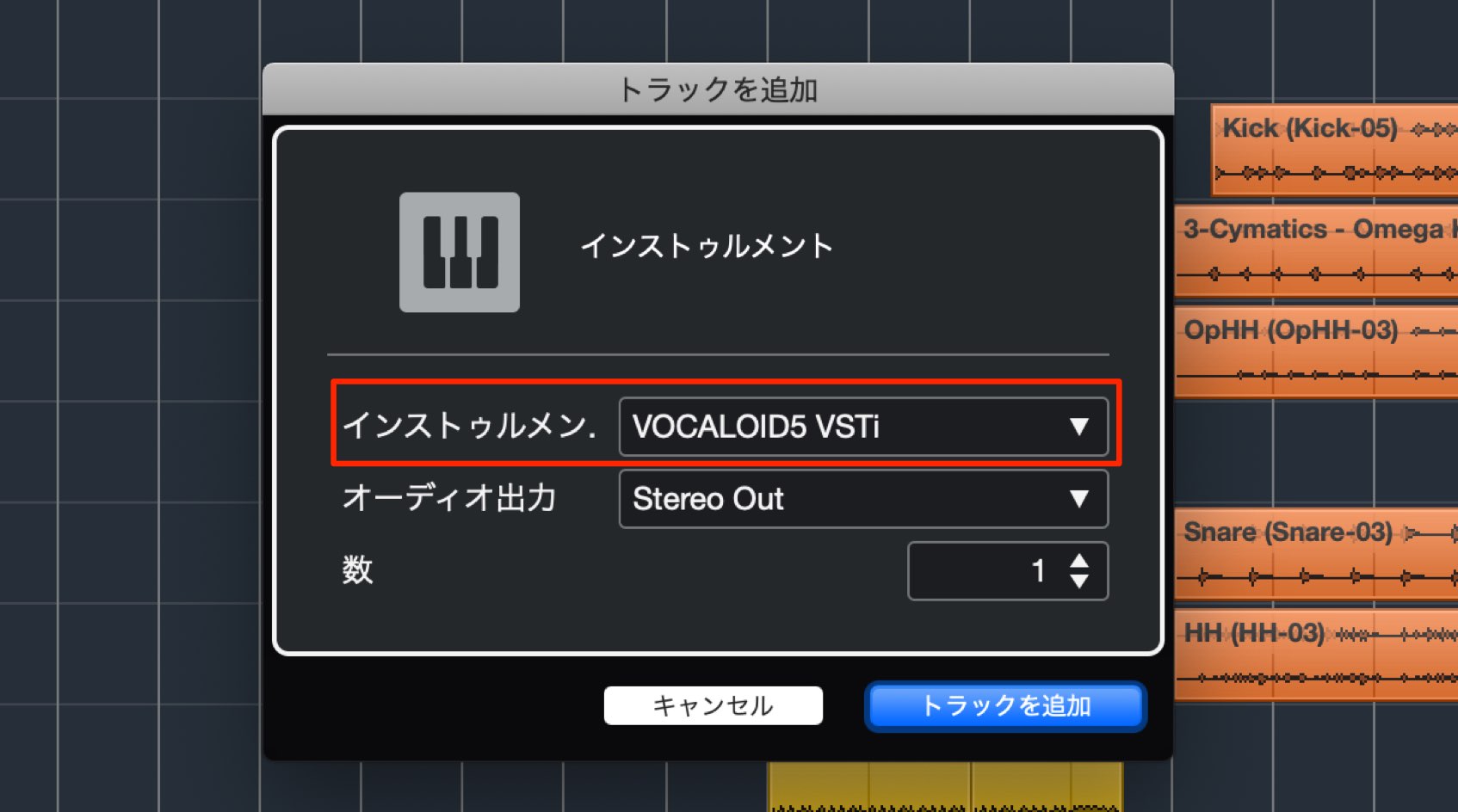
Like in Logic Pro, simply open VOCALOID as a software instrument.
One precaution is that only 1 instance of VOCALOID 5 can be open in a project.
Multiple vocal tracks can be kept track of within the VOCALOID editor.
Entering vocal phrase
After opening VOCALOID, lets go into entering actual phrases.
Keeping track of parts
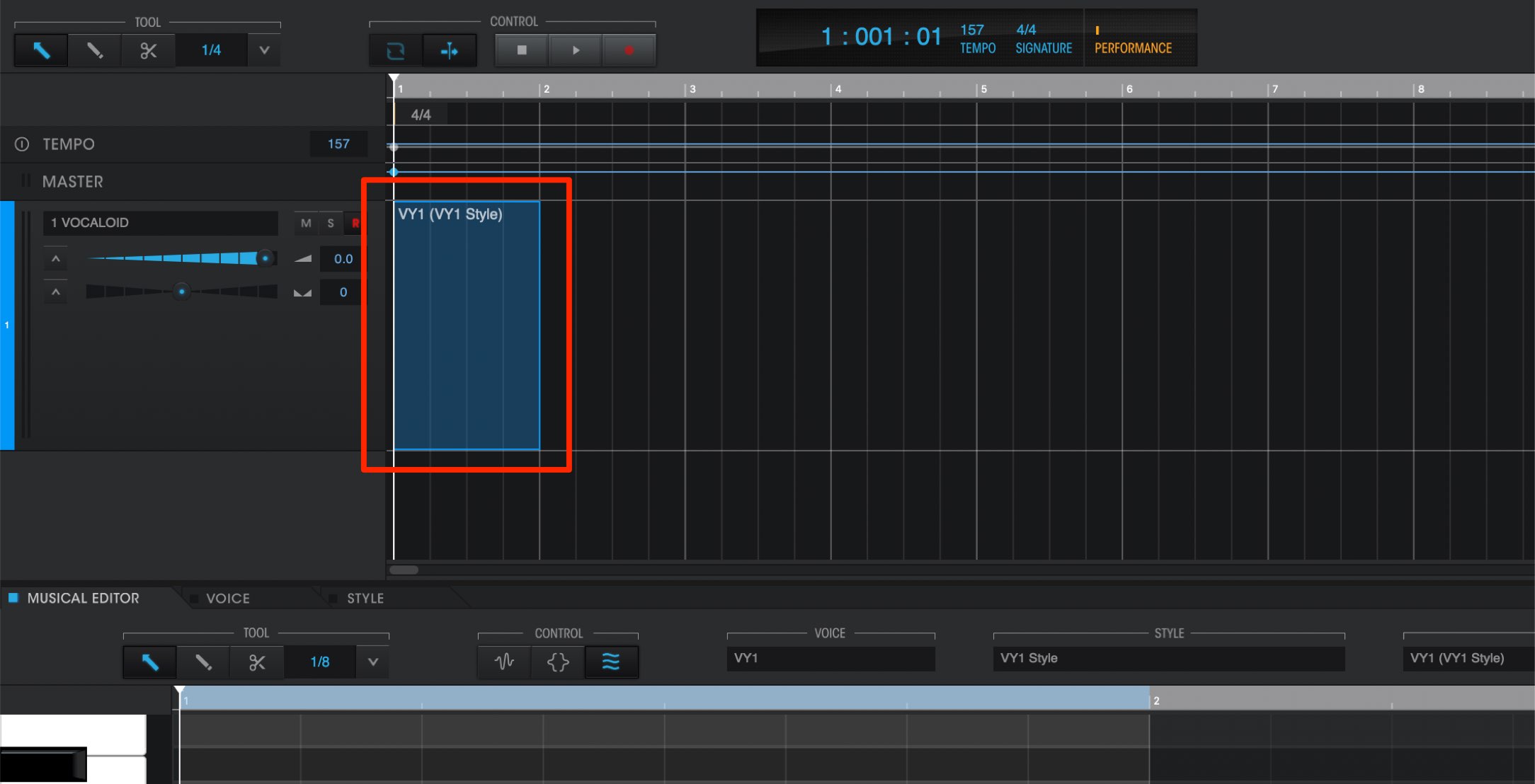
The containers available are called “parts,” and we will enter in notes here.
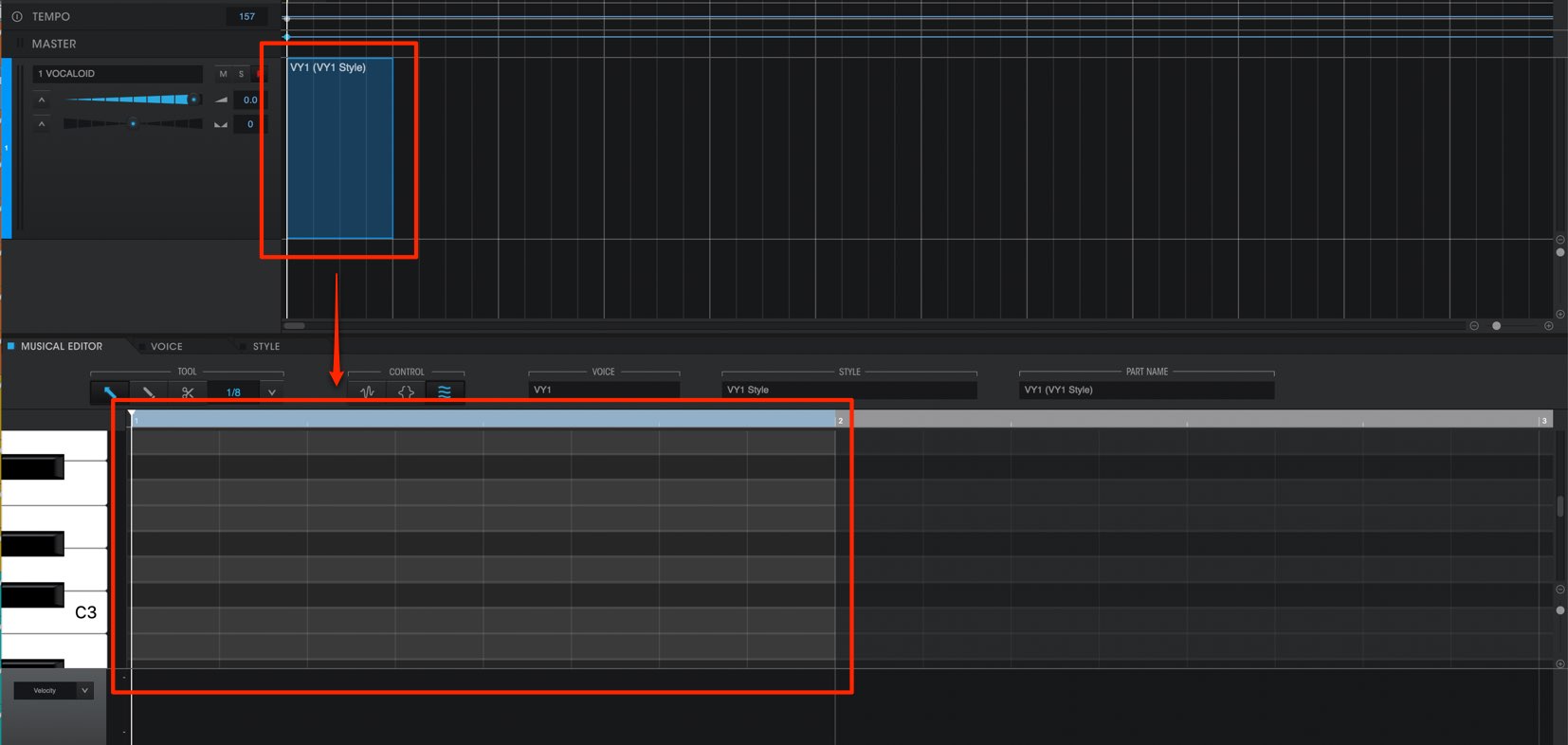
By doubling clicking a part, you can access inside of it.
We will go head and sequence in notes here.
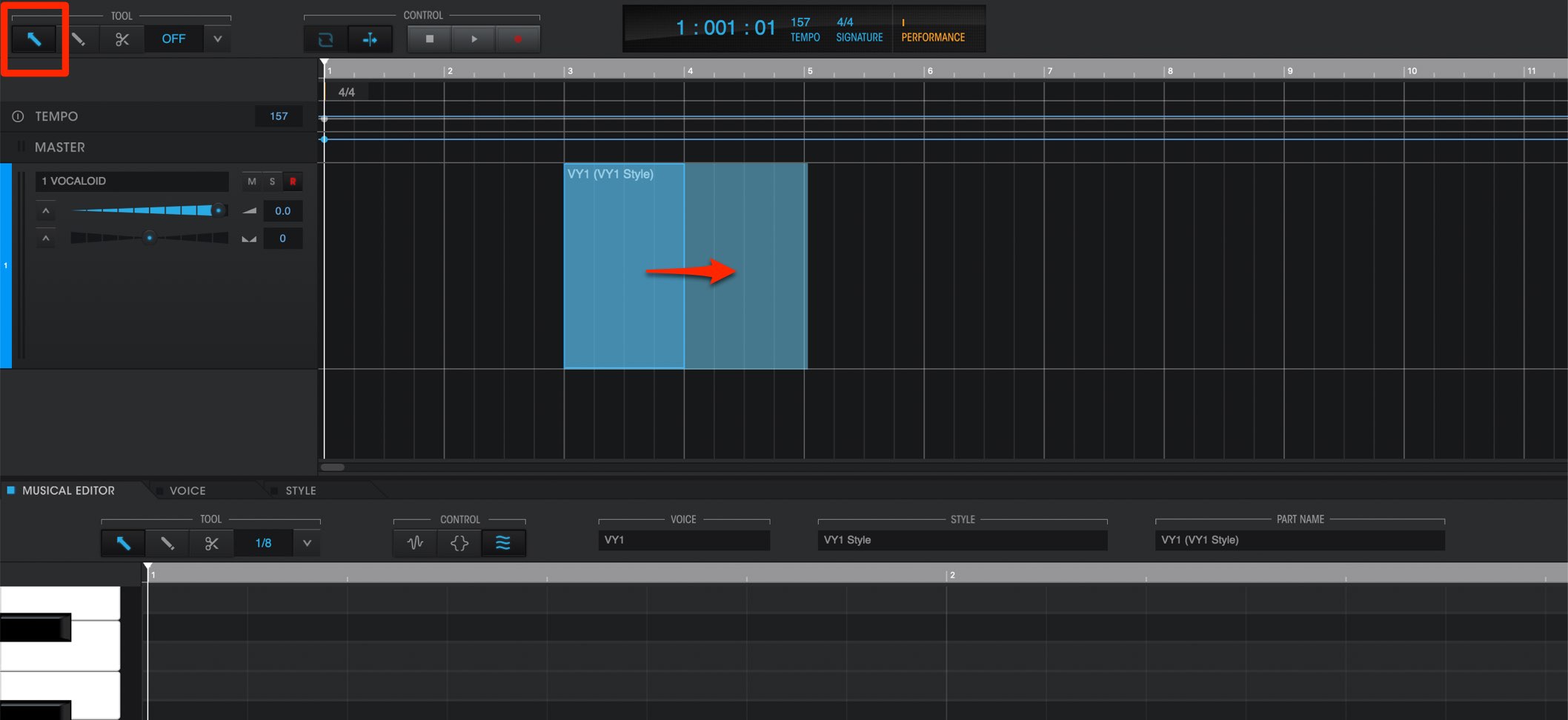
You can move using the “arrow tool” and zoom in/out, allows you to adjust the height and length of different bars and phrases.
By pressing the “delete” key while a part is selected, you can delete the part.
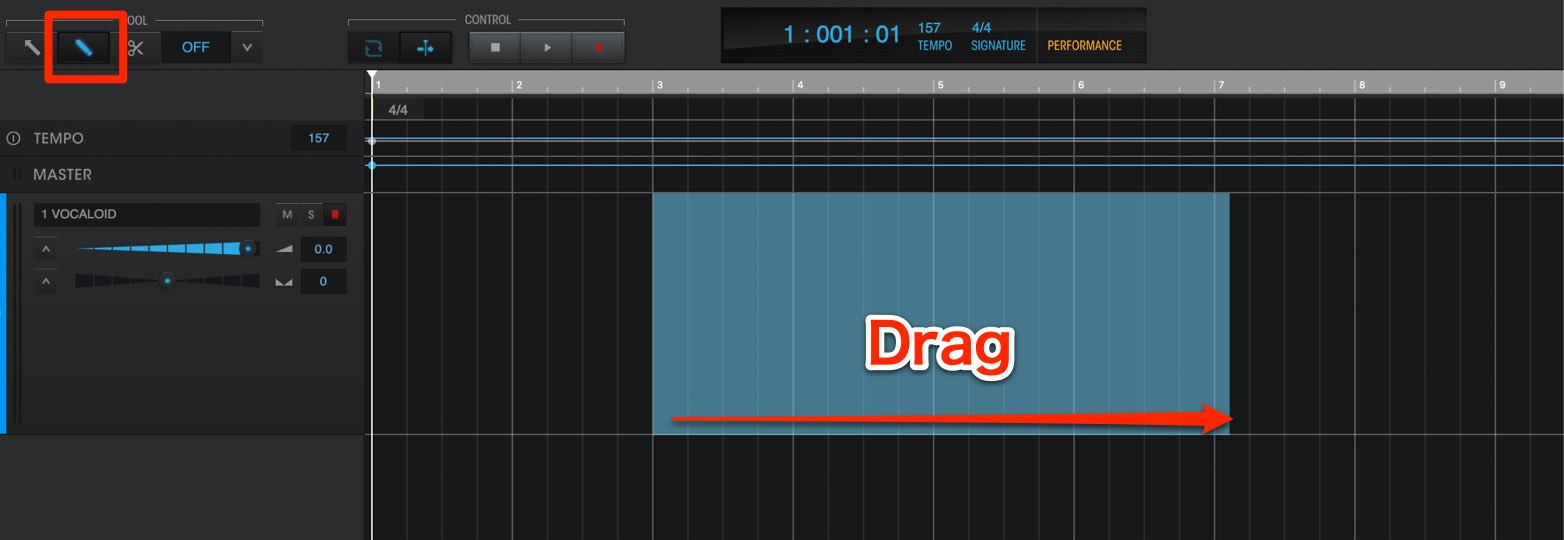
To create a new part, select the “pencil tool” and drag in the time line.
Entering notes
Lets try sequencing some notes into a part.
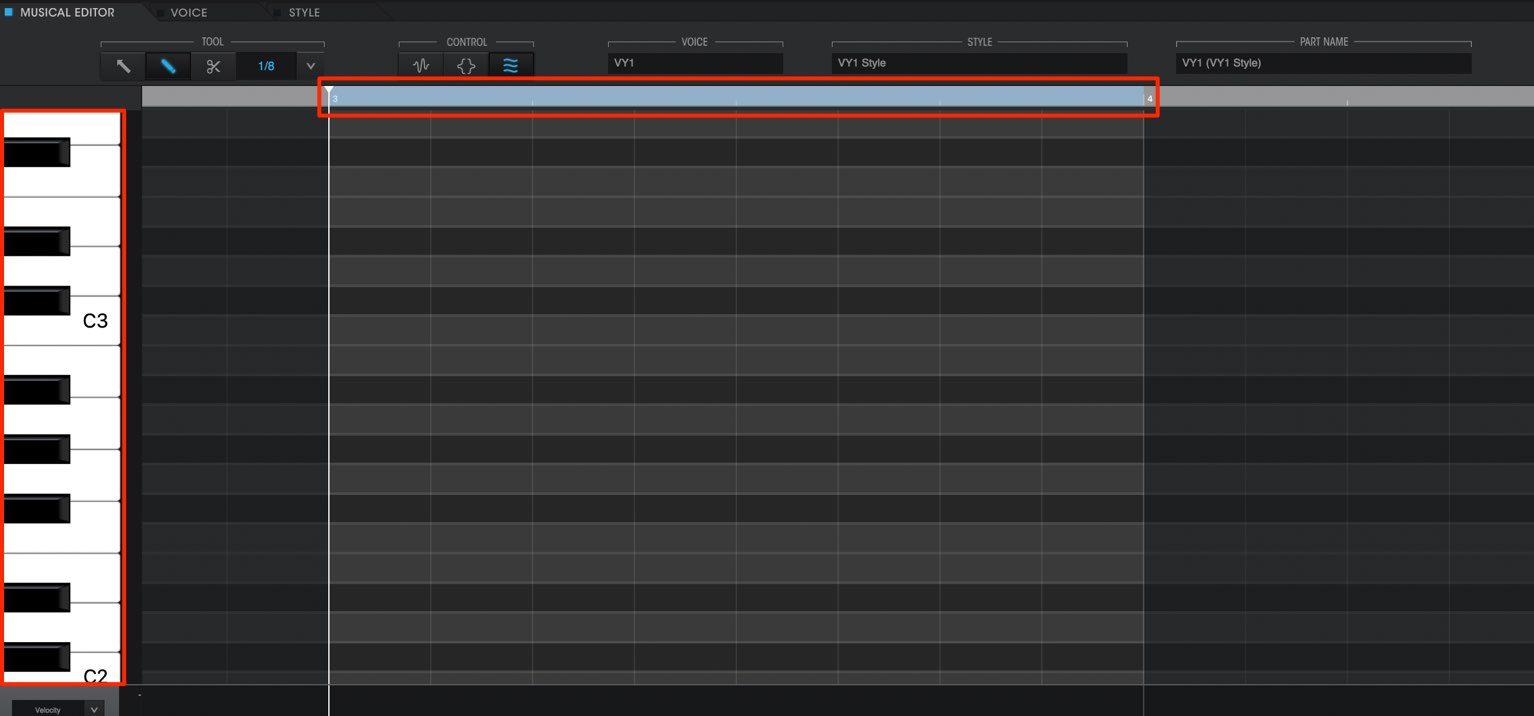
There is a keyboard on the side, allowing you to see the pitch of notes.
The horizontal plane designates the note timing. Enter notes into your desired timings.
The piano roll works the same way as in most DAW, which allows you to easily utilize.
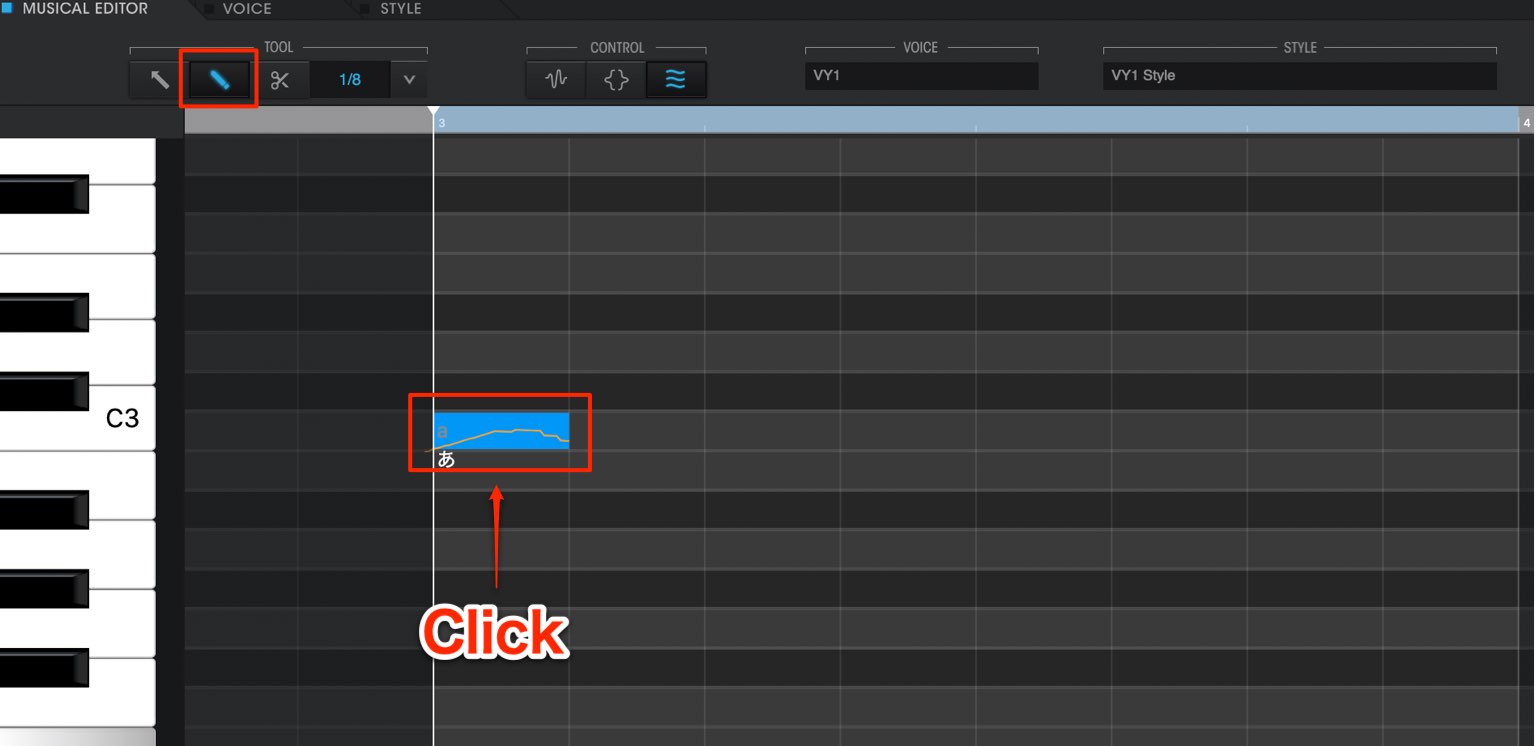
Switch to the “pencil” tool, and click on a desired area to enter a note.
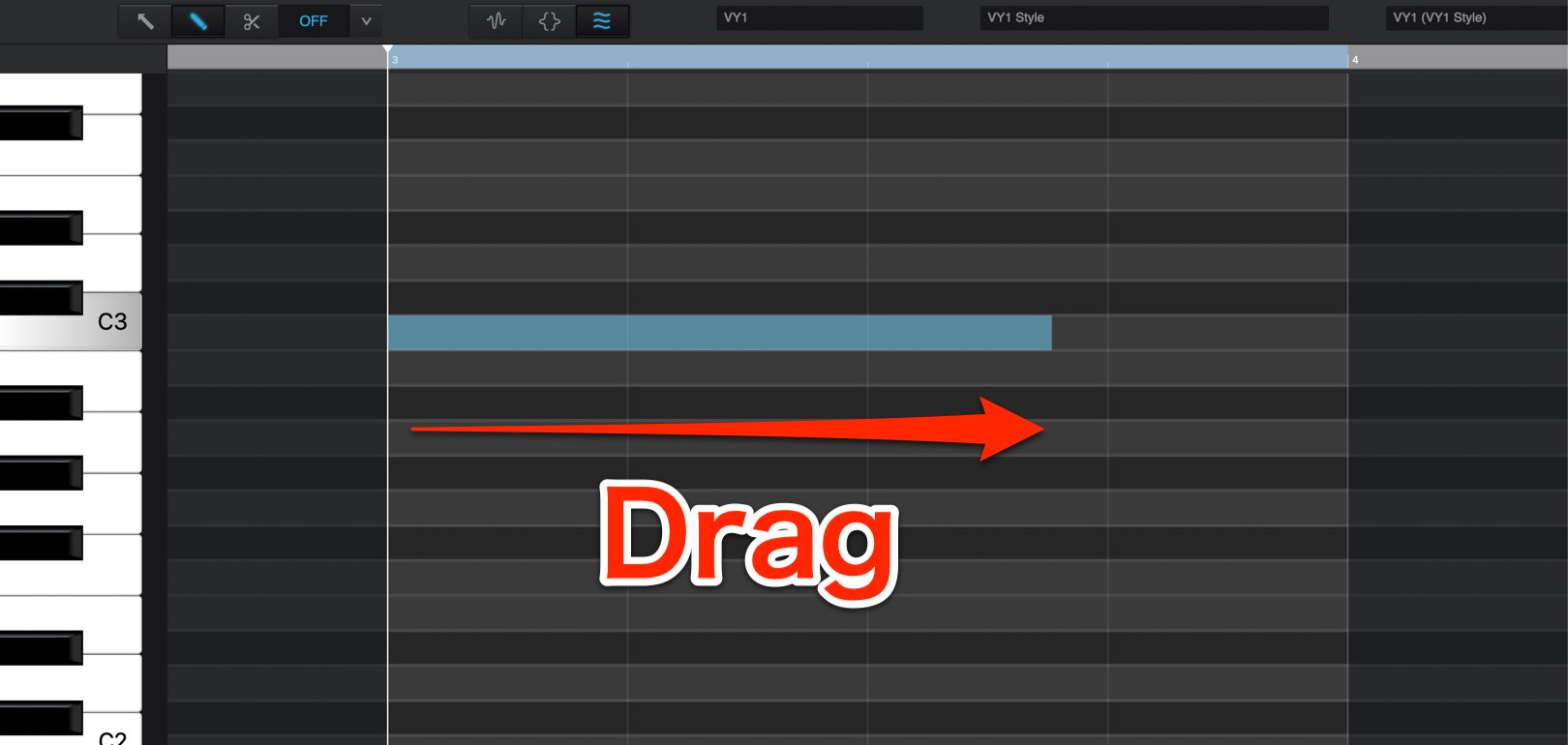
By holding the click and dragging, you can adjust the length of a note.
In addition, you can adjust the length of an existing note by dragging the edges of it.
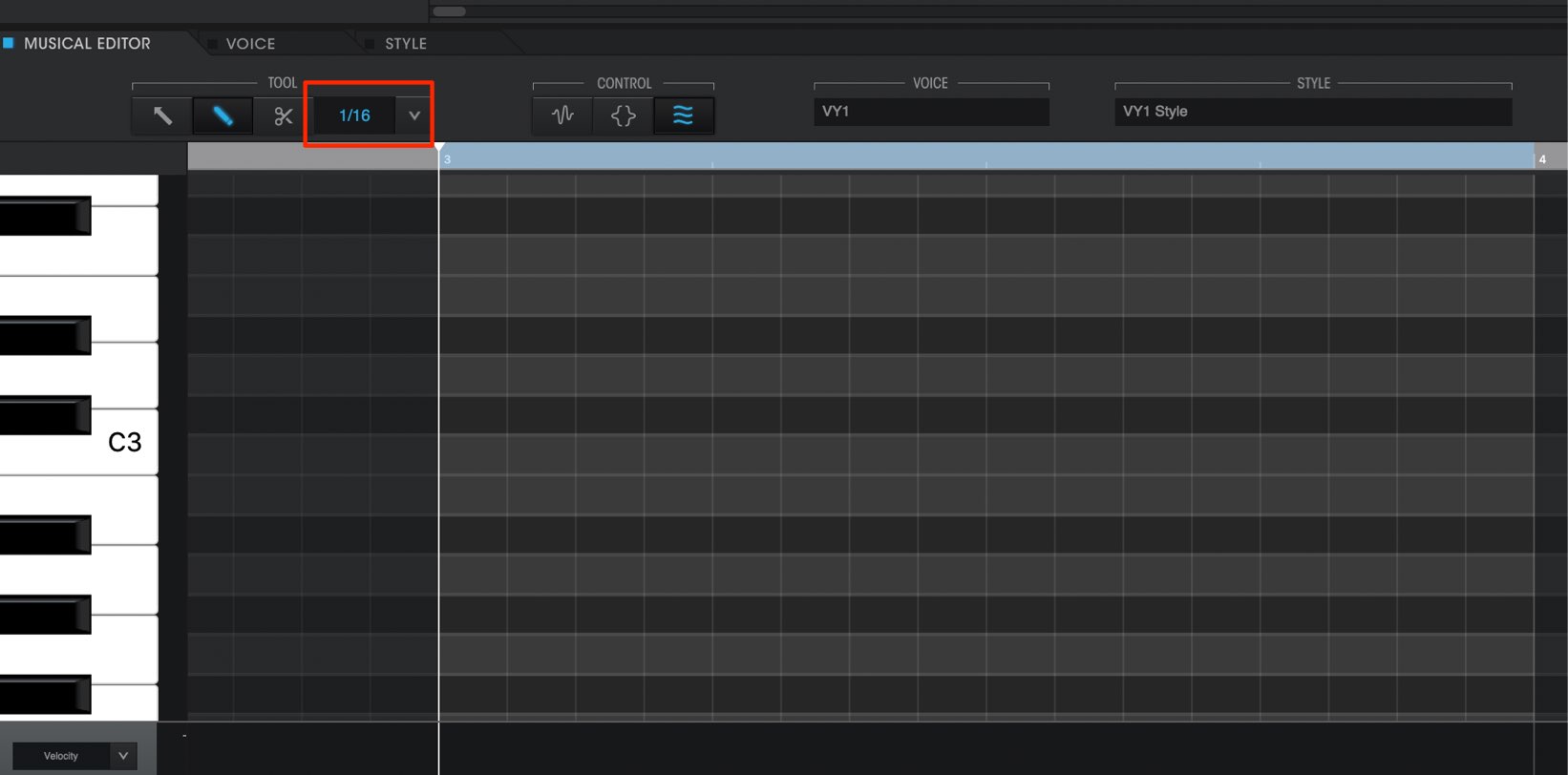
By changing the editor division amounts, you can make more detailed note timings.
Select the desired sub-division from the right of the TOOL area.
Zoom settings
When sequencing notes, you may need to zoom in/out.
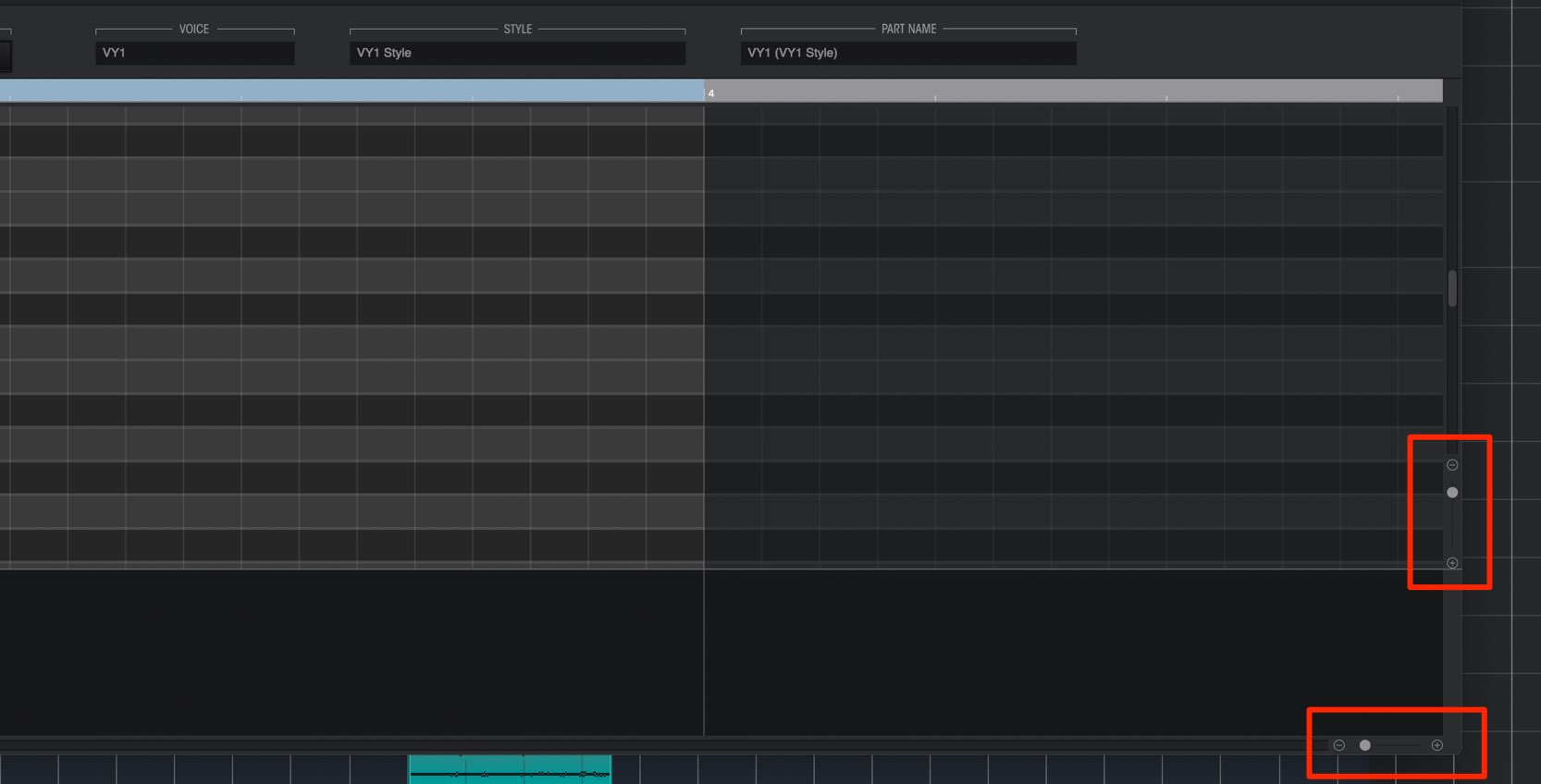
Horizontal zoom from the bottom right part of the screen, and vertical zoom from the top/bottom areas.
Adjust these controls to optimize the view for your project.
Entering lyrics
After you finish sequencing notes, it’s time to enter in lyrics.
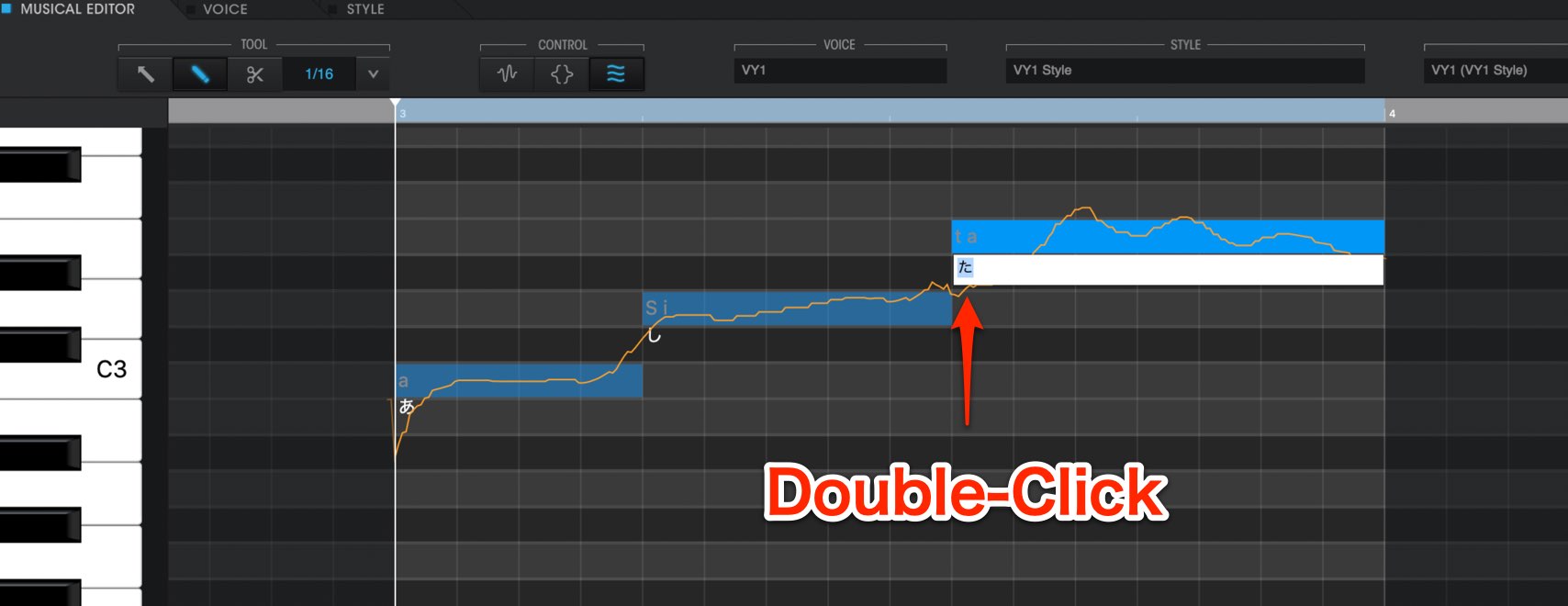
Select either the “arrow” or “pencil” tool, and double click on the lyric portion at the bottom of a note.
Next simply enter in lyrics for the selected note.
Lyrics can be entered in “Japanese/English”, but you need to select the correct singer (voice bank) for each language.
Voice bank (singer) settings
You can change between different singers to sing your sequenced notes.
Be sure to know which singer to choose depending on your song or project.
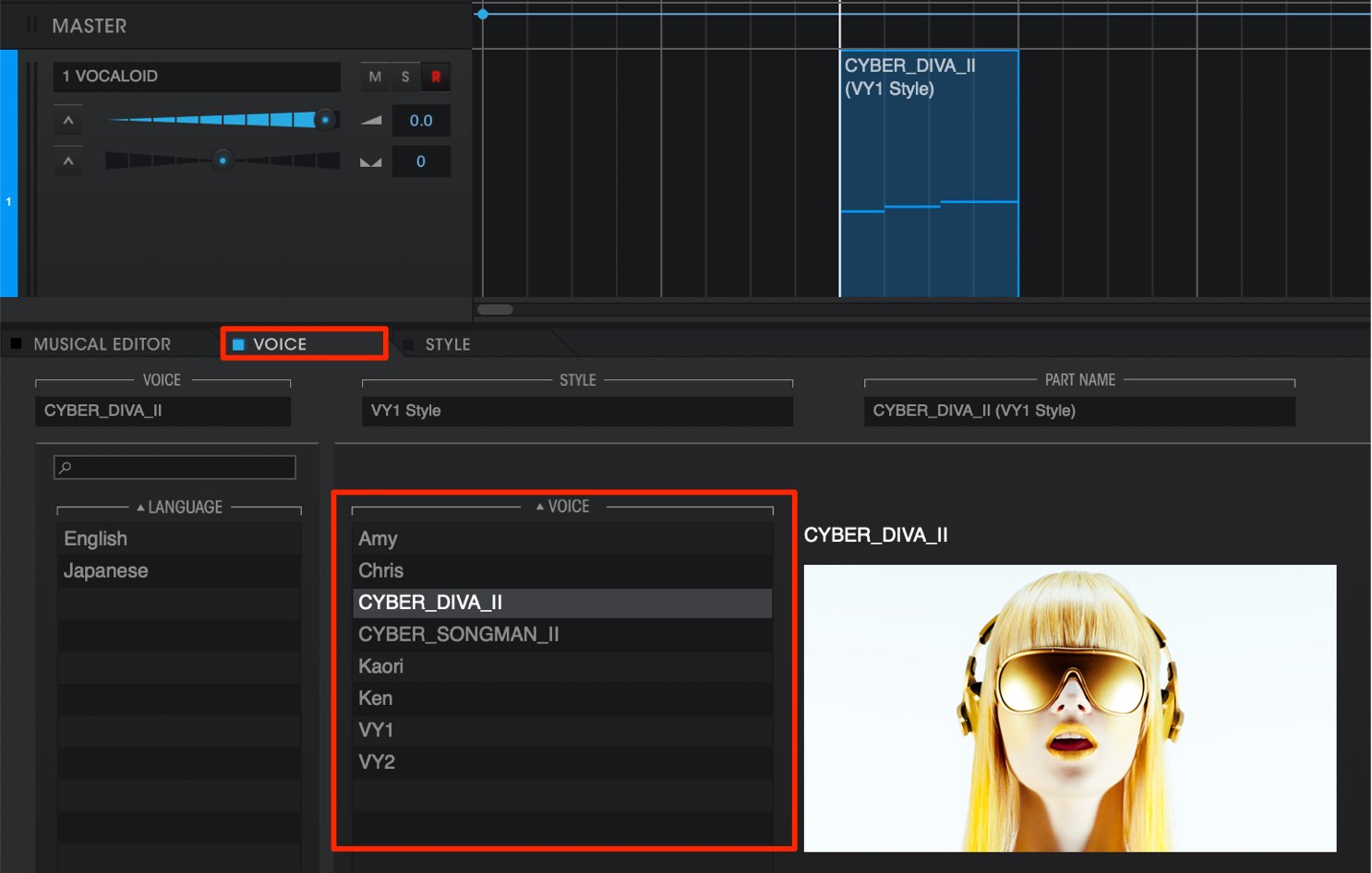
Access the “VOICE” tab to select a desired singer.
By selecting the LANGUAGE from the left, you can easily pin point the ideal singer.
There are 2 packages for VOCALOID 5; “Standard” and “Premium”.
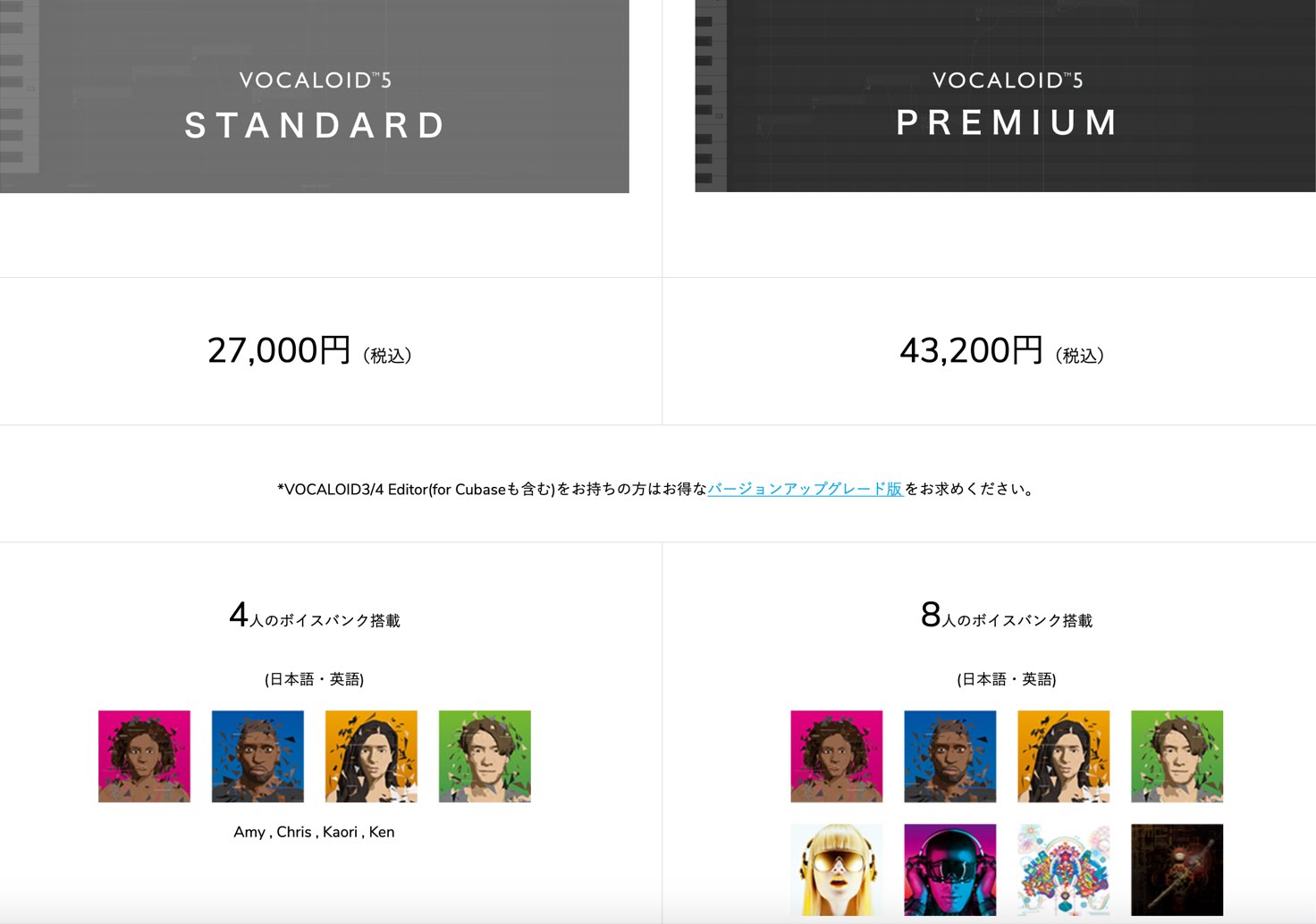
- Standard: Includes「Amy」「Chris」「Kaori」「Ken」
- Premium: In addition to the 4 singers in standard,「CYBER DIVA II」「CYBER SONG MAN II」「VY1」「VY2」for 8 total
The level of the singers included in premium are very high as well, so we recommend it for those looking for a wider variety.
STYLE settings
In addition to voice banks, VOCALOID 5 has a variety of singing nuance and volume adjustment presets in STYLE.
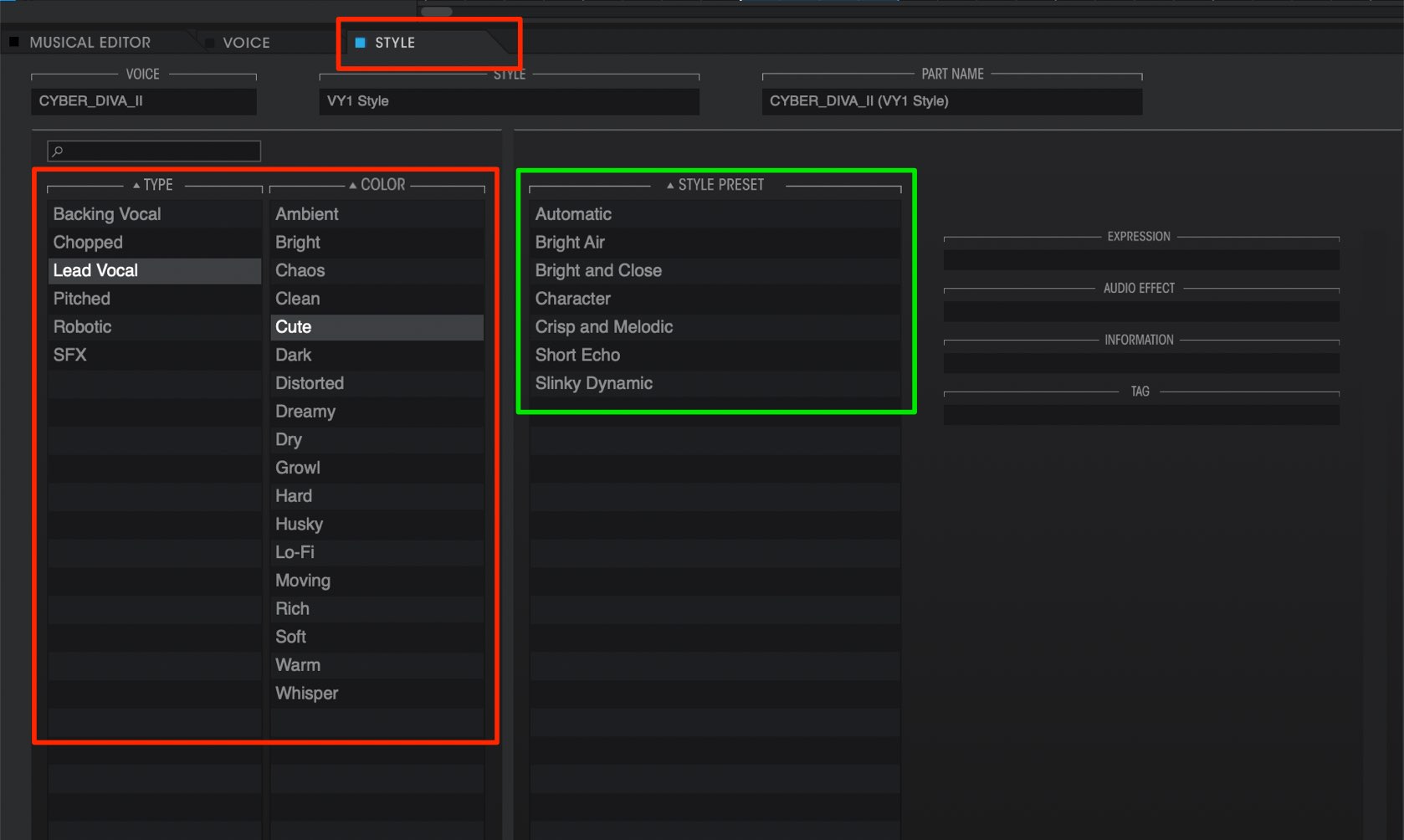
By simply selecting from over 100 different presets, you can easily find your desired nuances, and avoid the hassle of making detailed edits to polish up your vocal tracks.
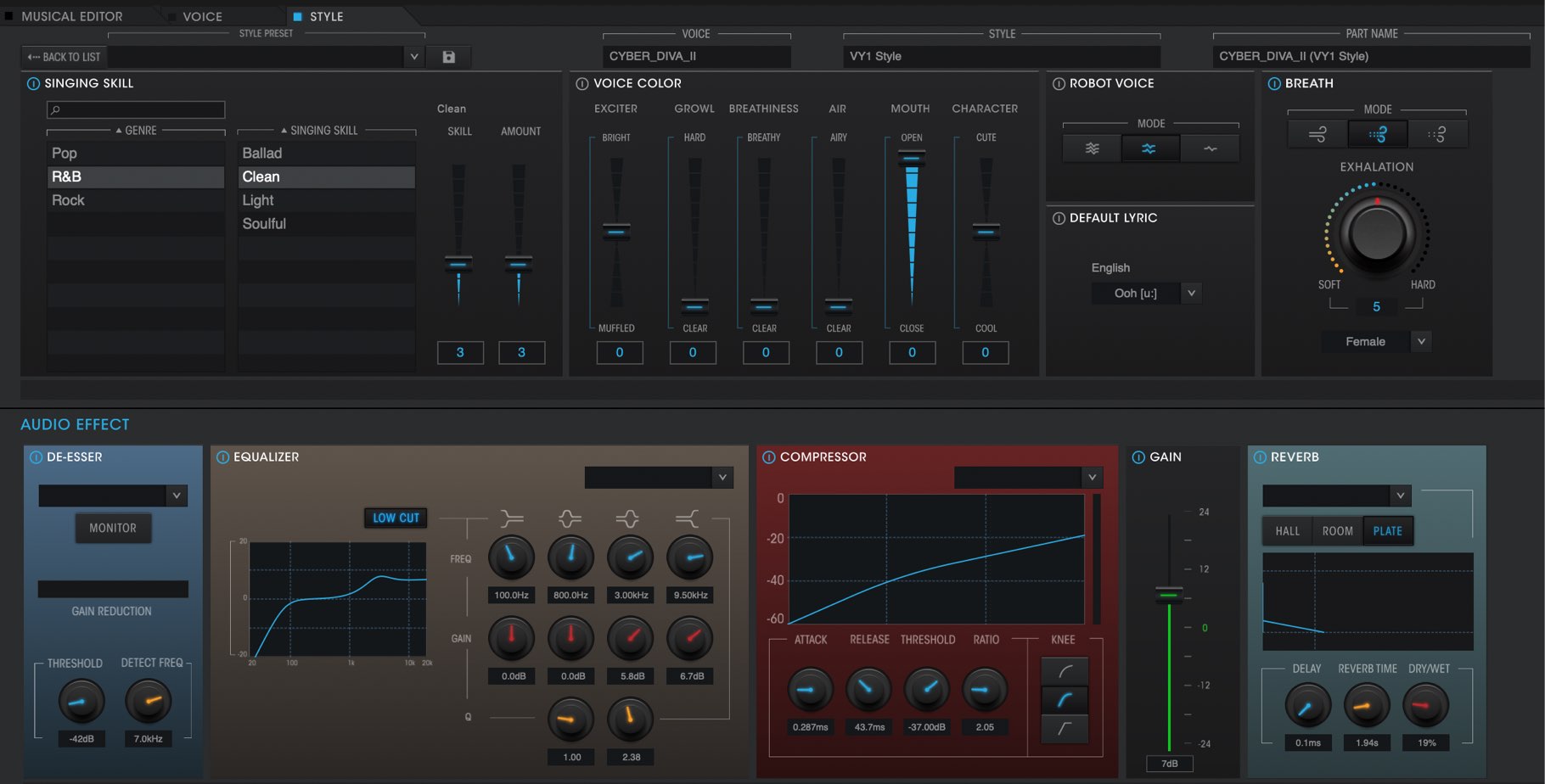
In addition, detailed edits can be made to STYLE.
We will take a look editing techniques for STYLE in the next tutorial.
ATTACK EFFECT & RELEASE EFFECT
The pitch and dynamics of sequenced notes can be controlled as well.
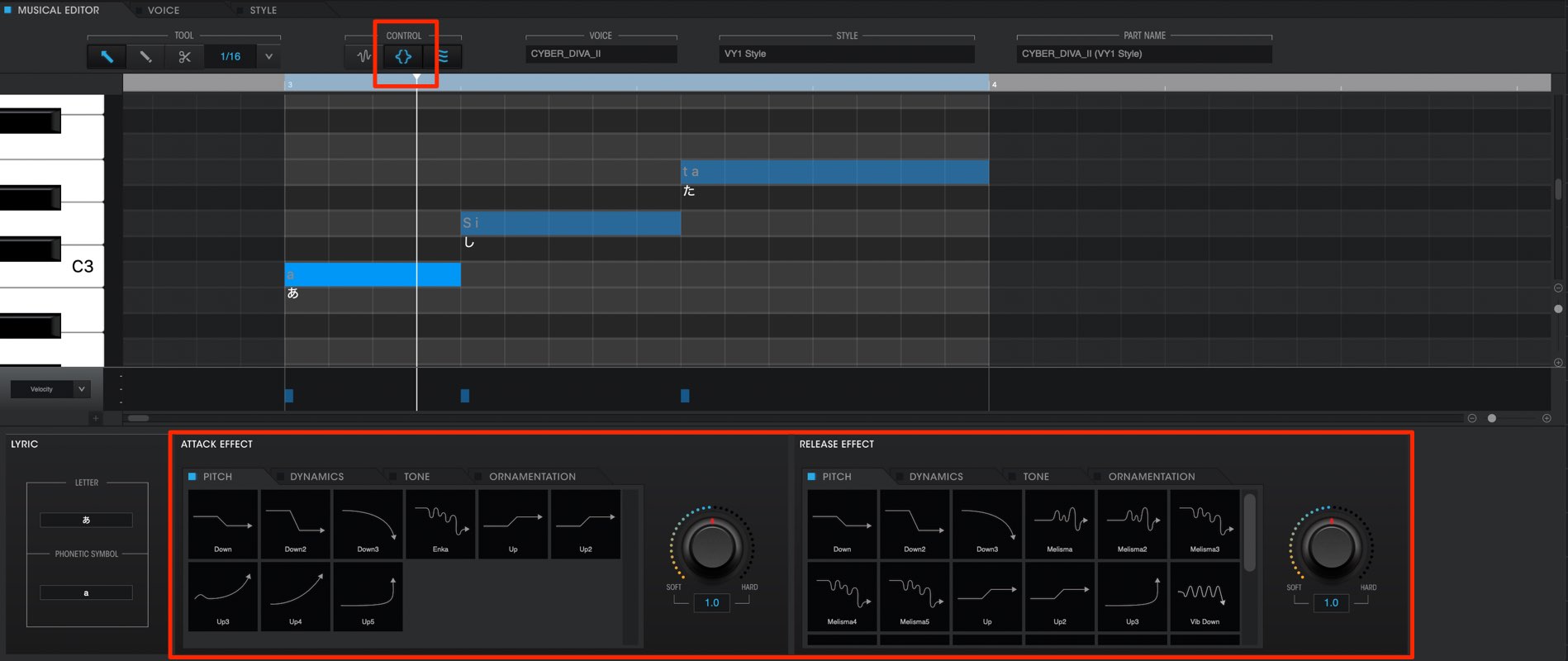
“ATTACK” controls the attack of the note, and “RELEASE” applies to the middle
end of the note.
They can easily be controlled as well.
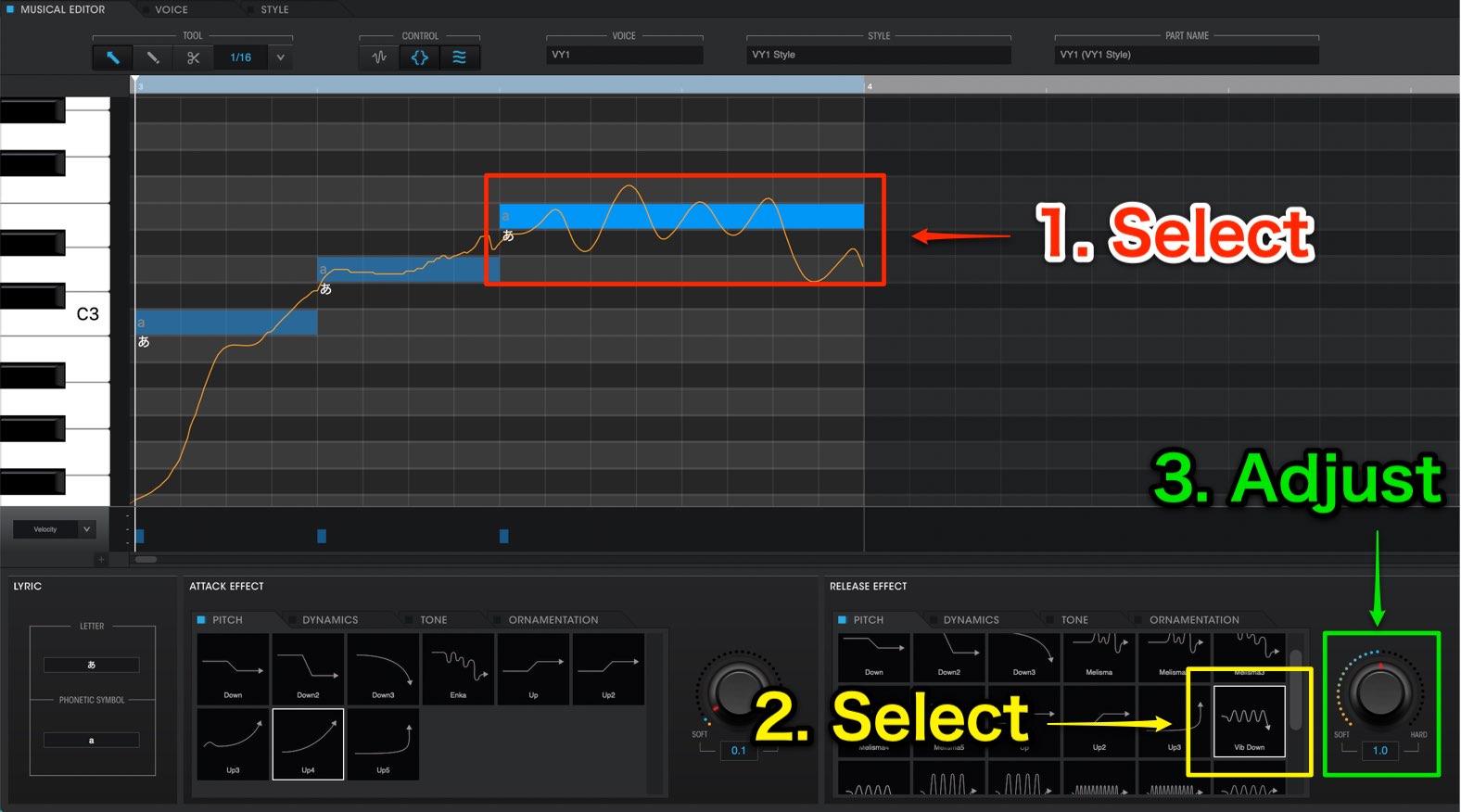
Select notes that you want to apply Attack/Release to.
Then simply turn the knob to designate the strength of the effect applied to the notes.
Those who want to take their VOCALOID vocals to the next level should be sure to make sure of these nuance effects.
Phrase functions
Perhaps you have a completed track, but can’t think of a melody,
or want to try to find a better one. The phrase function comes in handy for this purpose.
VOCALOID 5 contains over 2000 phrase presets and vocal effects, allows you to easily input them into your tracks.
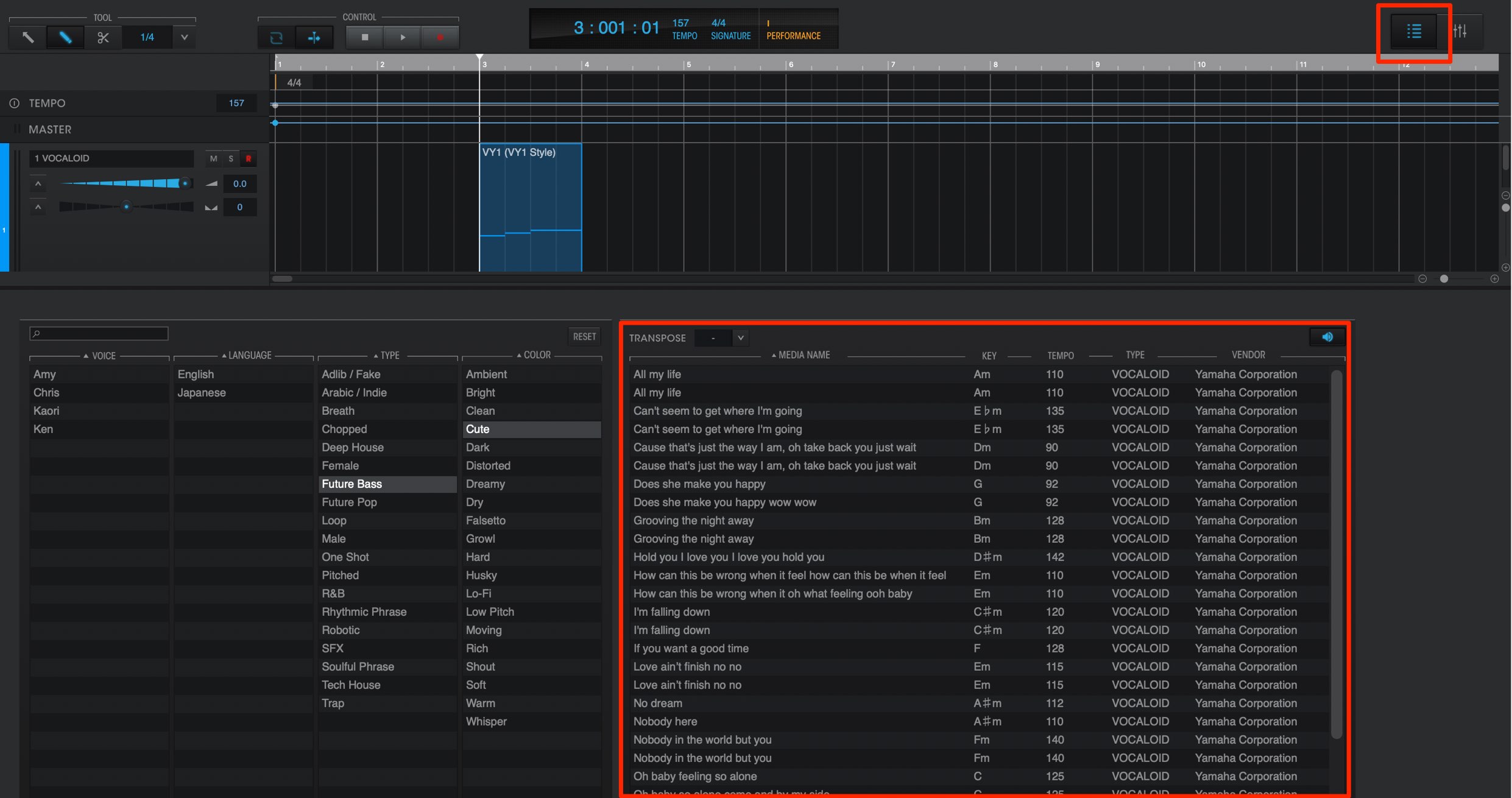
By pressing the media button on the top right, you can access the phrase list.
By selecting different categories, the presets will be narrowed down in the results on the right.
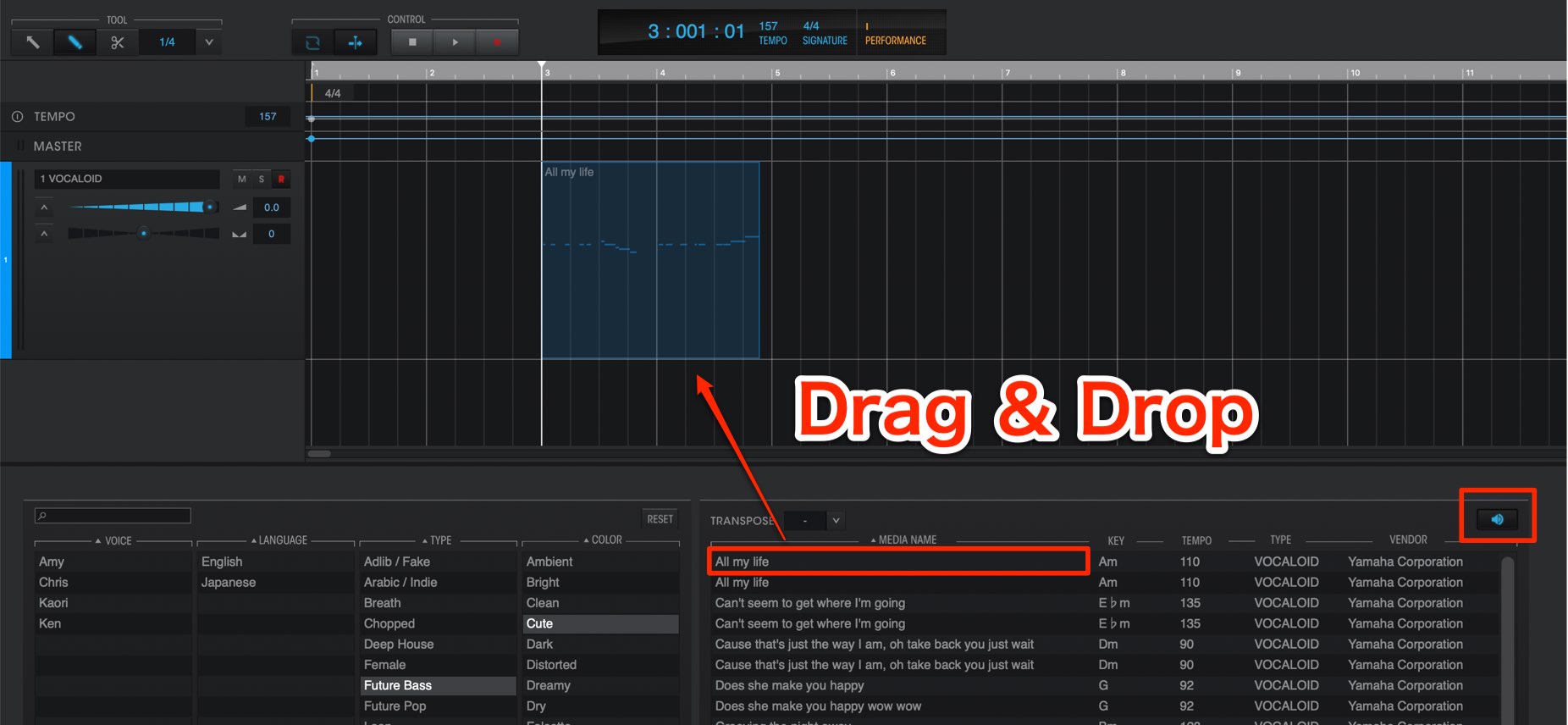
When you find a phrase that you like, simply drag & drop it into your timeline to use it.
Before opening the phrase in the timeline, you can preview the sound as well.
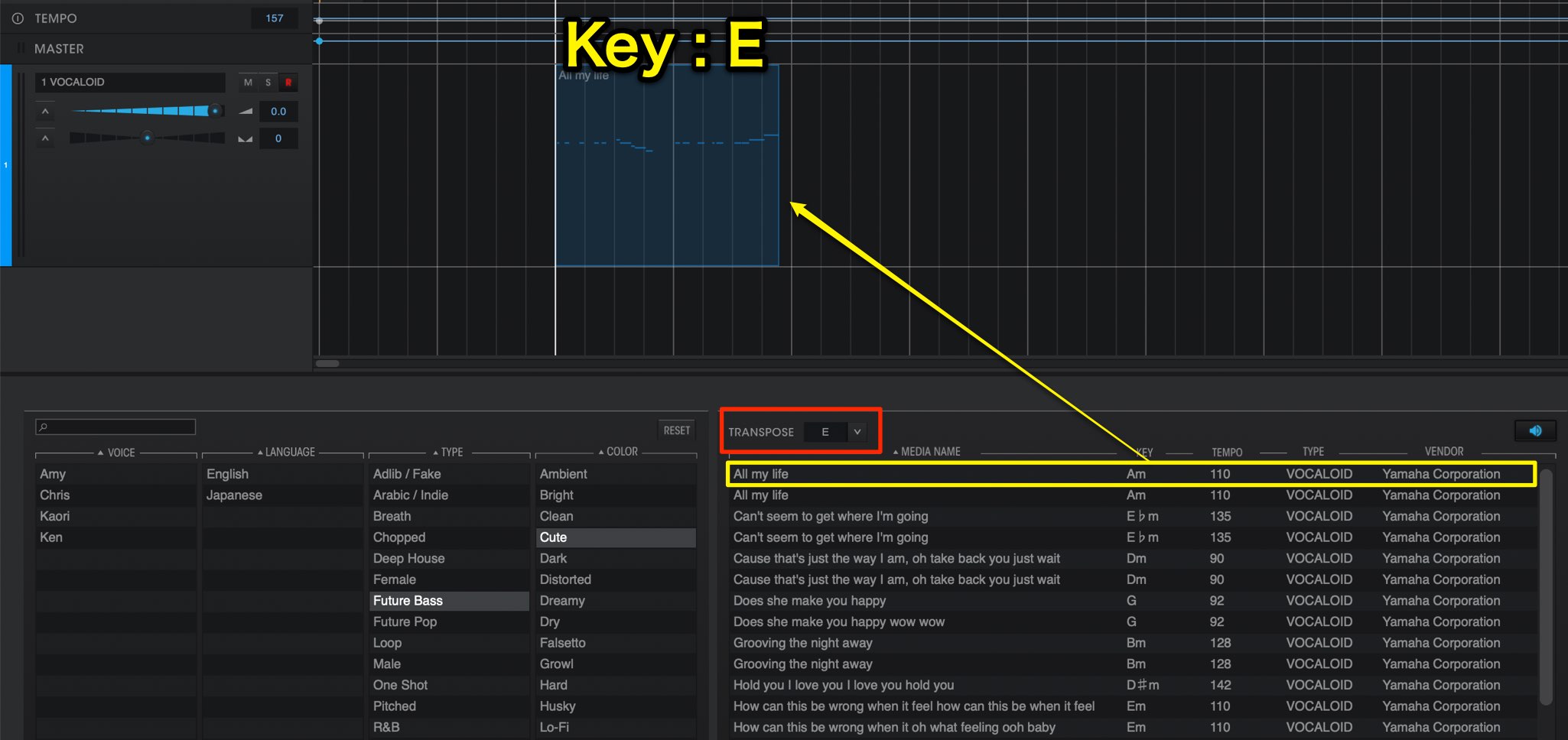
By selecting the song’s key ahead of time, you can adjust the phrases beforehand to easily integrate them into your track.
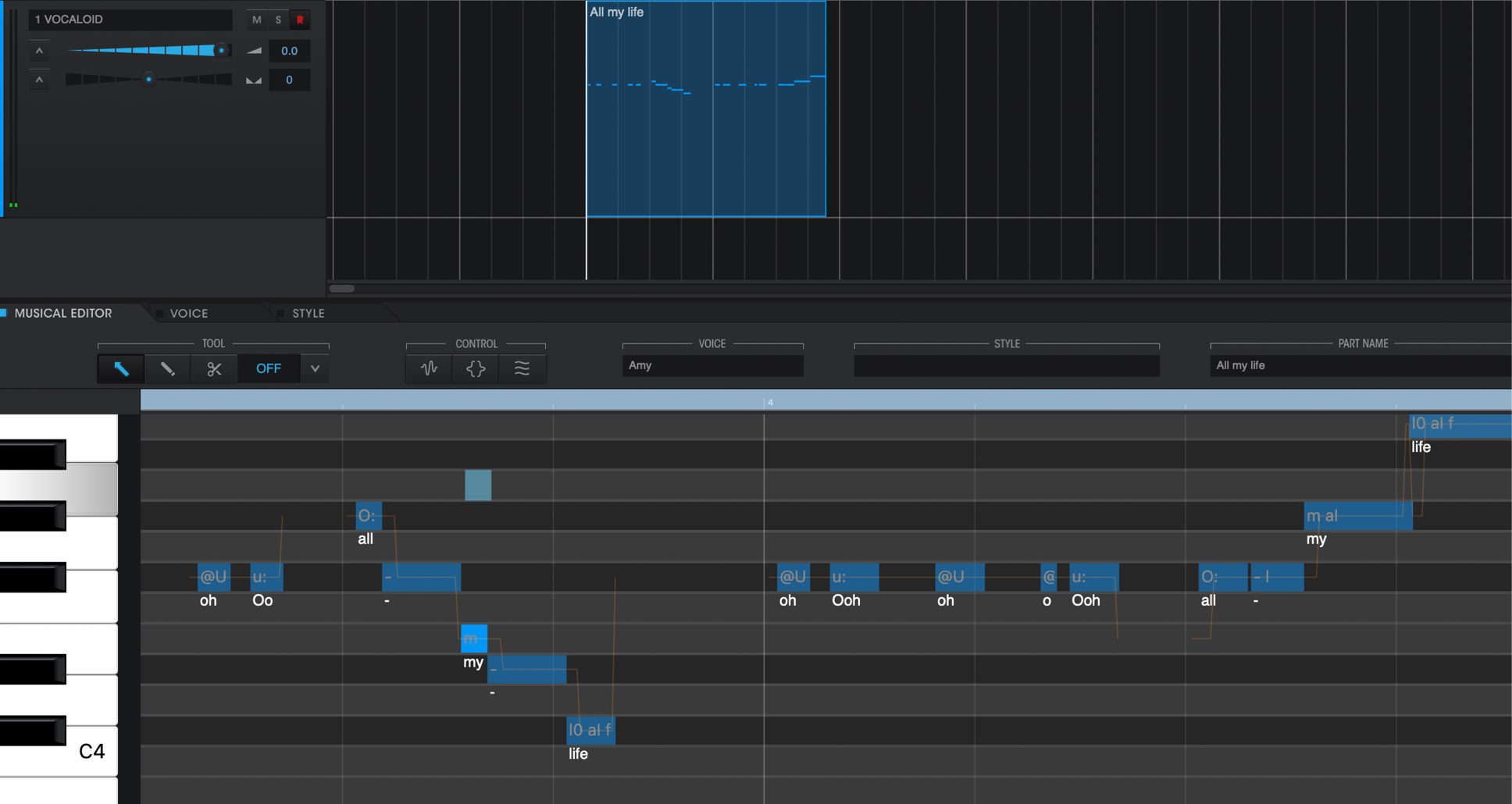
After inputting a phrase, you can input lyrics and notes just like an ordinary part.
You can even use preset phrases as building blocks for your own original music!
We hope you found this article useful.
There have been many new improvements and additional functions added since previous versions.
Even those who are new to VOCALOID can easily create melodies while having fun!
In our next article we will look at the “phrase functions” in more detail, as well as developing more of a melody for a song.
Stay tuned!
Vocaloid – что это и как использовать

#Программа #Vocaloid изначально создавалась для синтеза пения и использует предварительно #записанные слоги (как правило пара звуков согласный-гласный) для формирования #поющего #голоса. #Звуки проходят сложную #обработку — изменяются по #высоте #тона, чтобы образовать #мелодию, искажаются или обрабатываются #фильтрами, чтобы придать пению чувственность, хрипоту или использовать другие #эффекты.
В общем если вы хотите чтобы в вашем треке кто-то пел, то этот плагин отлично справится с данной задачей! При работе с программой пользователь вводит мелодию нового произведения, указывает для каждой ноты соответствующую фонему текста песни, после чего Vocaloid, используя выбранную библиотеку исполнителя, синтезирует пение. Предусмотрена возможность изменения тембра, скорости, частот, наложения различных эффектов.
Программа состоит из двух частей:
—Vocaloid Editor — редактор для работы с текстом и мелодией, собственно интерфейс программы в котором можно создать мелодию и использовать те или иные эффекты. Эта тема настолько обширна, что требует отдельной статьи. Подробнее о Vocaloid Editor (статья готовится)
—Голосовые банки — это набор звуковых сэмплов того или иного актера озвучки, на основании которого и происходит сам синтез пения. В зависимости от актера голос может быть мужским, женским, и мужским и женским (Рин и Лен Кагамине), даже детским (Каай Юки).
Актер может записать несколько голосовых банков, различающихся по стилю или языку (Мику Хатсуне например, имеет японский и английский звуковые банки, причем японских банков несколько, в зависимочти от требуемого стиля исполнения).
Стоит добавить, что саму программу разработала фирма Yamaha, а вот выпуском голосовых банков занимаются разные компании, в том числе японская Crypton. Тем не менее все голосовые банки совместимы с Vocaloid Editor
Вокалоиды как персонажи
Первые голосовые банки появились в 2004 году, 3 марта английские мужскиой и женский от фирмы Zero-G, а 5 ноября японский женский от Crypton Future Media, которые получили имена Леон, Лола и Мейко соответственно.
Причем, если на упаковках от Zero-G были просто изображены губы, то на упаковке с банком Мейко была изображена красивая девушка в аниме стиле с коричневыми волосами, которая считалась официальным персонажем, соответствующим данному голосу. С этого момента стало традицией давать каждому голосу имя, изображение, иногда даже биографию… Называть эти персонажи cтали вокалоидами.
На настоящий момент существует более 80 вокалоидов, поющих на японском, английском, корейском, китайском, испанскои и португальском языках…
Однозначно, самый популярный вокалоид — Мику Хатсуне, который всерьез конкурирует с живыми исполнителями (по крайней мере в своей родной Японии).
При всем этом, не стоит забывать, что вокалоиды — прежде всего инструменты в руках талантливых (и не очень) композиторов.
Вокалоиды на русском
К сожалению, на настоящий момент нет данных, что работы в этом направлении ведутся, что обусловлено двумя основными причинами.
-Вокалоиды в России не столь популярны и вряд ли здесь будут финансировать довольно дорогой проект без надежды окупить расходы.
- Русский язык довольно сложен для синтеза, учитывая структуру при котором возможно сочетание до 5 согласных подряд, что крайне осложняет техническую реализацию проекта.
Но все не так безрадостно. Технологии развиваются и дешевеют, возможно и в России появится группа энтузиастов, которая возьмется за реализацию сложного, но очень интересного в техническом плане проекта.
Пример работы виртуального вокала
Сейчас в магазине zero-g проходит летняя распродажа. Акция на все вокалоиды, они идут со скидкой в 40%.