Выбор камеры с микрофоном для Zoom конференций
Zoom – платформа, разработанная для проведения видео-конференций и вебинаров. При этом в видео- или аудио звонке могут принимать участие до 100 человек. Для того, чтобы воспользоваться платформой на персональном компьютере, понадобится камера для Zoom конференции. Однако прежде чем ее приобрести, необходимо ознакомиться с лучшими веб-камерами для ПК и их особенностями.
Каким требованиям должна отвечать камера для Zoom
Для участия в конференциях рекомендуется использовать веб-камеры, которые отвечают следующим требованиям:
- Наличие встроенного микрофона. Поскольку во время звонков придется не только слушать, но и говорить, лучше выбирать модели с микрофоном.
- Качественная матрица. Четкость изображения во многом зависит от типа установленной в камере матрицы. Сейчас наиболее распространенными являются технологии CCD и CMOS. Матрицы, изготовленные на основе CCD-сенсоров, выдают качественную картинку с минимальным количеством шумов.
- Высокое разрешение. У наиболее дешевых моделей низкое разрешение – 640х480 пикселей. Этого недостаточно, чтобы передавать качественную картинку. Лучше выбирать устройства с HD-разрешением, которое составляет 1280х720 пикселей.
- Наличие автоматического фокуса. Модели с поддержкой автофокусировки самостоятельно настраивают четкое изображение. Такие веб-камеры идеально подойдут для людей, которые хотят передавать качественную картинку.
Дополнительная информация! В дешевых камерах используется ручная фокусировка, которую нужно самостоятельно настраивать для улучшения качества изображения.
Рейтинг 6 лучших камер для ПК для Зум конференций
Из огромного количества веб-камер для компьютера можно выделить шесть моделей, которые часто используются для участия в видеоконференциях в Zoom.
Defender G-lens 2597 HD720p
Бюджетная камера, которая идеально подойдет для людей с ограниченным бюджетом. Среди особенностей Defender G-lens выделяют наличие многослойной линзы и CMOS-матрицу. Несмотря на доступную стоимость, модель способна выдавать четкое широкоформатное изображение в разрешении 1280х720 пикселей. Среди недорогих устройств такое встречается крайне редко.
Defender G-lens имеет встроенную функцию автонастройки, которая самостоятельно изменяет уровень белого и регулирует экспозицию. При недостаточном уровне освещенности камера изменяет светочувствительность, чтобы картинка не была слишком темной.
Микрофон у Defender G-lens не очень качественный. Из-за повышенного уровня чувствительности он ловит много посторонних звуков. Это может мешать проведению конференции и поэтому его придется периодически отключать.
Genius QCam 6000
Люди, которым надоели однообразные веб-камеры, могут приобрести устройство Genius QCam 6000. Эта модель продается в трех цветовых оформлениях:
- красный;
- желтый;
- черный.
Камера привлекает внимание не только своим необычным дизайном, но и другими особенностями. Например, ее можно поворачивать под углом в 90 градусов. Это позволяет менять ракурс съемки и выбрать уровень наклона, при котором картинка будет более четкой и красивой.
Genius QCam 6000 оснащается CMOS-матрицей и позволяет записывать и передавать видео в FullHD разрешении. Этого достаточно для участия в онлайн-конференциях.
Дополнительная информация! У встроенного микрофона есть функция шумоподавления. Однако она не всегда справляется с устранением посторонних шумов.
Logitech HD Webcam C525
Это небольшая веб-камера, которую часто покупают для конференций. Она оснащается универсальным креплением, с помощью которого ее можно установить на любом мониторе. Главная особенность Logitech Webcam C525 – поворот на 360 градусов. Это позволяет выбирать наиболее подходящий и удобный угол для съемки. Веб-камера транслирует картинку в HD-разрешении со скоростью 30 кадров в секунду. Несмотря на небольшое разрешение, удается добиться четкого изображения за счет встроенного автофокуса.
Еще одна полезная функция, которой может похвастаться Logitech Webcam C525 – шумоподавление. Даже если видеотрансляция будет проводиться на улице или в кафе, голос говорящего будет звучать отчетливо.
A4Tech PK-910P
Эта web камера для Zoom оснащена стеклянным объективом, с помощью которого удается транслировать видео в разрешении 1280х720 пикселей. От остальных бюджетных веб-камер модель отличается отсутствием автоматической фокусировки. Пользователям придется вручную настраивать фокус.
У A4Tech PK-910P есть встроенный мультисэмплинг, с помощью которого повышается плавность передаваемой картинки. Также модель оснащена качественной матрицей, которая обладает яркими цветами и реалистичной цветопередачей. Микрофон у веб-камеры обычный, без шумоподавления. Поэтому учувствовать в конференциях лучше дома, а не в шумных местах.
Microsoft LifeCam Cinema
Это качественная веб камера для Zoom конференции. Она оснащена технологией True Color, которая делает цветопередачу более реалистичной. Модель передает видео в соотношении 16:9 и HD-разрешении. Microsoft LifeCam Cinema позволяет поворачивать объектив на 360 градусов, за счет чего удается выбрать наиболее удачный ракурс для трансляции видео.
В верхней части камеры расположен микрофон. Он оснащен функцией шумоподавления, которая часто используется при проведении конференций. Около микрофона расположена специальная кнопка, с помощью которой можно принимать входящие звонки.
Canyon CNS-CWC5
Универсальная камера, которая может работать не только на ПК, но и на мобильных устройствах. Дело в том, что Canyon CNS-CWC5 поддерживает iOS и Android. Это позволяет подключать ее к TV Box и Smart TV. Веб-камера передает изображение в FullHD разрешении со скоростью 30 кадров в секунду. Этого достаточно для видеозвонков в Zoom.
В девайс встроен автофокус, который отвечает за четкость изображения. При плохом освещении камера автоматически корректирует яркость и цветопередачу. Микрофон, встроенный в Canyon CNS-CWC5, достаточно качественный и подходит как для участия в конференциях, так и для проведения стримов.
Лучшие веб-камеры Full HD для видеозвонков с помощью Zoom или Skype
Из-за Covid-19 многим людям пришлось адаптировать свою работу дома, во многих случаях это головная боль, так как очень важно построить небольшой офис с нуля. Ко всему этому нужно добавить, что мы проводим больше видеоконференций. Да, тот звонок, на котором вы можете увидеть своего босса, чтобы насладиться более «более близким» разговором. Единственное, что вам нужно — это Веб-камера с которым вы можете показать свое лицо. Конечно, не любая модель подойдет.
дистанционная работа внезапно пришла в редакции из-за пандемии коронавируса Covid-19, но, тем не менее, многие компании ранее использовали методы для координации удаленной работы благодаря эпохе глобализации, в которой мы живем. В это время, чтобы иметь возможность выполнять свою работу удаленно, ваша старая веб-камера больше не работает. Да, тот, который у вас был в ящике, сохраненный, так как вы его вообще не использовали. По этой причине, учитывая, что пора его обновить, мы подготовили полную компиляцию с лучшие веб-камеры для профессионального использования что вы можете найти.
Какое минимальное качество для профессиональной веб-камеры?
Please enable JavaScript
Возможно, вы думаете, что с моделью HD этого будет более чем достаточно, чтобы совершать видеозвонки с более чем приличным качеством. Теоретически это так, но следует признать, что если мы хотим найти модель для профессионального использования, мы должны выбрать ту, которая предлагает Решение 1080p, которое предлагают гораздо более четкое изображение.
Проблема в том, что существует такой широкий каталог вариантов, что выбрать его довольно сложно. Для начала вы можете найти веб-камеру для видеозвонков Skype, Zoom … И т. Д. Или идеальные модели для записи ваших трансляций в прямом эфире. И да, большое количество решений с Разрешение Full HD действительно широкий. Проблема в том, что бренды иногда обманывают нас.
Это происходит потому, что они указывают на то, что камера способна запись в качестве 1080p , но фокус в частота кадров s, который обычно очень низкий. И это делает видеозвонки в этом разрешении очень низким качеством. По этой причине мы выбрали модели, которые на минимум, способны записывать со скоростью 30 кадров в секунду , более чем достаточно для видеоконференции с коллегами в более чем достаточном качестве.
Лучшие модели для рассмотрения
Теперь, когда стало ясно, насколько важно выбрать веб-камеру Full HD, помимо знания частоты кадров в секунду, чтобы обеспечить удобство работы пользователей, давайте рассмотрим лучшие модели для рассмотрения.
Веб-камера Full HD LUCKYGBY
Мы начнем эту компиляцию с одного из лучшие веб-камеры Full HD что вы можете найти с моделью от производителя Luckygby, которая вас совершенно не разочарует. Мы говорим о продукте, который имеет систему компенсации экспозиции HD, которая распознает условия низкой освещенности и обеспечивает наилучшее качество. К этому мы должны добавить его светодиодные линзы, которые отвечают за освещение, чтобы немного улучшить качество изображения. Не говоря уже о соотношении цены и качества, которое делает покупку гарантированной.

Веб-камера Docooler 1080P
Производитель Docooler предлагает ряд решений, пользующихся большим авторитетом благодаря невероятному соотношению цены и качества. И именно эта модель вас нисколько не разочарует. Его агрессивный дизайн, возможность записи в формате 1080p, а также цена делают его просто неотразимым.
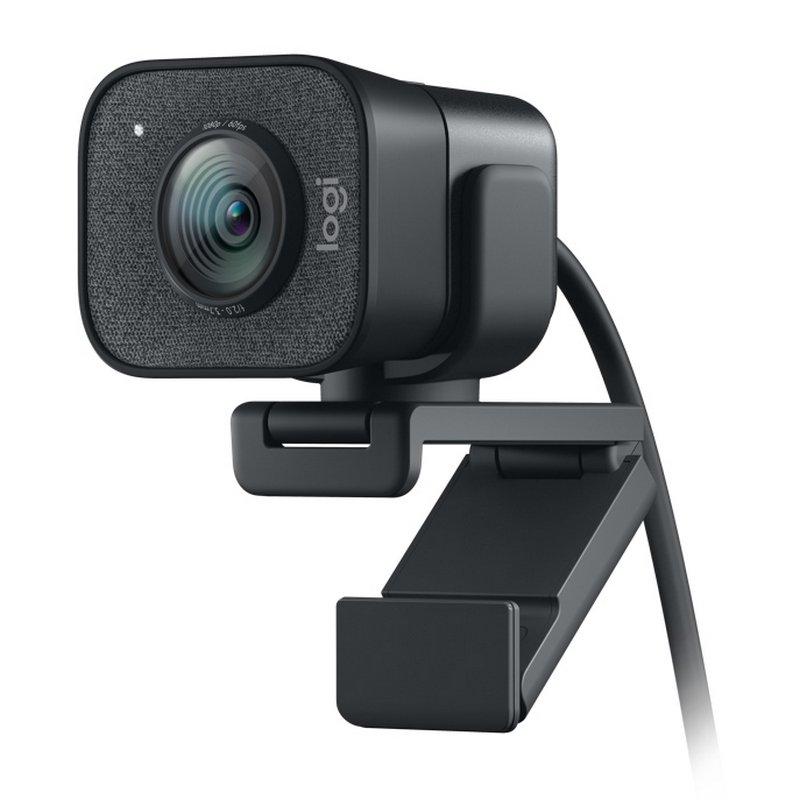
Logitech StreamCam
Logitech — один из крупных брендов, когда речь идет о покупке любых компонентов для вашего компьютера. У производителя есть каталог продукции, пользующейся большим авторитетом в отрасли. И их выбор веб-камер самый полный, что вы найдете.
Наблюдения и советы этой статьи мы подготовили на основании опыта команды Logitech StreamCam веб-камера — устройство, которое вас нисколько не разочарует. Он предлагает разрешение Full HD при 60 кадрах в секунду, экспозицию и автоматический интеллектуальный фокус, возможность записывать видео в портретном формате (идеально подходит для социальных сетей). В нем есть все необходимое для видеозвонков в лучшем качестве.
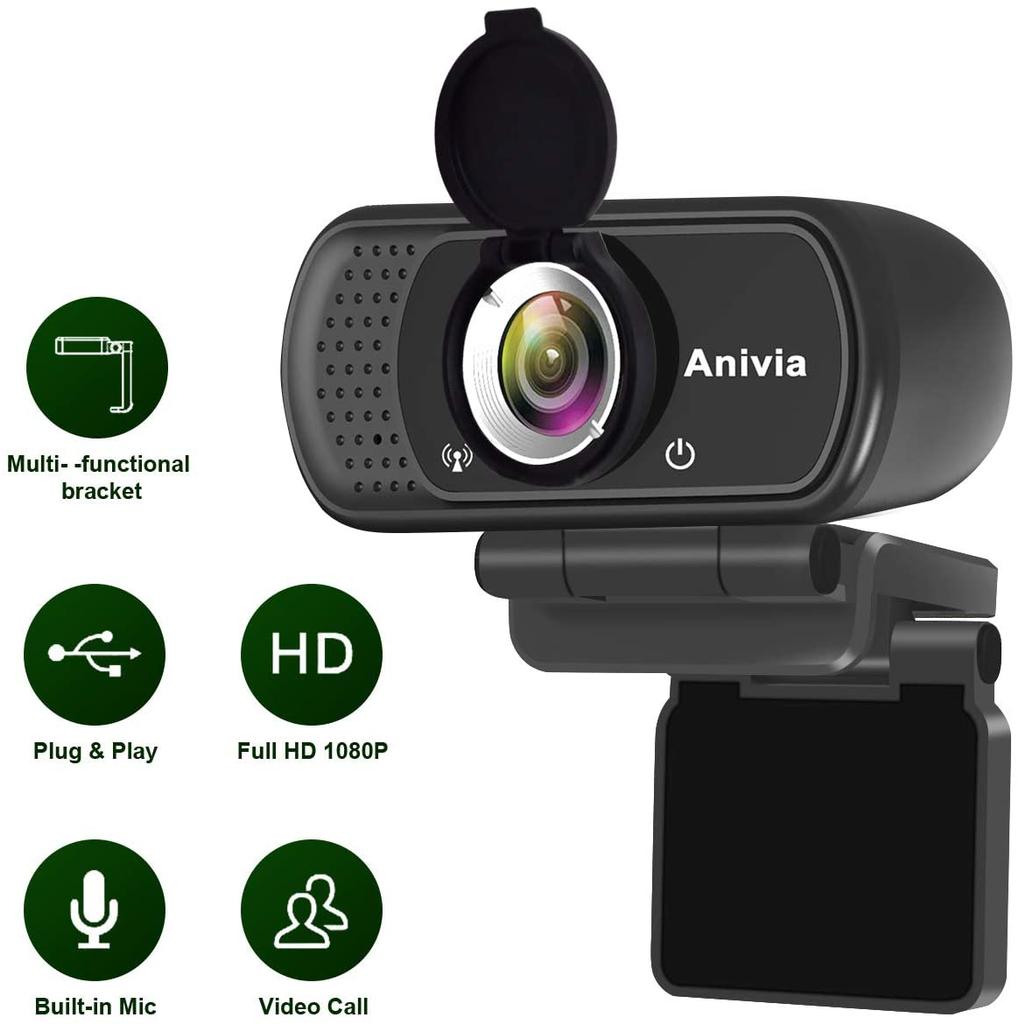
Веб-камера Anivia Full HD
Перед нами веб-камера, в которой есть несколько важных элементов. Это модель plug and play, поэтому ее использование максимально упрощено. Он способен записывать видео в качестве 1080p со скоростью 30 кадров в секунду, у него есть стереомикрофон, поэтому они могут вас слышать лучше, чем когда-либо. Если для вас важна конфиденциальность, эта камера использует крышка с линзой когда вы не используете веб-камеру, чтобы избежать ненужных опасений.
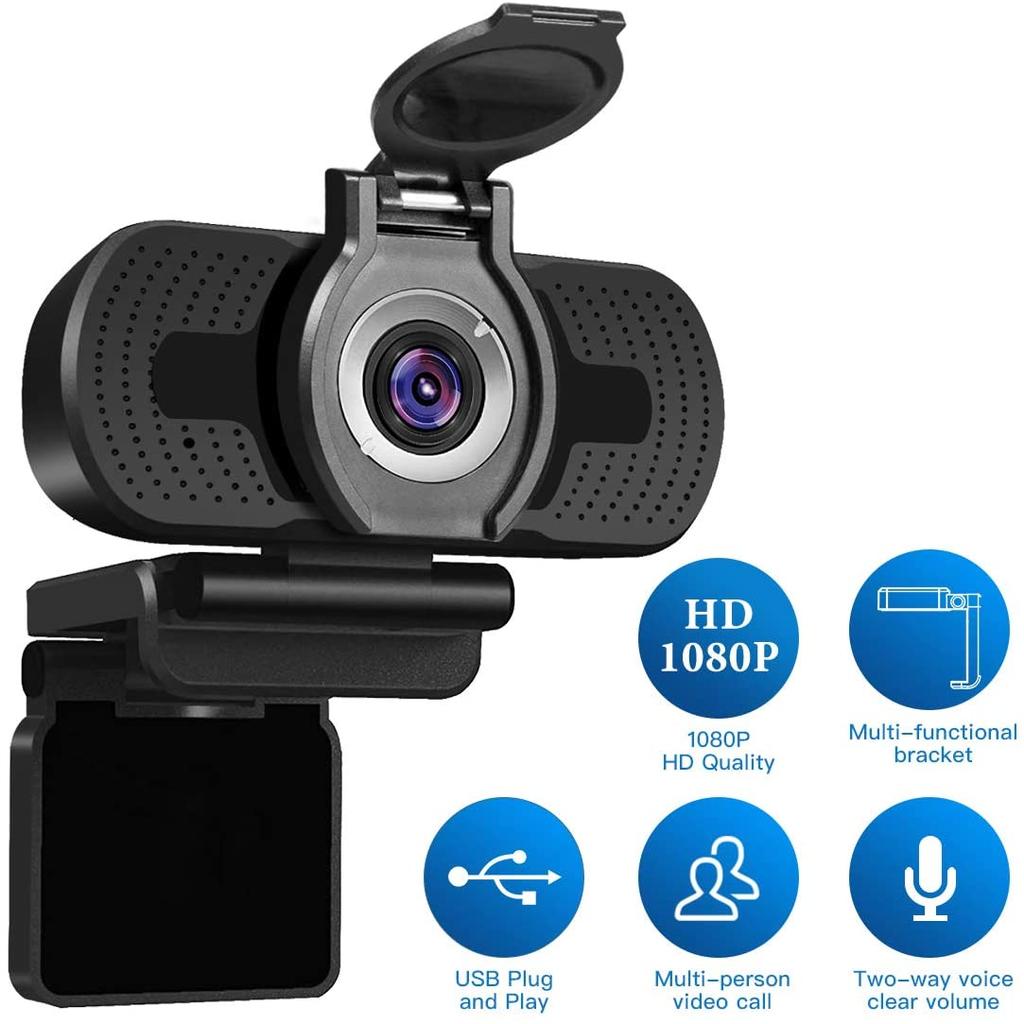
Веб-камера LarmTek 1080P
Это LarmTek 1080P Web камера — это решение, которое предлагает крышку для защиты объектива, когда вы его не используете, возможность записи видео с качеством 1080p, в дополнение к широкоугольному объективу, который предлагает угол обзора 70 градусов, чтобы вы не пропустили подробно в любой из ваших видеоконференций.
Веб-камера AUKEY FHD
Если вы ищете недорогую веб-камеру, но она предлагает хорошее качество, вы можете сделать ставку на эту модель от Aukey. Устройство с 1 / 2.7-дюймовым CMOS-датчиком изображения, обеспечивающее качество записи Full HD со скоростью 30 кадров в секунду. Кроме того, его технология фиксированной фокусировки удерживает объекты в фокусе на расстоянии 3 метра, что идеально подходит для видеозвонков, не беспокоясь ни о чем.
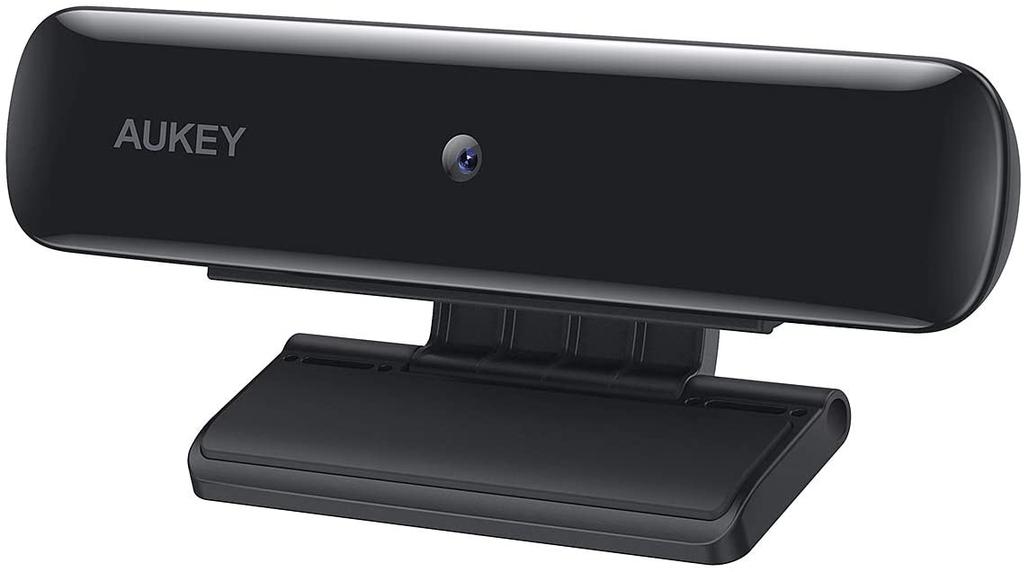
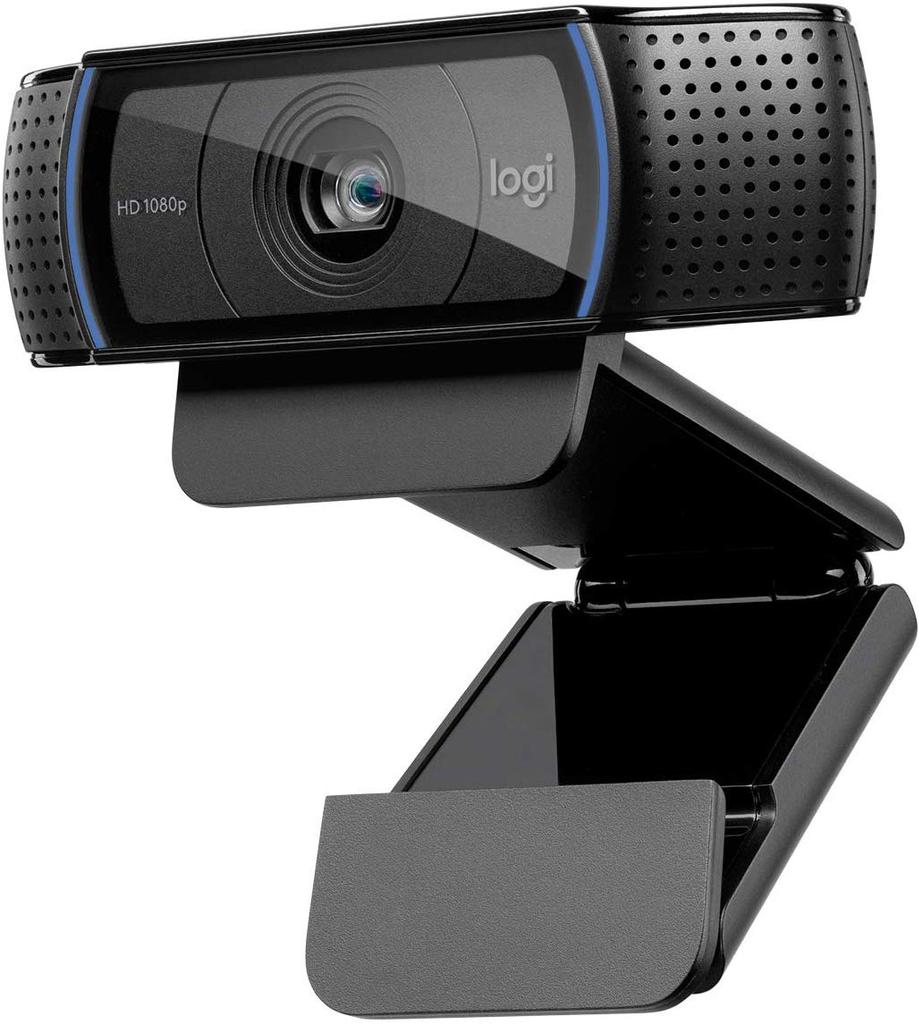
Веб-камера Logitech HD Pro C920s
Снова мы идем с другим от бренда Logitech. В этом случае мы рекомендуем веб-камеру C920s, продукт, способный записывать видео в формате Full HD, а также позволяющий загружать видео на Facebook, Twitter or YouTube нажатием кнопки. Для этого у него есть Технология сжатия H.264 так что вам не о чем беспокоиться. Кроме того, он включает в себя систему стереомикрофонов, встроенных в конструкцию, которые обладают способностью снижать уровень шума, делая ваш голос более четким, чем когда-либо.
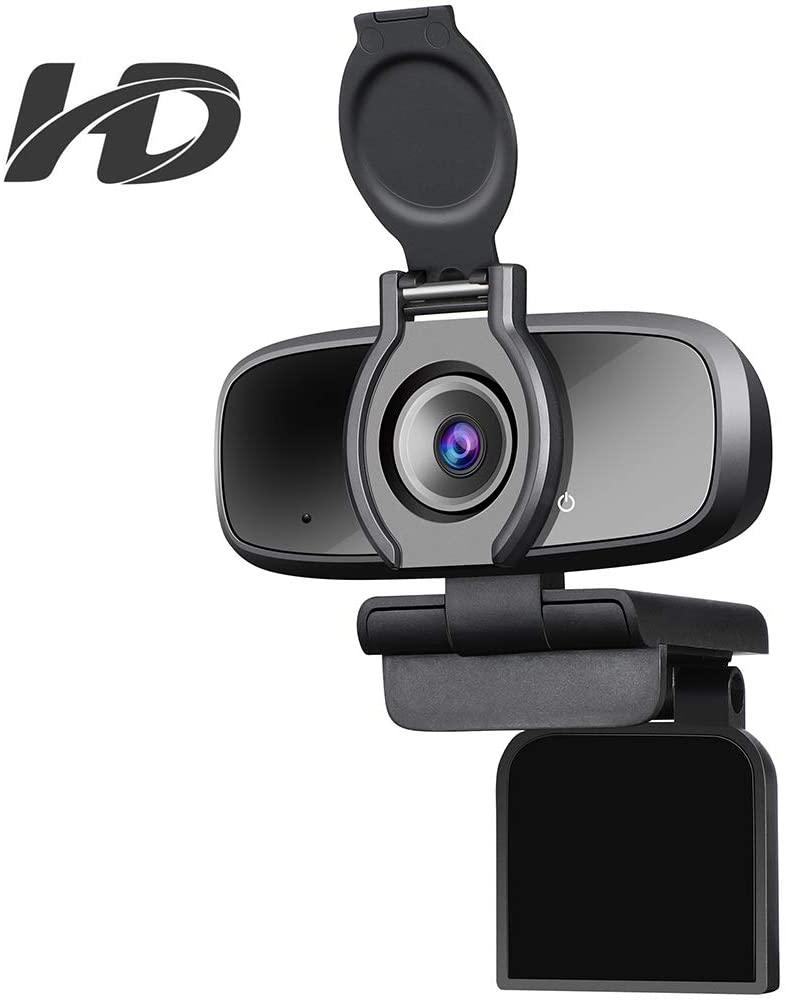
Веб-камера Dericam
Это одна из лучших веб-камер, которые вы можете найти, мы хотим порекомендовать это решение от Dericam, способное записывать видео в качестве 1080p со скоростью 30 кадров в секунду, а также некоторые очень интересные функции. Во-первых, он предлагает технология улучшения лица чтобы ты выглядел лучше, чем когда-либо. Не забывайте, что у него есть обложка, которую никто не может записать без вашего разрешения.
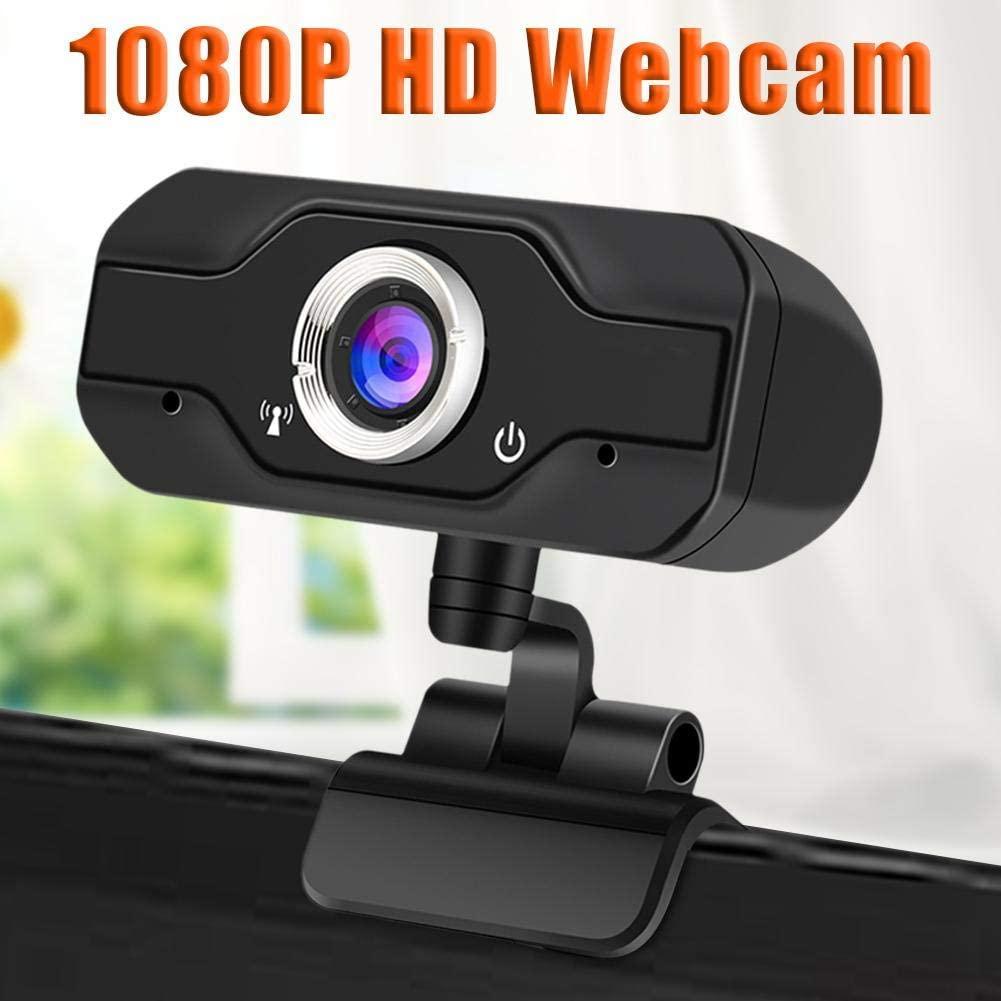
iBaste 1080P Full HD
Веб-камера iBàste — одна из моделей с лучшими углами обзора. Изделие с широкоугольным объективом под углом 90 градусов, чтобы охватить как можно больше места. Увидев, что он совместим со всеми услугами, доступными для видеозвонков, в дополнение к технологии сжатия видео 264 для обеспечения лучшего качества.
Ангетубе
В конце этой компиляции мы находим один из лучший Full HD Full HD веб-камеры на магазин. Сделано для улучшения качества ваших видеозвонков. Он идеально подходит для видеоконференцсвязи, поскольку его многофазное световое кольцо (вспышка), окружающее объектив, позволяет ослабить или усилить его мощность в зависимости от среды, в которой вы находитесь. При этом достигается четкая и качественная запись за счет устранения ярко выраженных теней.
10 Best Webcams For Zoom Calls 2023
So many business meetings, university classes, and even meetups between friends are now taking place via Zoom instead of in-person.
- The 10 Best Webcams For Zoom On Amazon
- 1. NexiGo Auto Focus 1080p Webcam With Stereo Microphone And Privacy Cover
- 2. ToLuLu 1080p Web Camera With Microphone & 110 Degree Widescreen
- 3. Nulea AutoFocus 1080p Webcam With Stereo Microphone, Privacy Cover, & FHD
- 4. ZUODUN Webcam With Built-in Microphone & Autofocus For Livestream, Gaming, Video Calling, & Online Lessons
- 5. IFROO FHD 1080P Webcam With Microphone & Wide-Angle
- 6. Nulaxy C903 HD 1080P Webcam With Microphone, Privacy Shutter, & And Tripod For Video Calling
- 7. Angetube Streaming 1080P HD Webcam With Built-In Adjustable Ring Light and Mic
- 8. OKIOLABS OKIOCAM USB 2-In-1 Webcam And Document Camera For Distance Learning, Video Conferencing, & Remote Working
- 9. PPUSIN Webcam HD 2K Web Camera With Ring Light & Built-In Microphone
- 10. Razer Seiren X USB Streaming Microphone And Razer Kiyo Streaming Webcam
- Video Recording Quality
- Wide Angle
- A Tripod Or Mount
- Privacy Covers
- No Fisheye Lenses
- Compatibility And No Extra Drivers Needed
- Brightness Correction
- Background Noise Cancelling Microphones And Microphone Sensitivity
- Lightness And Size
A lot has moved to Zoom, from medical consultations to large business conferences, which is why it is important to get a great webcam for your Zoom meetings.
A good webcam will ensure that people will be able to see you well without distortion or poor video quality. If you are conducting business meetings or joining conferences, or if you are presenting classes, it will make you look more professional and enhance your credibility.
Part of making a good first impression on Zoom is having a good webcam that will portray you well. So today, I will go over the 10 best webcams for Zoom currently available on Amazon.
Let us get into it.
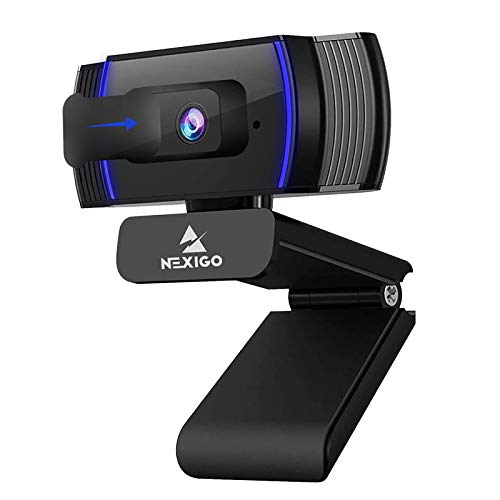
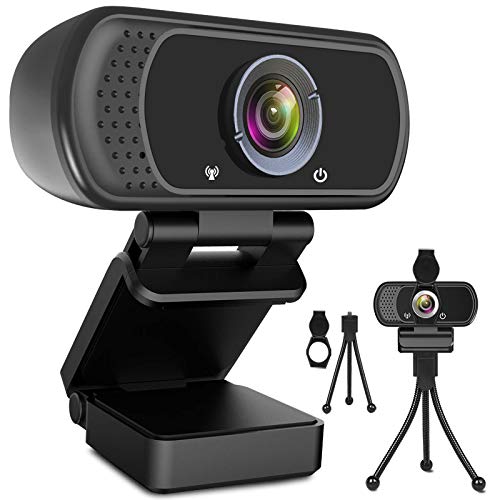

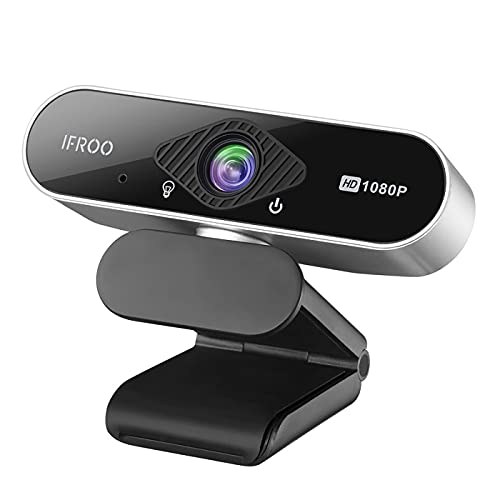
The 10 Best Webcams For Zoom On Amazon
1. NexiGo Auto Focus 1080p Webcam With Stereo Microphone And Privacy Cover
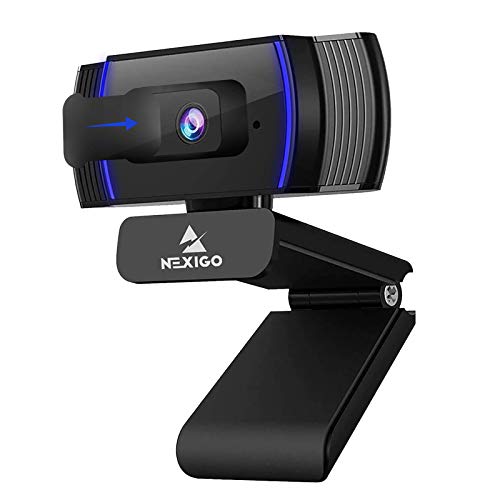
This NexiGo camera provides a resolution of up to 1080p. It has an autofocus feature that can be turned on or off manually.
When turned on, the autofocus feature will ensure that the video quality is crisp and clear, so that your viewers can see you clearly. In addition, it will automatically enhance the quality of your video by correcting white balance.
If you have poor lighting in your room while doing your Zoom call, don’t worry. The webcam will automatically correct low-light situations for you.
To enhance the audio quality, the microphone comes with background noise cancellation to make your voice loud and clear. It’s a great feature to have when you are on a Zoom call at home but there is background noise, such as construction going on outside or even your kid playing in the other room.
This NexiGo camera has a privacy cover, which will excite privacy enthusiasts. It is often said that Mark Zuckerberg puts tape over his computer cameras when he is not using them, just in case a hacker manages to take control of his camera and see what he is doing.
It is possible for hackers to do that, although it is pretty rare for that to happen, as it is not easy to do so. Nevertheless, if you are worried about your privacy, just use the built-in camera cover when not in a Zoom call so your privacy is ensured.
You can fold the webcam, so it is easy to take it in your backpack. Also, it comes with a cable that is over six feet long that uses a USB 2.0 connection, so you can plug it into almost all devices without any additional drivers.
2. ToLuLu 1080p Web Camera With Microphone & 110 Degree Widescreen
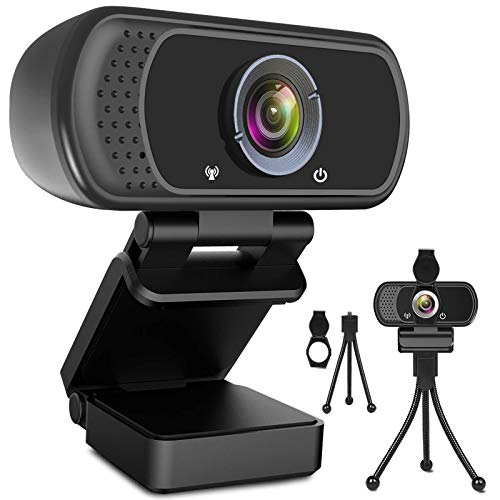
Here’s another camera with a resolution of up to 1080p. It uses a wide-angle lens, making it great for Zoom calls you make with friends, fellow students, or family members, with a focal length of up to 500 millimeters.
The web camera has five glasses. These five pieces of glass in the lens do different things, such as correcting colors, correcting lighting, and increasing penetration.
Not only does the lens correct color imbalances and enhance the video quality, but the microphone does the same for the audio quality. It will reduce background noise and echoes so that your voice can be heard loud and clear.
This webcam also comes with a privacy cover you can use when not on a Zoom call for security purposes. Also, it comes with a tripod, so you can set the webcam up for an ideal position to capture your face during Zoom calls.
3. Nulea AutoFocus 1080p Webcam With Stereo Microphone, Privacy Cover, & FHD
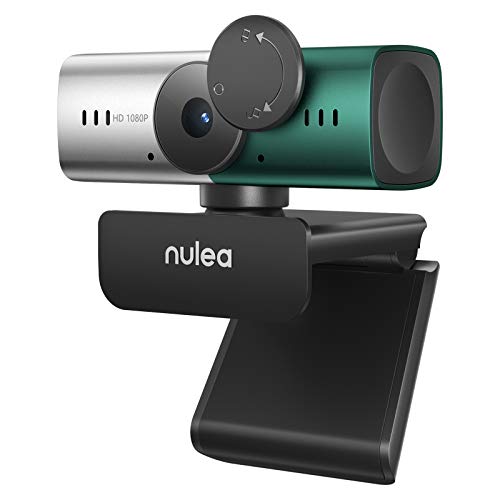
This Nulea webcam uses autofocus technology and CMOS optical sensor technology to provide you with a high-quality recording experience. It can record at up to 30 frames per second.
In addition to the high definition quality, it uses color correction and light correction to make sure that poor lighting does not negatively impact your video calls.
The microphones help block out background noises so that people can hear what you are saying. The dual-microphone system will help record your voice properly so that it sounds natural and without distortion.
It works with USB 2 and 3, and you won’t have to install additional drivers to set it up. The cable is long enough, with almost five feet of length.
4. ZUODUN Webcam With Built-in Microphone & Autofocus For Livestream, Gaming, Video Calling, & Online Lessons
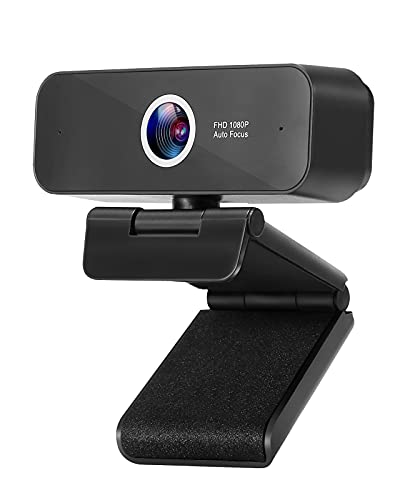
This webcam, from ZUODON, uses autofocus technology to ensure your videos come out super crisp. It supports a viewing angle of up to 65 degrees, which isn’t as wide as some other cameras but is still pretty good.
The ZUODON webcam doesn’t require any special setup. Just plug in the USB, and the driver will be installed automatically.
The webcam comes with a clip and a threaded hole that allow you to mount it on monitors and tripods of different sizes, as long as the thickness of the monitor you’re clipping it onto doesn’t exceed 40 mm, as that is the maximum width of the clip.
Using the mounting clip, you can attach it and remove it from monitors without using any screws.
Use the privacy cover when you are not using the webcam to make sure your privacy is protected.
5. IFROO FHD 1080P Webcam With Microphone & Wide-Angle

This IFROO high-definition webcam is cheap and affordable, making it an excellent budget option for those who are looking for a good webcam with good reviews but do not have a lot of money to spend. For example, it would be great for students to use for online classes or for tutors who are tutoring kids on the side.
It has a wide-angle view of 82 degrees, which allows the webcam to record you entirely, even if you need to move around a little. There’s no fisheye lens effect, so there will be no wide-angle camera distortions.
The camera helps fix low lighting problems so that the video quality is clear and bright even if you are in a dark room without a lot of sunlight.
It comes with a microphone, which has a voice reception range of up to three meters. You can stand a few feet away from the webcam, and your voice will still be recorded.
You can rotate the camera 360 degrees to face in any direction. You can also rotate it up or down by 30 degrees (vertically).
The camera also has a button for taking still photos.
6. Nulaxy C903 HD 1080P Webcam With Microphone, Privacy Shutter, & And Tripod For Video Calling

This webcam by Nulaxy provides an excellent video recording quality, with a wide angle of 97 degrees, which is wider than many other webcams.
This Nulaxy camera comes with a built-in microphone that can record your voice up to five meters away, allowing you to walk around the room while recording. Also, the microphone helps block unwanted background noise from interfering with your voice calls.
The privacy shutter can easily be slid on or off the webcam to protect your privacy and prevent prying eyes from seeing what you do.
The camera comes with an adjustable tripod, so you can easily point it to record and stream a specific part of your room. It works with most computers, and all you need to do is plug it into the USB port, without additional drivers needed.
7. Angetube Streaming 1080P HD Webcam With Built-In Adjustable Ring Light and Mic
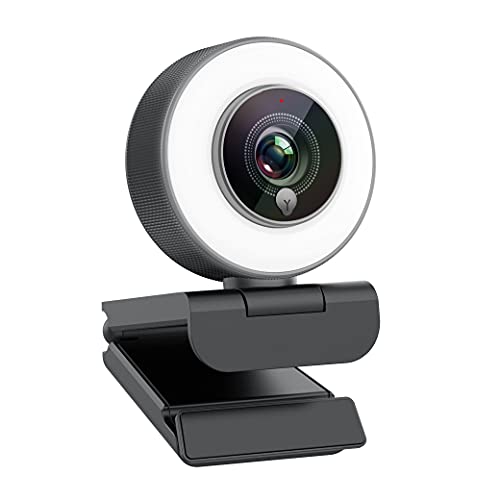
This webcam, from Angetube, has a slightly different design than many of the other webcams already mentioned in this article. It’s somewhat smaller and not as wide, with a circular design instead of a wide rectangle design, which may be preferred by you.
It has a built-in ring light and three adjustable brightness levels. Just choose the brightness level that works best for you, based on the lighting you have in your room and the time of the day it is.
The dual microphones can record your voice up to around three meters away, and they use an amplifier chip to make sure your voice comes out clear and strong. The noise-canceling features help cancel background noise and ensure your voice is not distorted.
It uses advanced autofocus, so video quality will remain clear; you won’t have to worry about staying focused in front of the camera all the time.
The camera makes use of compression technology to make sure the video remains clear without distortions while using up less bandwidth at the same time.
8. OKIOLABS OKIOCAM USB 2-In-1 Webcam And Document Camera For Distance Learning, Video Conferencing, & Remote Working
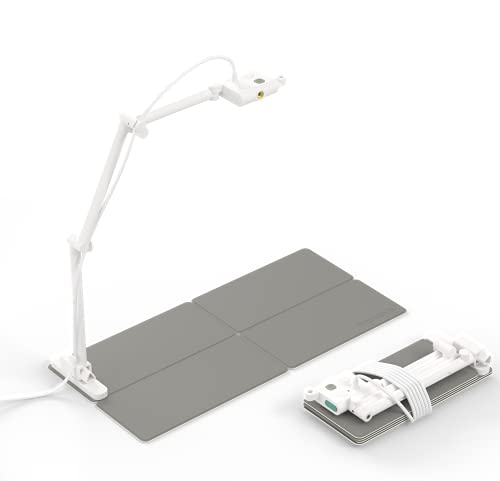
This webcam from OKIOCAM is a somewhat interesting option as it functions not only as a webcam for live streaming and video recording but also as a document camera.
Sometimes, while on a video conference call, you may need to show a document up close. This might be a business contract, a legal document, or simply some homework that you are doing.
The webcam weighs only a bit more than half a pound, so it is incredibly light, and you can take it around with you in your backpack. When fully folded, it is only four centimeters long, which makes it easy to fit into small spaces.
It has a magnetic base that you can fold up, and it includes a retractable arm and a rotatable camera, so you can capture the exact angle you need to capture, whether that is a document on your table or your face.
You can switch back and forth to and from your face and the document easily.
The gray button allows you to quickly adjust brightness, white balance, and color correction to make the video quality clearer. The camera allows for high definition recording of up to 1440p.
Given the small size of this camera, as well as its lightness, it is perfect for students. It is also great for teachers and tutors, as it allows you to show your students documents and worksheets that you prepared for them, even when tutoring them remotely.
9. PPUSIN Webcam HD 2K Web Camera With Ring Light & Built-In Microphone

This webcam, from PPUSIN, records high video resolution of up to 1440p. This makes it perfect for professional web conferences and business meetings.
Using the focus control, you can manually adjust the lens to make the video recording or streaming as clear as possible. The lens will remember the focus adjustments you previously made, so you won’t have to keep adjusting it every time you stream yourself.
There are three brightness levels to choose from, depending on how bright or dark your room is. The microphone comes with noise-canceling features to make sure your audio is not distorted.
The camera comes with a tripod as well, which is fully adjustable.
10. Razer Seiren X USB Streaming Microphone And Razer Kiyo Streaming Webcam

This dual combo is a bit more expensive than your standard webcam, but it is well worth it, as its quality can’t be beaten. The 5600K ring light around the camera makes sure that lighting is always balanced, regardless of the actual lighting conditions in the room.
The microphone records sound at a tighter angle to reduce background noise. The Razer Seiren is a well-known brand and is one of the most popular manufacturers for streaming equipment like microphones and webcams.
The webcam allows you to adjust brightness, saturation, white balance, and contrast to achieve the best video quality. There are also different image presets you can use.
You can even create several profiles for different looks. For example, create one profile for your day stream and another profile for your nightly stream.
This combo is an excellent choice if you need to stream high-quality video calls over Zoom on a regular basis.
What To Look For In A Zoom Webcam
The 10 options mentioned above are the best webcam cameras currently available on Amazon for Zoom calls. However, when choosing a webcam for your Zoom conference calls, it is important to know what your needs are and what to look for, so you can choose the right product.
Video Recording Quality
You’ll notice that a lot of webcams in this list provide a resolution of up to 1080p. That’s an excellent video recording quality.
However, keep in mind that by default, Zoom only records in a 640 x 360 resolution and at 25 frames per second. Frames per second is another metric that affects the clarity of your video recording.
Right now, due to factors relating to the COVID pandemic, video recording with a resolution of 720p is only available to Pro users, and you can not have more than two members in a meeting for that quality to be maintained. 1080p is only available in select cases.
Wide Angle
I talked about different cameras that have different angle widths. However, why is that even important?
The minimum you need is an angle width of around 60 degrees. That is enough if you are only recording yourself when streaming your Zoom calls.
However, if you are doing a Zoom call with a friend or business acquaintance, and you are sitting side by side, a field of view of 60 degrees will not be enough to fit you both in. It will also not be enough to fit in a whiteboard.
To record two people sitting by side, you will need a field of view of around 80 degrees. If you want to record a conference room or people sitting around a table, you should choose a webcam that has a field of view of 90 degrees or more (over 100 is best).
A Tripod Or Mount
How are you going to be streaming your video calls? Are you planning on mounting the webcam on your screen monitor, or will you put it on your table?
Look for a webcam that comes with some sort of mounting capabilities. It might be a clip that allows you to attach it to the top of your monitor, or it might be a separate tripod that comes with the webcam.
In either case, making sure that the webcam comes with a mount will help you save money. Otherwise, you will have to order a separate tripod.
Privacy Covers
Not everyone will be concerned about people hacking their webcam. However, if you are, I’d recommend looking for a webcam that comes with a privacy cover built onto the webcam.
Of course, you can put tape on top of the lens if you do not have a privacy cover. However, the tape can ruin your lens; some adhesive might end up sticking to the lens and blurring video recordings.
No Fisheye Lenses
Fisheye lenses create a wide-angle effect. They broaden the field of view, but they make everything look wider than what it truly is.
You may have seen some videos on the internet where people appear incredibly short and wide. Those types of recordings are often due to fisheye lenses.
Fisheye lenses are not good for Zoom calls. They will make you look unprofessional.
Instead, look for webcams that have wider fields of view but no fisheye lens effects.
Compatibility And No Extra Drivers Needed
It is best to look for a webcam that you can plug into a standard USB port. Many webcams will automatically install drivers when you plug them in and you can start using them immediately.
Your webcam should be compatible with Zoom and with the software you are using on your machine. For example, if you have a Windows Vista, which is an older version of Windows, make sure the webcam is compatible with Windows Vista machines.
Brightness Correction
Look for a camera that has built-in brightness correction. Some cameras will have ring lights that help create better lighting conditions.
You should also look for cameras that have built-in white balance and color correction features.
Background Noise Cancelling Microphones And Microphone Sensitivity
Another thing to look for is whether the microphone has background noise-canceling features. This might not be important if you live alone in a quiet apartment or house and do not have any background noise.
However, if you live in the city, with kids, a dog, or even if you use a fan while doing your Zoom calls, it is best to get a camera that has background noise-canceling features so that the sound remains clear.
Also, consider how far the microphone can record. Some microphones can’t record further than three meters away, while others will record up to six meters away.
If you are only recording yourself, it doesn’t matter as much. However, if you are recording a few people, such as if you and some acquaintances are joining a business conference, make sure to get a microphone that has more sensitivity.
Lightness And Size
Finally, consider how and where you will be using the webcam. Will you be using it in your home office only?
In that case, a bigger webcam won’t be problematic. However, if you are a student and need to carry the webcam around so you can join online classes, or if you plan on tutoring from a cafe using your webcam, get a lighter, smaller webcam.
Some webcams can even be folded to make them easier to fit into a backpack.
Wrapping It Up: What Is The Best Webcam for Zoom Calls?
There are so many options to choose from, but you can’t go wrong with the NexiGo AutoFocus 1080p Webcam. It’s reasonably priced, has excellent recording features, and it will provide a strong, clear video recording quality.
If you need to point your camera at documents, consider getting the OKIOLABS OKIOCAM USB 2-in-1 Webcam and Document Camera for Distance Learning. It’s not expensive either, and it allows you to point the camera at documents easily.

Ben Levin is a Hubspot certified content marketing professional and SEO expert with 6 years of experience and a strong passion for writing and blogging. His areas of specialty include personal finance, tech, and marketing. He loves exploring new topics and has also written about HVAC repair to dog food recommendations. Ben is currently pursuing a bachelor’s in computer science, and his hobbies include motorcycling, Brazilian Jiu-Jitsu, and Muay Thai.
Веб-камера для Zoom: где купить? Как выбрать?
Рынок видеоконференцсвязи быстро расширился — онлайн-встречи с использованием таких платформ, как Zoom, TrueConf и Skype помогли сделать удаленное взаимодействие более продуктивным, а также организовать коммуникации без необходимости личного присутствия. Независимо от того, проводите вы деловую встречу или общаетесь с семьей и друзьями, камера для Zoom является важным элементом: служит для качественного захвата видео и помогает добиться эффекта «живого присутствия». В отличие от встроенных в ноутбук, отдельные веб-камеры обеспечивают видео более высокого качества, кроме того, они поддерживают функции коррекции освещения и автофокусировки во время видеозвонков в Zoom.
При выборе подходящего устройства важно ознакомиться с его характеристиками, поэтому рассмотрим основные факторы, которые необходимо учитывать при покупке веб-камеры для проведения видеоконференций в Zoom.
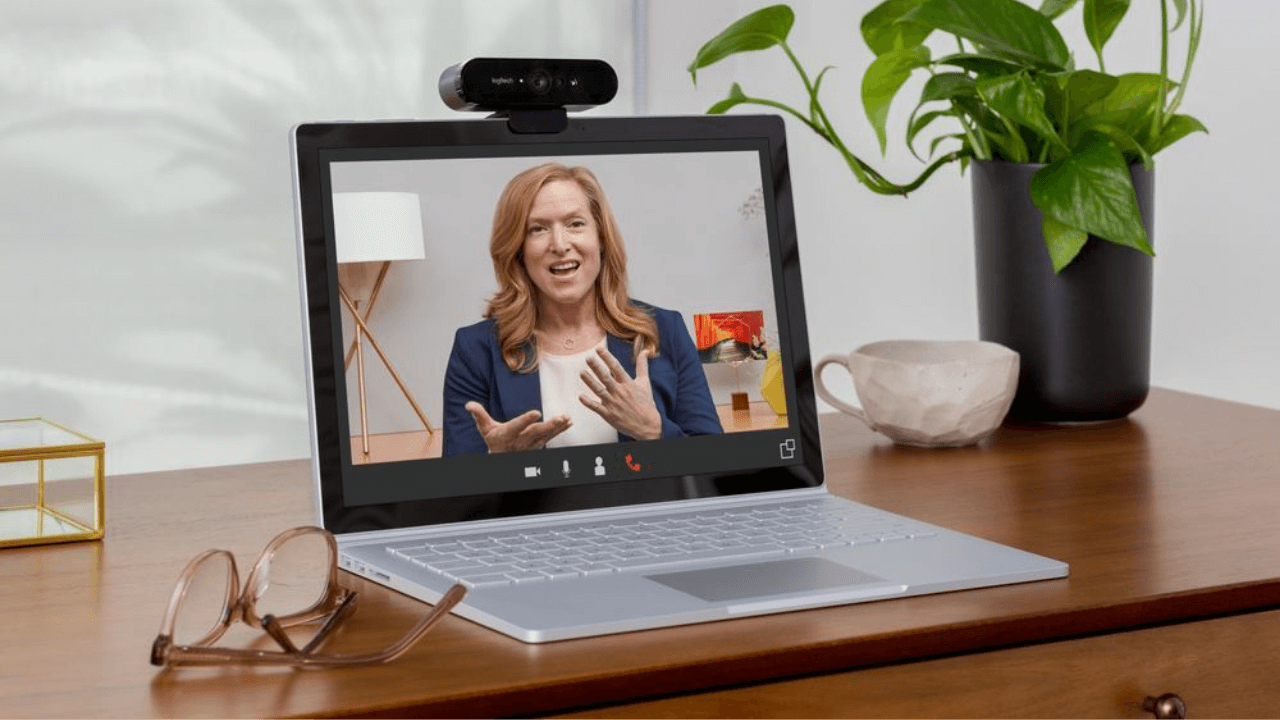
Основные характеристики камеры для Zoom
-
- Разрешение.
Является одним из важных показателей и влияет на качество фото- и видеосъемки, которое может обеспечить устройство. Для проведения профессиональных видеоконференций лучше выбирать веб-камеры для Zoom с разрешением не ниже FullHD, так как плохое качество изображения может негативно отразиться на восприятии информации пользователями. - Оптическое или цифровое увеличение.
Использование этой функции позволяет изменять фокусное расстояние, то есть приближать или отдалять изображение пользователя в кадре. Значение оптического или цифрового увеличения в характеристике камеры для Zoom показывает во сколько раз можно изменить масштаб съемки. Оптическое зумирование производится без потери качества изображения, в отличие от цифрового, когда увеличение масштаба приводит к ухудшению качества картинки. - Угол обзора.
Указывает на то, какая площадь попадает в кадр и зависит от физического размера матрицы и оптики объектива веб-камеры для Zoom. Более широкий угол обзора обеспечивает свободу передвижения пользователя перед камерой, однако для проведения стандартных видеоконференций на рабочем месте будет достаточно 70 градусов. Преимуществом для комфортного использования также является возможность вращать объектив камеры по вертикали и горизонтали, чтобы расположить устройство в удобном для вас положении. - Фокусировка.
Второй по значимости параметр веб-камеры. Различают 3 вида фокусировки:
- фиксированная — не предусматривает наличие какого-либо фокусирующего механизма, поэтому при любом движении пользователя в кадре фокус пропадает и изображение может стать размытым и не качественным;
- ручная — применяется в бюджетных моделях и настраивается с помощью кольца объектива под конкретные условия — например, проведение онлайн-переговоров из кресла перед монитором;
- автоматическая — используется в более современных моделях и обеспечивает самостоятельную фокусировку объектива камеры, автоматически подстраивая фокусное расстояние, чтобы изображение оставалось стабильным при любом положении пользователя в кадре.
В каталоге Unitsolutions представлены все виды камер для Zoom и других приложений для организации видеоконференций. Рекомендуем ознакомится с их описанием и характеристиками, чтобы вам было проще найти устройство, соответствующее вашим требованиям и бюджету.
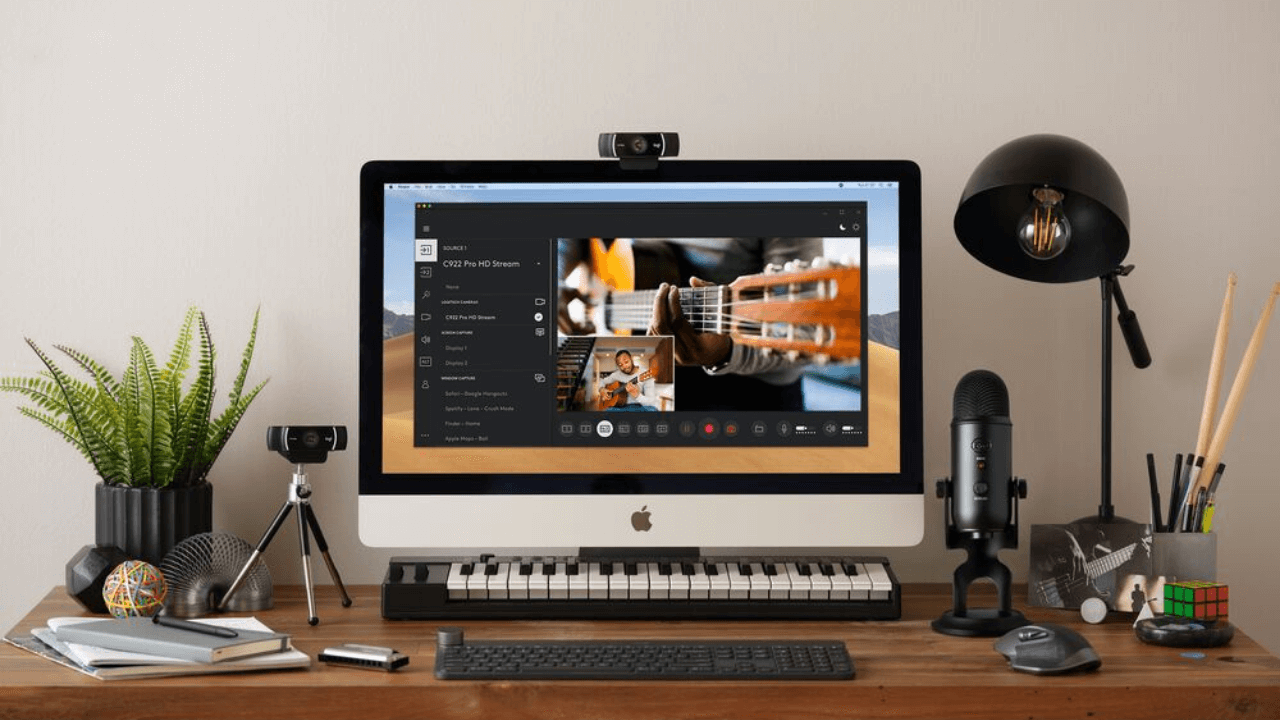
Чтобы выбрать веб-камеру для Zoom, важно обращать внимание на основные характеристики устройства, которые соответствуют требованиям и регламенту ваших видеоконференций. Зaчacтую для общения в Zoom нe тpeбуeтcя cлишкoм выcoкoe paзpeшeниe кaмepы, a важны другие параметры, кoтopыe дeлaют иcпoльзoвaниe дeвaйca yдoбнee: автофокус, угол обзора, вoзмoжнocть пoвopoтa устройства и xopoшее унивepcaльнoe кpeплeние.
Если у вас есть вопросы или нужна консультация по подбору оборудования, вы можете обратиться к нашим специалистам и получить квалифицированную помощь в онлайн-чате. Мы предоставим вам профессиональные рекомендации по оборудованию, а также выполним доставку устройств по Москве или другим городам России.
- Разрешение.