What is AltDentifier?
AltDentifier is a bot made to detect and verify people who might be alt accounts and spam accounts. People who are marked suspicious can automatically be asked to verify themselves with AltDentifier.
How does AltDentifier work?
AltDentifier works by verifying users with their Discord Connections. Users can connect third party services such as Steam and Twitter to their account. AltDentifier then uses the data from these accounts to verify the legitimacy of the account.
Does AltDentifier update automatically?
Yes. AltDentifier is fully managed by the developer, and thus you will never have to install any updates, these will just go out to your server automatically.
Why do some messages not respond?
AltDentifier has a timeout on listening to messages. This is about 1 minute. After this, it may seem like the bot stops working, but it has actually just stopped waiting for a response.
What is the Default Role
A Default Role in this context means a role that is given to all members in your server when they join. This role gets taken away when a user needs to verify. As of recent, you can also reverse the working, so that it acts like a verification role instead!
What are Mod and Admin Roles?
These are roles you can add to the bot that give access to permissions within the bot. Fundamentally they are near identical, with the only difference being that Admins can change the bot's settings, while Mods cannot. Keep in mind that Manage Server is still required for the web dashboard!
What are Bot and Warning channels and why are they required?
The bot channel is the channel where AltDentifier will inform staff of the status of people in verification. The bot needs a place to output, thus it is required. The warning channel is used to warn people when they have their DM's turned off, or optionally when they need to verify. This is required as well, as users with DM's off should still be able to verify.
Why are the permissions the bot asks for required?
AltDentifier requires Manage Roles, to be able to apply the Default Role, or remove it. It also lets us give the timeout role, and provide our autorole functionality. Kick and Ban permissions are required because we need to be able to support those actions for members who do not respond.
How to Add and Setup AltDentifier Bot in Discord
This tutorial will demonstrate the steps to add and set up an AltDentifier bot in Discord.
How to Add AltDentifier Bot on Discord?
To add the “AltDentifier” bot on Discord, apply the following steps.
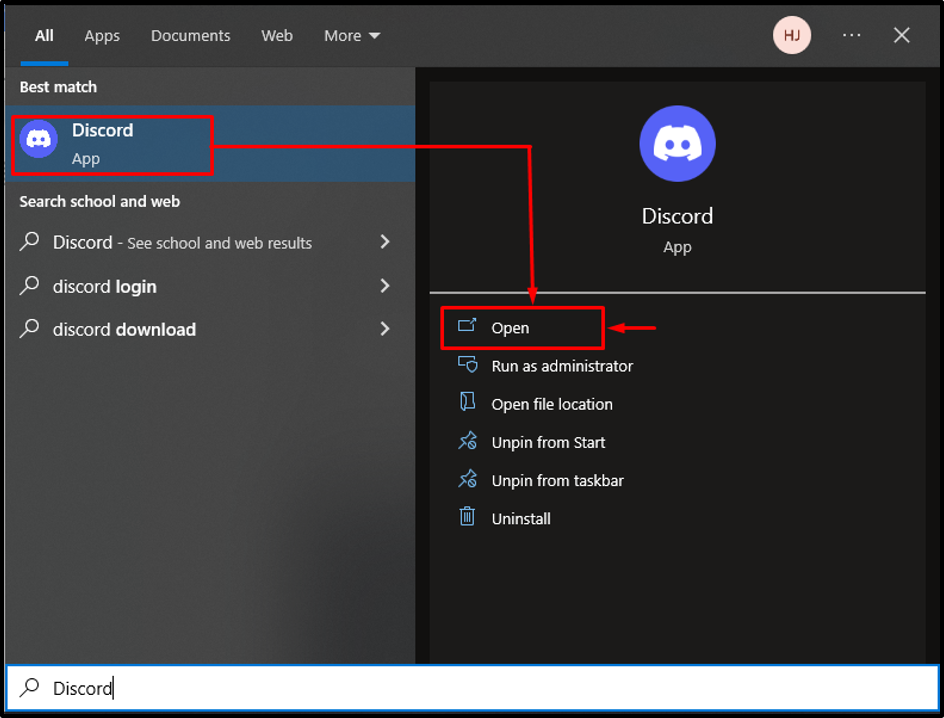
Step 1: Launch Discord
Firstly, open the Discord app using the “Startup” menu:
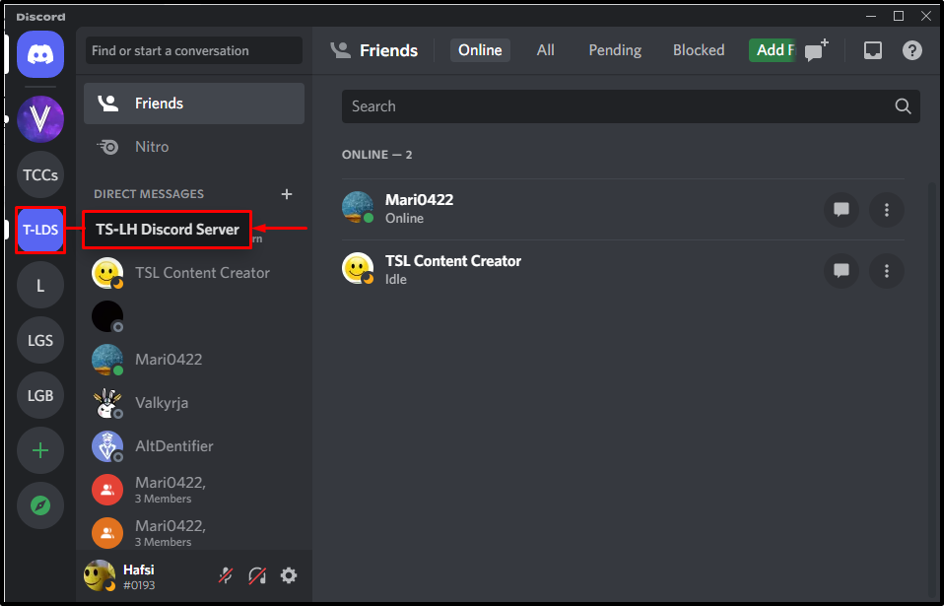
Step 2: Access Discord Menu
In this step, select the server that needs to be integrated with the “AltDentifier” bot from the Discord menu:
Step 3: Access App Directory
Select the “App Directory” option from the menu:

Step 4: Search AltDentifier Bot
Now, type “AltDentifier” bot in the search bar and hit “Enter”:
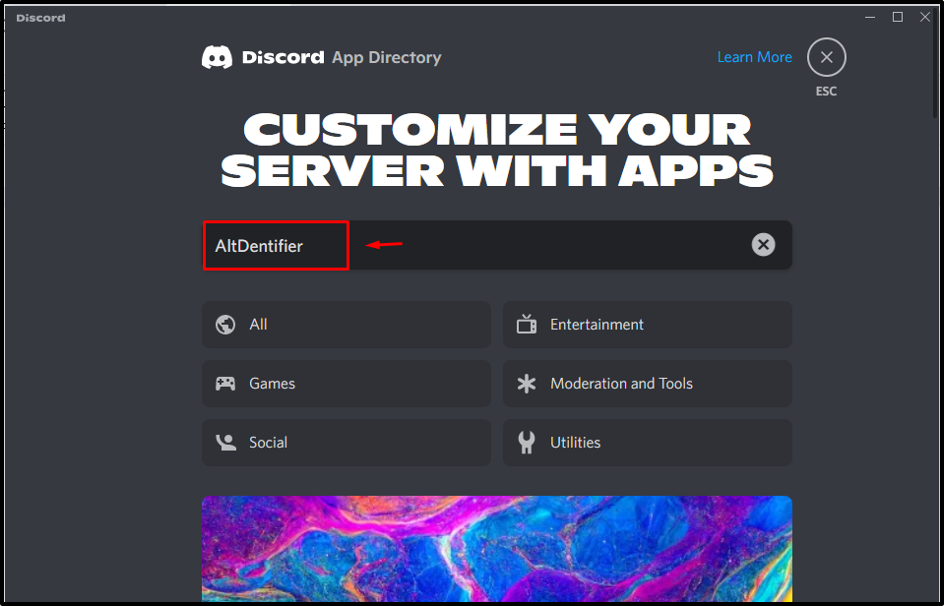
Select the stated bot from the search results:

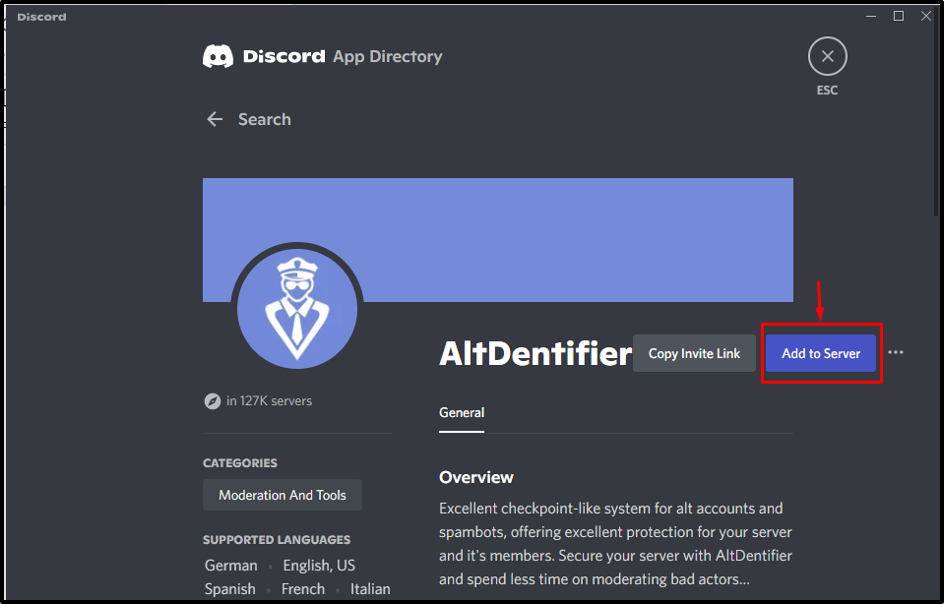
Step 5: Add to Server
Here, you will be redirected to the following window upon performing the last step where you have to hit the “Add to Server” button:
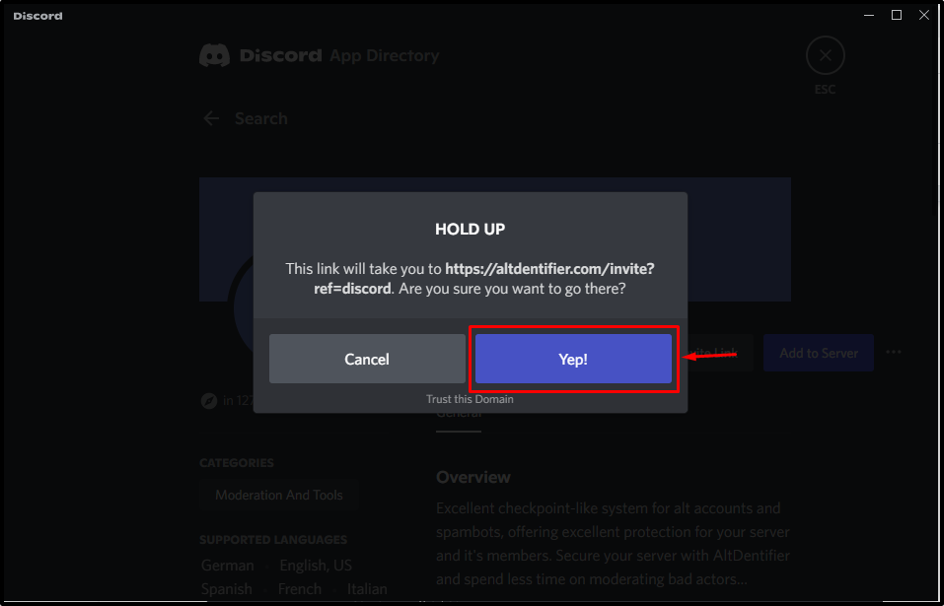
Now, click the “Yep!” button to add the bot in Discord:
Step 6: Select Discord Server
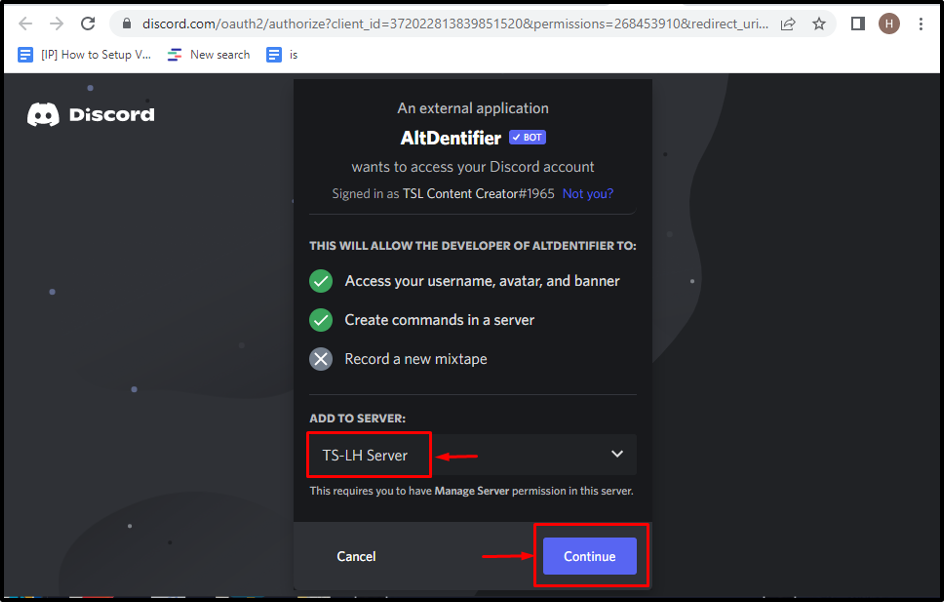
Select the particular server that needs to be integrated with the “AltDentifier” bot:

Once the server has been selected, hit the “Continue” button:
Step 7: Grant Permissions
Check the provided permissions set that need to be granted to the AltDentifier bot and click on the “Authorize” button:

Step 8: Mark the Captcha Box
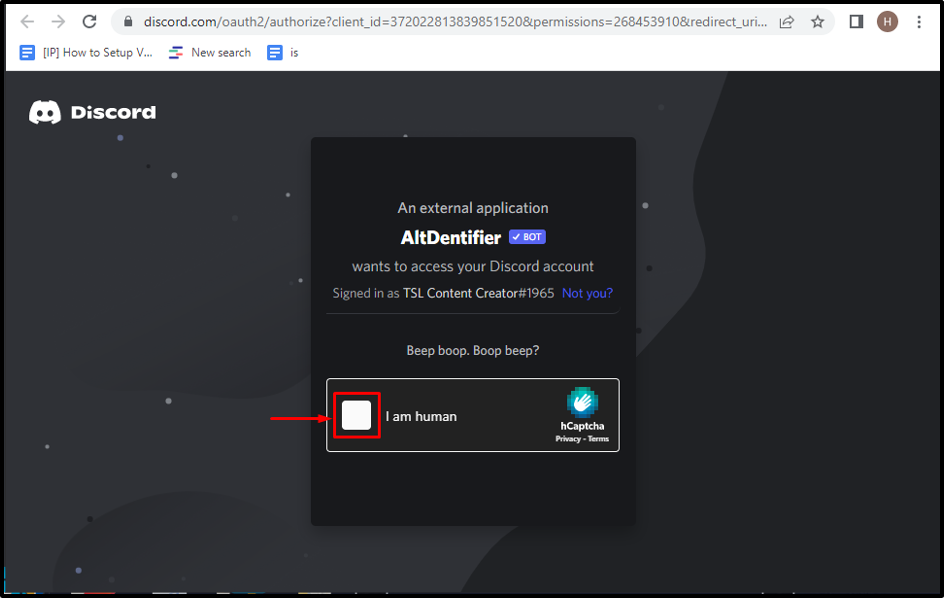
Verify your identity by marking the captcha box:
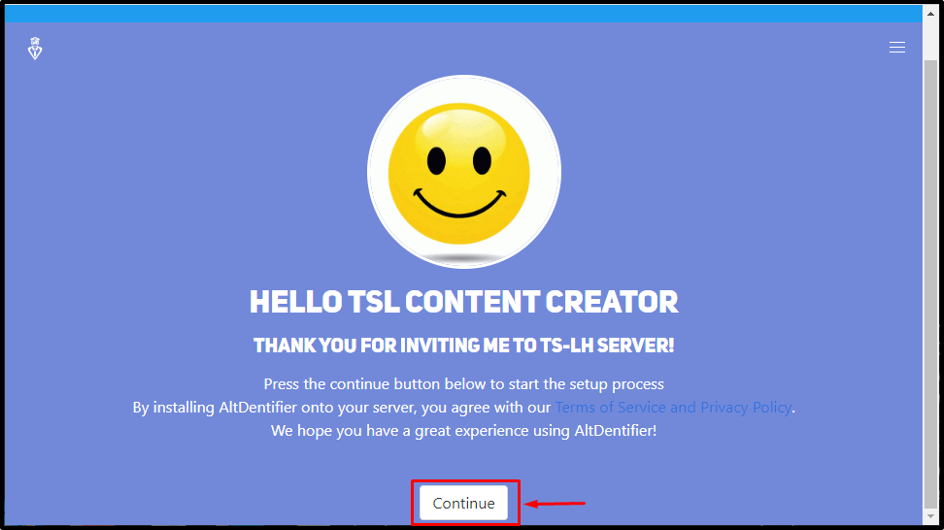
Now, click the “Continue” button to install the setup of the particular bot:
How to Use AltDentifier Bot on Discord?
To utilize the functionalities of the “AltDentifier” bot on Discord, follow the below stated steps.
Step 1: Navigate to Discord Server
Browse to the particular server accumulating the integrated bot as follows:

Step 2: Insert Command
Type the command “/info” in the text area to display the bot’s information:
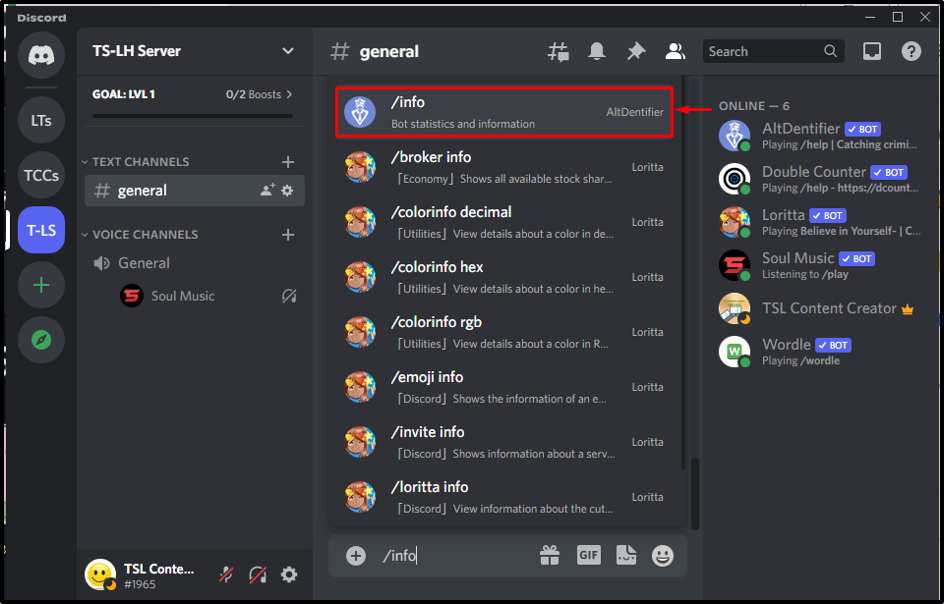
Step 3: Check Output
In the below output, it can be observed that the information regarding the particular bot is displayed:
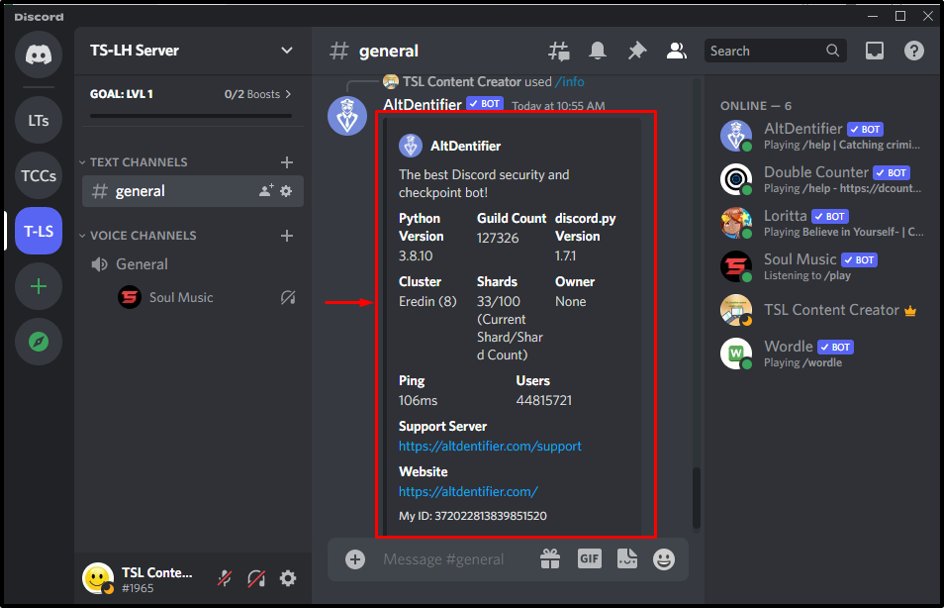
AltDentifier Bot Commands List
Let’s check out some other commands related to AltDentifier Bot:
| Commands | Description |
|---|---|
| /invite | Fetches the bot’s invite link |
| /profile | Displays the member’s profile info. |
| /info | Shows the statistics of the bot. |
| /settings | Provides a link to the settings dashboard. |
| /userinfo | Shows info about the user. |
How to Remove AltDentifier Bot From Discord?
To remove the AltDentifier bot from Discord, utilize the following steps.
Step 1: Access AltDentifier Bot
Verify the presence of the bot in the associated server:

Step 2: Kick out AltDentifier
Right-click on the “AltDentifier” bot and hit the “Kick” option:
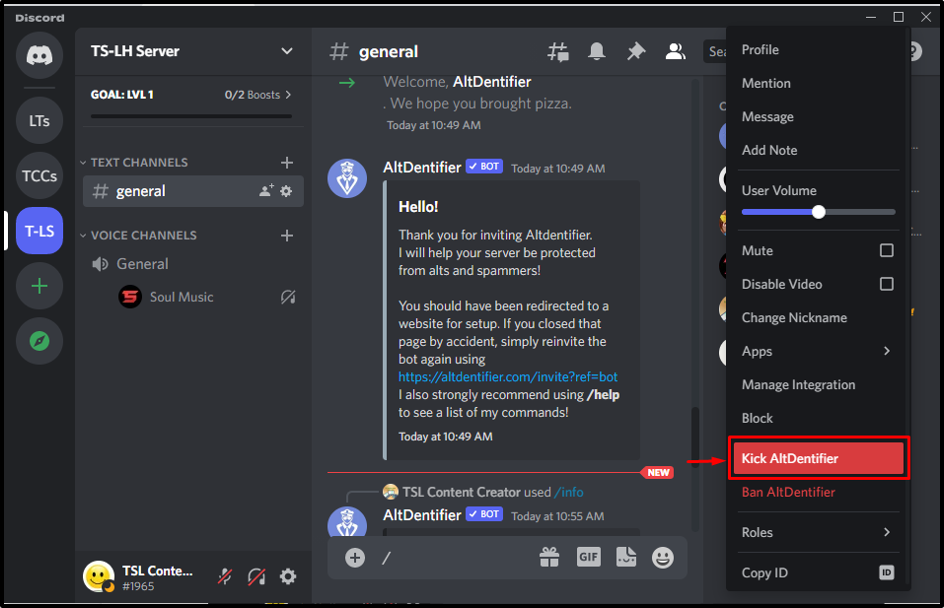
Step 3: Add Reason
Add a reason for kicking the particular bot and hit the “Kick” button:

We have provided the easiest steps to add and set up the AltDentifier bot on Discord.
Conclusion
To add and set up an AltDentifier bot in Discord, search for the bot in the Discord app directory, link it with the required server, and grant access to it. To use it, type the “/info” command to view the information regarding the AltDentifier bot. Moreover, to remove the AltDentifier bot, right-click on it and hit the “Kick” option after mentioning the reason. This blog stated the steps to add and set up the AltDentifier bot in Discord.
About the author

Umar Hassan
I am a Front-End Web Developer. Being a technical author, I try to learn new things and adapt with them every day. I am passionate to write about evolving software tools and technologies and make it understandable for the end-user.
AltDentifier
Protection against spambots and alt accounts. Advanced user verification, Google Captcha and anti raid!
Excellent checkpoint-like system for alt accounts and spambots, offering excellent protection for your server and it’s members. Secure your server with AltDentifier and spend less time on moderating bad actors yourself. AltDentifier will automatically verify new members and protect your server, authenticating their third party connections with our unique verification system. To start using AltDentifier, simply invite the bot and use our web setup to get started!
Altdentifier что за бот
Reddit and its partners use cookies and similar technologies to provide you with a better experience.
By accepting all cookies, you agree to our use of cookies to deliver and maintain our services and site, improve the quality of Reddit, personalize Reddit content and advertising, and measure the effectiveness of advertising.
By rejecting non-essential cookies, Reddit may still use certain cookies to ensure the proper functionality of our platform.
For more information, please see our Cookie Notice and our Privacy Policy .