Какой процессор нужен для RTX 3070
Nvidia GeForce RTX 3070 — это отличная карта для игр. Она имеет производительность, аналогичную RTX 2080Ti — флагману предыдущего поколения. А это значит, что для наибольшего раскрытия её потенциала необходим соответствующий процессор.
В этой статье мы рассмотрим какой процессор нужен для RTX 3070. Разберем несколько сценариев использования видеокарты. В зависимости от того, какие цели вы ставите, будь то разрешение 4K или максимальное количество кадров в киберспортивных дисциплинах.
Какой процессор нужен для RTX 3070
Характеристики видеокарты GeForce RTX 3070:
- Микроархитектура: Ampere.
- Техпроцесс: 8 нм.
- Потоковыепроцессоры: 5888.
- ЯдраRT: 46.
- Частота/Boost: 1500/1725 МГц.
- Видеопамять: 8 Гбайт, 256 бит, GDDR6 (14 ГГц).
- TDP: 220 Вт.
GeForce RTX 3070 соответствует новой версии API — DirectX 12 Ultimate. Иными словами, эта видеокарта ещё долго будет оставаться актуальной. Объёма видеопамяти 8 Гб хватает для подавляющего большинства игр в разрешении 4K.
У карты имеются ядра RT для трассировки лучей, но в высоких разрешениях их производительности не хватит. Поэтому в разрешении 4K трассировка имеет смысл только при использовании технологии DLSS, повышающей разрешающую способность с помощью искусственного интеллекта.
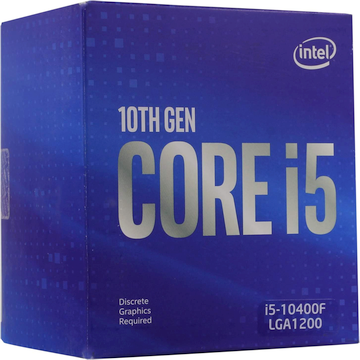
1. Intel Core i5-10400F
- Сокет: LGA1200.
- Микроархитектура: Comet Lake.
- Техпроцесс: 14 нм.
- Кеш L1/L2/L3: 6 x (32+32) Кб / 6 x 256 Кб / 12 Мб.
- Ядра/потоки: 6/12.
- Частота/Boost: 2,9/4,3 ГГц.
- Поддержка разгона: нет.
- TDP: 65 Вт (PL2: 134 Вт).
- Цена (OEM): 12 700 руб.
Начнём с процессоров для разрешения 4K (3840 x 2160). Для него не требуется выдающейся производительности процессора. Поэтому вполне подойдёт Core i5-10400F. Несмотря на то что это младшая модель в линейке Core i5, она не станет узким местом в играх. Даже в таких процессорозависимых играх, как Cyberpunk 2077, упор будет только в видеокарту.
На материнской плате лучше не экономить, чтобы в дальнейшем была возможность заменить процессор на более производительный: i7-10700K или i9-10900K. Поэтому желательно выбирать что-нибудь на чипсете Z490. К тому же с ним станет доступен разгон оперативной памяти.
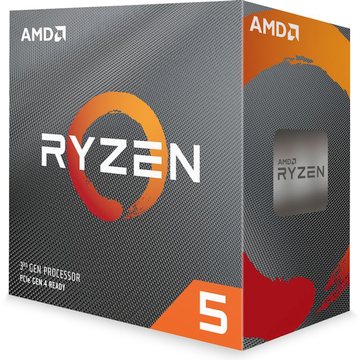
2. AMD Ryzen 5 3600
- Сокет: AM4.
- Микроархитектура: Matisse.
- Техпроцесс: 7 нм.
- Кеш L1/L2/L3: 6 x (32+32) Кб / 6 x 512 Кб / 2 x 16 Мб.
- Ядра/потоки: 6/12.
- Частота/Boost: 3,6/4,2 ГГц.
- Поддержка разгона: есть.
- TDP: 65 Вт (PPT: 88 Вт).
- Цена (OEM): 15 300 руб.
Из процессоров AMD для разрешения 4K подойдёт Ryzen 5 3600. Это лучший процессор для RTX 3070. Конечно, даже с 4-ядерным 3300X средний FPS в играх будет на том же уровне, но стоит учитывать и минимальные значения. У 12-поточного процессора есть запас производительности, чтобы справиться даже с самыми тяжёлыми сценами.
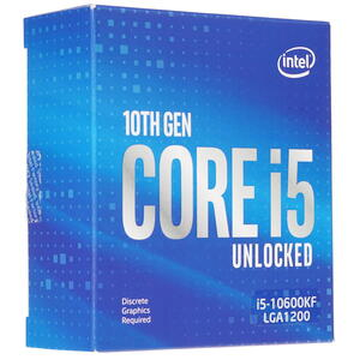
3. Intel Core i5-10600KF
- Сокет: LGA1200.
- Микроархитектура: Comet Lake.
- Техпроцесс: 14 нм.
- Кеш L1/L2/L3: 6 x (32+32) Кб / 6 x 256 Кб / 12 Мб.
- Ядра/потоки: 6/12.
- Частота/Boost: 4,1/4,8 ГГц.
- Поддержка разгона: есть.
- TDP: 125 Вт (PL2: 182 Вт).
- Цена (OEM): 17 900 руб.
Перейдём к процессорам для разрешения 1080p и 1440p. Core i5-10600KF это ещё один оптимальный процессор для RTX 3070. За счёт разблокированного множителя и наличия всего 6 ядер позволяет получить стабильный разгон до 5 ГГц. На этой частоте процессор хорошо проявляет себя, позволяя получить во многих проектах более 144 FPS. Дальнейший разгон нецелесообразен — энергопотребление будет составлять более 200 Вт.
Для достижения высоких показателей также необходимо использовать быструю оперативную память. Оптимальным её разгоном можно считать 3600 МГц и CL14. Дальнейшее повышение частоты и снижение таймингов ОЗУ уже не дадут заметного уменьшения задержек.
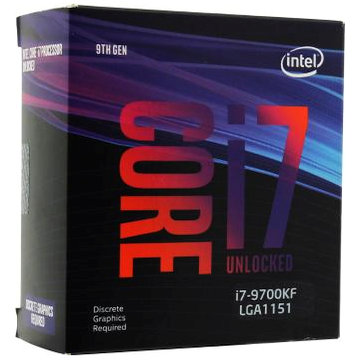
4. Intel Core i7-9700KF
- Сокет: LGA1151 v2.
- Микроархитектура: Coffee Lake.
- Техпроцесс: 14 нм.
- Кеш L1/L2/L3: 8 x (32+32) Кб / 8 x 256 Кб / 12 Мб.
- Ядра/потоки: 8/8.
- Частота/Boost: 3,6/4,9 ГГц.
- Поддержка разгона: есть.
- TDP: 95 Вт (PL2: 180 Вт).
- Цена: 24 900 руб.
Платформа LGA1151 v2 потеряла свою актуальность после выхода LGA1200. Но всё же Core i7-9700KF — это вполне достойный вариант для работы в паре с RTX 3070. Этот процессор не поддерживает Hyper-Threading (HT) и ограничен 8 ядрами и 8 потоками.
На первый взгляд, 12 потоков i5-10600KF смотрятся лучше. Но на деле планировщик потоков Windows до сих пор ошибается и может ставить два активных потока на одно ядро. Поэтому в ряде случаев HT снижает производительность. Таким образом, i7-9700KF нередко оказывается быстрее, чем i5-10600KF.
5. AMD Ryzen 5 5600X
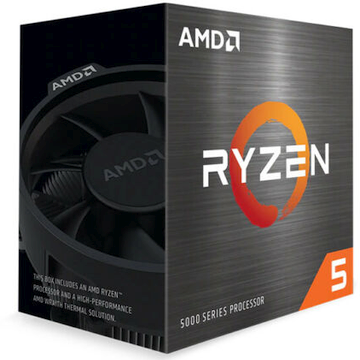
- Сокет: AM4.
- Микроархитектура: Vermeer.
- Техпроцесс: 7 нм.
- Кеш L1/L2/L3: 6 x (32+32) Кб / 6 x 512 Кб / 32 Мб.
- Ядра/потоки: 6/12.
- Частота/Boost: 3,7/4,6 ГГц.
- Поддержка разгона: есть.
- TDP: 95 Вт (PPT: 128 Вт).
- Цена (OEM): 27 000 руб.
Процессоры 5000-й серии AMD получили заметный прирост IPC (инструкций за такт). Вкупе с 32 мегабайтами общего кеша L3, не разделённого по блокам ядер CCX, 5600X демонстрирует отличную производительность в играх. А в рабочих программах он может посоперничать даже с 8-ядерным Core i7-10700.
Разгон хоть и доступен, но не обязателен — алгоритмы AMD автоматически подбирают максимальные рабочие частоты. Стоит также отметить умеренное энергопотребление: с охлаждением процессора справится даже средний кулер с 4 теплотрубками.
Контроллер памяти остался прежним, задержки на 20 нс выше, чем у Intel. Но благодаря вместительному кешу этот недостаток практически не ощущается. Если разогнать память, то процессор отлично справится даже с VR, где необходим молниеносный отклик системы.
Материнская плата должна быть на 500-м чипсете. Вместе с ним вы получите поддержку PCI-е 4.0. В этом случае, по сравнению с PCI-E 3.0, можно получить прирост производительности до 5–7%.
Единственным минусом этого процессора на текущий момент является его цена: на четверть выше рекомендуемого значения.
6. Intel Core i9-10900KF
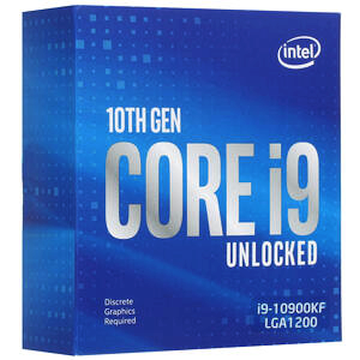
- Сокет: LGA1200.
- Микроархитектура: Comet Lake.
- Техпроцесс: 14 нм.
- Кеш L1/L2/L3: 10 x (32+32) Кб / 10 x 256 Кб / 20 Мб.
- Ядра/потоки: 10/20.
- Частота/Boost: 3,7/5,3 ГГц.
- Поддержка разгона: есть.
- TDP: 125 Вт (PL2: 250 Вт).
- Цена (OEM): 40 800 руб.
Последней группой процессоров станут те, что способны не только нагрузить RTX 3070, но ещё и параллельно кодировать видеопоток для стримов. Конечно, аппаратный кодек в последнем поколении видеокарт уже не так сильно портит картинку, но всё же процессоры позволяют получить более качественный результат.
Выбирая Core i9-10900KF, не забудьте о том, что этот процессор в пике потребляет до 250 Вт. Поэтому для его охлаждения необходим башенный кулер с 6–8 теплотрубками или двухсекционная система водяного охлаждения (СВО). Корпус также имеет значение, особенно при использовании СВО, так как в этом случае элементы цепи питания процессора должны обдуваться корпусным вентилятором.
7. AMD Ryzen 9 5900X
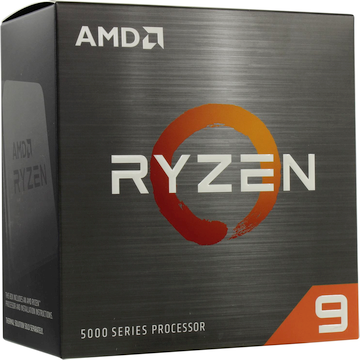
- Сокет: AM4.
- Микроархитектура: Vermeer.
- Техпроцесс: 7 нм.
- Кеш L1/L2/L3: 12 x (32+32) Кб / 12 x 512 Кб / 2 x 32 Мб.
- Ядра/потоки: 12/24.
- Частота/Boost: 3,7/4,8 ГГц.
- Поддержка разгона: есть.
- TDP: 105 Вт (PPT: 142 Вт).
- Цена (Box): 59 000 руб.
Ryzen 9 5900X на текущий момент даже избыточен для RTX 3070, но зато он позволяет вести стрим любой игры с пресетом x264 Slow в разрешении 1080p. Производительности рассмотренного выше Core i9-10900K в некоторых играх уже не хватает. Например, в CoD: Warzone придётся снижать настройки до Medium, а это практически уровень аппаратного кодека NVENC в RTX 3070.
Кроме того, 5900X отлично справляется с монтажом видео, поэтому он подойдёт не только для стримов, но ещё и для обработки роликов для YouTube.
Выводы
Теперь вы знаете какой процессор подойдет для RTX 3070. Процессоры уровня Core i5-10400F или Ryzen 5 3600 подойдут при использовании 4K монитора. В родном разрешении и при настройках, близких к максимальным, можно получить в любой игре стабильные 60 FPS.
Для мониторов с разрешением 1080p и 1440p и высокой частотой развёртки (144 Гц) потребуется процессор с высокой производительностью на ядро. Core i5-10600KF в разгоне до 5 ГГц или Ryzen 5 5600X позволят получить отличные результаты в играх. Но только при том условии, что будет использоваться быстрая оперативная память. Разгон и снижение таймингов ОЗУ могут поднять производительность до 20% по среднему значению FPS.
Если же вы планируете вести стримы в высоком качестве, то это позволит сделать процессор Ryzen 9 5900X. Хотя повторимся, что и аппаратный кодек видеокарт от Nvidia 20/16-го и 30-го поколений позволяет выставить весьма неплохие настройки.
Какой процессор лучше всего раскроет видеокарту rtx 3070
Некоторые из лучших процессоров, которые могут раскрыть потенциал RTX 3070 8GB, включают:
Intel Core i7-11700K: Это мощный процессор Intel из серии 11-го поколения, который имеет 8 ядер и 16 потоков с высокими тактовыми частотами, что делает его идеальным выбором для игр и обеспечения высоких FPS.
Intel Core i9-11900K: Это топовый процессор Intel из серии 11-го поколения, который имеет 8 ядер и 16 потоков с еще более высокими тактовыми частотами, что делает его одним из самых мощных процессоров на рынке.
Оба этих процессоров совместимы с сокетом LGA 1200, который используется на вашей материнской плате ASUS Z590-P.
Относительно оперативной памяти, рекомендуется выбрать память с тактовой частотой, поддерживаемой вашей материнской платой без разгона. Если ваша материнская плата поддерживает максимум 3200 МГц, то лучше всего выбрать оперативную память с тактовой частотой 3200 МГц, чтобы получить максимальную совместимость и производительность без разгона.
Best CPU for RTX 3070 Worth Considering

Choosing the best CPU for RTX 3070 is definitely a crucial aspect of a flawless gaming experience.
Well, there are plenty of products to choose from if you want to buy a good CPU.
If you want to choose the best CPU for 3070, the products explained below are worth considering.
Top Three Picks Best CPUs for RTX 3070
Don’t have enough time to read the entire list?
Don’t worry; you can pick the best CPU for RTX 3070 from these three options.
| Feature | Best overall | Safest option | Most affordable option |
| Product | Intel Core i9-10900K | AMD Ryzen 7 5800X | AMD Ryzen 5 5600X |
| What makes it ideal? | It features flagship performance. Work perfectly with 4K gaming. 00+ FPS |
Works with PCIe 4.0 Performance is an efficient, Relatively lower temperature | It doesn’t generate a lot of heat. It comes with a cooler. 100+ FPS with 1080p |
What Is The Best CPU for 3070?
1. Intel Core i9-10900K (the Best CPU for RTX 3070)

For the year 2021, Intel is offering the greatest processor it has to offer. To get the most out of it, you’ll need a powerful motherboard. Support for both processor and graphics cards should be provided by such a motherboard. Overclocked processors and 4000Mhz Memory will make playing games on your PC a breeze.
In the context of single-core power, Intel’s Core i9 is the best CPU for RTX 3070 in the industry. In-game acceleration with an RTX3070 graphics card, and this CPU is unrivaled, even if you’re not a professional streamer. GPU-intensive titles at 1080p extreme settings.
With 14 nanometers, Intel has a newer architecture for its 10th gen processor that is both efficient and reliable. Gaming, multimedia creation, and engineering simulations all benefit from this CPU.
This processor is mostly intended for gamers who don’t want to broadcast their gameplay live. Even if you’re able to broadcast at 100+ fps, you’ll have to pay more for the privilege.
Intel is attempting to outperform AMD in the context of multi-core capability. It is done by utilizing 10 cores, Twenty threads, and a sophisticated 20 MB cache. When it comes to low-end graphics cards and AMD CPUs, the latter tend to be less compatible.
RTX 3070 with i9-10900k appears to have almost no bottleneck difficulties, according to several benchmarks. Despite their high cost and high electricity consumption, Intel processors are known for their long-term reliability.
- It features flagship performance
- It works perfectly with 4K gaming
- 100+ FPS
- It doesn’t come with a CPU cooler
2. AMD Ryzen 9 5900X

For the highest potential gaming experience, Ryzen 9 5900X CPU is the ideal choice. In terms of performance, 5900X is an excellent pick for gamers that seek the greatest possible experience.
But unlike other CPUs in Ryzen 9 series, the 5900X processor does not have cooling. To experience the best performance of this CPU, you will need an AIO cooling system.
It has a huge cache of 70MB, which is typical of a processor today. In terms of speed, it’s the best CPU on the market. Minimal heat production is almost impossible by AMD, which relies on Zen 3 technology.
It’s designed for gamers to play AAA games in 4K with 60+ frames per second on high-frequency monitors. If you’re looking for a gaming experience that’s both responsive and fluid, this CPU is the one for you!
Over 100 fps in the most popular games will be possible thanks to this new processor. And they do not disappoint. For a wide range of tasks, it is an exceptionally fast & best CPU for RTX 3070.
- Excellent performance
- Energy efficient
- Compatible with PCI Express 4.0
- It is somewhat expensive
PS: here are the best RAM for Ryzen 5900x for your reference.
3. Intel Core i7-10700K

The ratio between the price and performance of this CPU is excellent. This best CPU for RTX 3070 comes with the exact number of threads and cores as in i9-9900k.
Also, it can be overclocked to 5.1 GHz. It has larger headroom and stronger turbo-enhanced frequencies. Because of that, it has a higher potential for overclocking. Its 128 GB memory with 2933MHz, is amazing.
As long as you have an RTX 3070, you’ll have no issues with this at its factory speed. If you’re playing at 1080p, you get 180+fps on games like Fortnite and excellent performance with other high-end games. For those who have a 144hz display and G-sync, this is a good option.
When upgrading a 9th gen computer, it’s not recommended. The expense of upgrading to Intel’s 10th gen processors is considerable since the socket is altered.
This CPU may be used to build a high-end system for beginner rig builders. This CPU is designed for video or photo editing as well as a little gaming.
Because it’s a K CPU, the processor also includes onboard graphics. Individuals who usually work and play different games will appreciate this feature much.
Contrary to AMD, this CPU has low bottlenecking. Competition-level gamers may want to choose this best CPU for RTX 3070 in order to ensure that their games run smoothly.
- Minimal bottlenecking
- Built-in graphics
- Good potential to overlock
- It doesn’t support PCI express 4.0
4. AMD Ryzen 7 5800X

AMD CPUs have the advantage of being able to run on older motherboards even after they’ve been upgraded. B550 X570 motherboards will function with this CPU following an update to its BIOS.
Video rendering performance has improved dramatically, according to reports from gamers who usually play games with 1440p.
Increased cache capacity has eliminated bottlenecking in AMD’s processors as opposed to their prior generation. This CPU has a cache of 36MB. This time, it has been used to its full potential to offer a smooth gameplay experience.
Even Intel’s 9th gen CPUs can’t match their single-core performance. On the other hand, multi-core performance blows away the competitors.
Well, the 1440p resolution on this processor is noticeably faster. The availability of timely BIOS and driver upgrades has also helped reduce crashes and other stability issues.
The price is a little more than AMD’s other equivalent generation CPUs. However, players who own an AM4 socket can’t go wrong with this specific option.
When it comes to overall performance and cost, AMD’s CPU is a superior option. AMD’s 7nm CPUs operate cooler and use less electricity than Intel’s.
This CPU, on the other hand, produces significant heat. Insufficient cooling equipment has been blamed for excessive overheating in numerous cases. Temperatures peak at roughly 68°C.
In fact, this isn’t a big deal, but it is still higher compared to other CPUs in the same series. So, if you want the best CPU for RTX 3070, this product is worth considering.
- Works with PCIe 4.0
- Performance is efficient
- Relatively lower temperature
- Its fan is somewhat noisy
In addition, if you are searching for the best motherboards for Ryzen 7 5800X, just check this out.
5. Intel Core i9-9900K

Having a built-in graphics processor is a huge benefit for multimedia makers who can’t afford downtime on their computers. For Intel’s 9th gen CPU range, this is the fastest processor. This CPU is tailor-made for encoding, thanks to its 128GB RAM and 8 cores, and 16 threads.
This processor has superior encoding performance compared to other CPUs at a comparable price point. Because of that, this chip is more useful to video makers than gamers right now.
When compared to the most recent game cache of AMD, the L3 cache has fewer bottleneck occurrences. Similarly, the single-core performance of AMD was also better than Intel’s.
At 1080p, Intel’s 9th gen CPU clocks in at 4.26 with a 5GHz overclock on Creo 3.0. The 9th-generation Intel Core i9 CPU was the quickest in the series. However, it may now be called a decent cutting-edge gaming processor. Because of PCIe 4.0, this CPU will not be able to exploit the bandwidth of RTX 3070 fully.
- Built specifically for high-end gaming
- Multi-core or single-core performance
- Enhanced thermal interface
- Power consumption is relatively heavy
6. AMD Ryzen 5 5600X

Compared to Intel’s comparable offerings, it is light years ahead. Games with high-end specifications will run at 100+ frames per second when paired with the RTX3070.
AMD’s Zen 3 technology has made a considerable boost of +20 percent in instructions per round. At this specific price range, it is the finest gaming performance from a chip.
You don’t necessarily need to buy new hardware to use your older X570 motherboard. What you need is a simple BIOS update to accomplish this task.
Those who encode videos and create content will be able to edit faster with this processor. That is due to the considerable boost in single-core processor performance.
In this best CPU for RTX 3070, there are six cores and twelve threads to work with. The rig may now be easily customized to fit your specific needs. By using an AM4 socket, it is possible to cut down the costs otherwise incurred due to upgrades.
In comparison to Intel’s 14nanometers technology, AMD is able to use less power and produce more. This is because of the amazing 7nm technology.
- It doesn’t generate a lot of heat
- It comes with a cooler
- 100+ FPS with 1080p
- Not ideal for 4K performance
Besides, if you are looking for the best motherboard for Ryzen 5 5600x, this guide you should check out.
7. Intel Core i5-10600K

Almost as though overclocking is an integral component of all CPU functions. Each and every player desire to push their equipment to its utmost.
This best CPU for RTX 3070 warrants overclocking because it has a lot of headroom and the best gaming experience for its budget. When compared to other 10th gen CPUs, it gives the best value per thread.
Intel has managed to increase the number of threads without increasing the price of the processor. Intel has created a mid-range games CPU with a 4.1 GHz frequency. These CPUs can be overclocked at 4.8 GHz frequency, and it is ideal for 1080p gaming.
For powerful gaming PCs, you should know that this CPU is designed. It comes with a thicker copper heat spreader and a better TIM for better dissipation. That is because it was a K-version CPU.
You’ll need a cooler because it doesn’t come with one. Any regular cooler should be fine because of the great efficiency of heat removal. If you plan on overclocking, you’ll need an AIO cooling system.
The single-core power of this CPU allows it to encode at a higher rate than other processors. As a broadcaster, you may want to consider alternative AMD solutions. In that case, the quality of your stream will suffer if you use Streamlabs or OBS.
However, with the RTX 3070, this chip is capable of 30+ frames per second in 4K gameplay. It also has 60+ frames per second at 1444p. So, it is a wonderful option for those who want the best CPU for 3070.
- Affordable
- Very impressive value for money
- Superb VR features
- It doesn’t support PCI express 4.0
8. AMD Ryzen 9 3900X

At this pricing range, no other graphics card can match the special features. So, if you are looking for the best CPU for RTX 3070, don’t forget to check this out.
It has a massive 70MB gaming cache, wraith prism LED cooling, PCIe 4.0 capability, and 4.6 GHz clock speed. Ryzen 9 CPU of 5000 series from AMD has recently been announced but still beats performance/price ratio.
Being a superb processor, this is designed for enthusiasts who will not tolerate the loss of one frame. Because it uses only 105 watts of electricity, you may expect to pay a reasonable electric bill for it.
PCIe 4.0 compatibility is long overdue for this excellent CPU. The multi-core capabilities make it excellent for broadcasters or gamers that enjoy multitasking features.
This CPU has a larger overclocking window than its competitors. If you’re playing the latest and greatest games, you’ll get over 100 frames per second because the 7nanometers technology can reduce power consumption while delivering greater performance than before. It is true that most programs don’t make use of all 12 cores.
When it comes to IPC enhancements, Adobe Lightroom does a great job. This CPU outperforms its opponent in applications like Photoshop and editing and modeling programs. It works great with an RTX 3070 graphics card.
In addition, this best CPU for RTX 3070 lacks a graphics accelerator. That So, as that without a graphics card, you’ll have a difficult time getting your computer up and running.
- Excellent price/performance ratio
- Superb multitasking features
- Above-average power consumption
Frequently Asked Questions (FAQs)
- What is the best CPU for gaming with the RTX 3070? The AMD Ryzen 7 5800X and Intel Core i7-11700K are both excellent choices for gaming with the RTX 3070, offering high performance and compatibility.
- Can I use an older CPU with the RTX 3070? While it is possible to use an older CPU with the RTX 3070, it is recommended to use a more modern and powerful CPU to avoid any potential bottlenecks.
- Do I need to overclock my CPU for optimal performance with the RTX 3070? Overclocking your CPU can provide a performance boost, but it is not necessary for optimal performance with the RTX 3070. The CPUs mentioned in this article already offer excellent performance without overclocking.
- What is the recommended TDP for a CPU paired with the RTX 3070? A CPU with a TDP between 65W and 125W is generally recommended for pairing with the RTX 3070 to ensure efficient power consumption and cooling.
- Are AMD CPUs better than Intel CPUs for the RTX 3070? Both AMD and Intel CPUs offer excellent performance with the RTX 3070. The choice between them depends on personal preferences, specific use cases, and budget considerations.
Conclusion
The above list can be your guide if you are looking for the best CPU for RTX 3070. What’s the product you chose? And why do you like it? Please let us know.

Ten years of experience in information and computer technology. Passionate about electronic devices, smartphones, computers, and modern technology.
Best CPU For RTX 3070 In 2023 (High Speed)
If you’re in the market for a new gaming rig and you’re thinking of upgrading to an RTX 3070, you’ll need to make sure your CPU is up to the task. You’re going to need a powerful CPU if you want your RTX graphics card to shine.
When I first started looking at new CPUs to upgrade with. There are so many different CPU specs on the market, and I couldn’t make sense of them all.
So, I did some research and testing. I’ve compiled my findings here in this article so that you can shortcut your search.
Here are some of the best CPUs for RTX 3070 that will give you the power you need to run the latest games at their best settings.
So, whether you’re looking for something high-end or budget-friendly, I’ve got you covered. I’ll also provide some tips on how to choose the right one for your needs.
A Quick Look At The Best CPU For RTX 3070
- Cores: 6
- Threads: 12
- Boost Clock: 4.6GHz
- Socket: AM4
- Cache: 32MB
- Base TDP: 65W
- Cores: 16
- Threads: 32
- Boost Clock: 4.9GHz
- Socket: AM4
- Cache: 64MB
- Base TDP: 105W
- Cores: 10
- Threads: 20
- Boost Clock: 5.2GHz
- Socket: LGA 1200
- Cache: 20MB
- Base TDP: 65W
- Cores: 8
- Threads: 16
- Boost Clock: 4.7GHz
- Socket: AM4
- Cache: 32MB
- Base TDP: 105W
- Cores: 12
- Threads: 24
- Boost Clock: 4.6GHz
- Socket: AM4
- Cache: 64MB
- Base TDP: 105W
- Cores: 6
- Threads: 12
- Boost Clock: 4.7GHz
- Socket: LGA 1151
- Cache: 12MB
- Base TDP: 95W
Best CPU For RTX 3070
Keeping in mind all of your needs and requirements, I have compiled a list of the 6 best RTX 3070 compatible CPUs . If you’re building your own RTX-ready machine, one of these CPUs will be perfect for you. So, without further ado, let’s get into it!
#1- AMD Ryzen 5 5600X
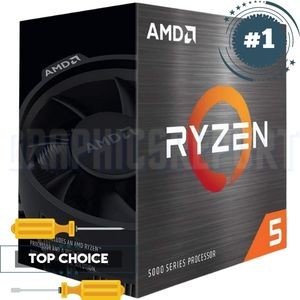
Specifications
- Number of Cores: 6
- Number of Threads: 12
- Cache: 32MB
- TDP: 65W
- Base Clock: 3.7GHz
- Boost Clock: 4.6GHz
- Socket: AM4
- Max Operating Temperature: 95C
Highlights:
- Can be overclocked
- Best price to performance ratio
- Supports AM4 socket
- Require only 65W of TDP
- Best pick for streamers, creators and gamers
Drawbacks:
- No integrated graphics
- Low number of cores might be an issue for some folks
The AMD Ryzen 5 5600X is an excellent choice for all kinds of users – gamers and professionals alike. It delivers outstanding performance in most AAA games at 100+ FPS, and it comes with a capable cooler to keep it from overheating even during intense gaming sessions.
The overclocking potential on this chip is great, too – you can squeeze out a little more speed and performance with ease.
Aesthetics-wise, there’s an LED ring and branding that add to the overall premium look. And for compatibility purposes, it supports all types of memory in both DDR3 and DDR4 form factors, so it’ll work with any motherboard.
Cache, Cores & Threads:
With 6 cores and 12 threads, the Ryzen 5 5600X delivers unbeatable performance. You can run all kinds of programs at full speed, with no slowdown or stuttering. And, due to its 4.6GHz max boost clock speed, it’ll never be short of power when you need it most.
These specs allow you to do multiple tasks simultaneously without any lag or stuttering. So whether you need power for video rendering, image editing, streaming on Twitch while playing your favorite game, this CPU can do it all without breaking a sweat.
Performance:
The Ryzen 5 5600X also comes with AMD’s advanced SenseMI Technology. This gives the CPU a heightened level of intelligence, fine-tuning your processor’s performance to perfectly suit what you’re doing at any moment. You’ll feel more power when you need it and efficiency throughout the rest of your tasks.
In addition to that, the Ryzen 5 5600X has solid overclocking potential. This is thanks to its advanced XFR 2 and Precision Boost Overdrive technologies, which give you the ability to increase performance in manual or automatic overclocking modes.
My Findings:
The Ryzen 5 5600X is a powerhouse on a budget – not just for gamers but also for content creators, engineers, and other professionals.
It has no problem handling any task, and it has the speed to boot. Overall, I’d say this is an excellent choice for mainstream users who need a powerful CPU.
#2- AMD Ryzen 9 5950X
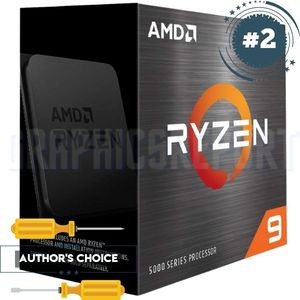
Specifications
- Number of Cores: 16
- Number of Threads: 32
- Cache: 64MB
- TDP: 105W
- Base Clock: 3.4GHz
- Boost Clock: 4.9GHz
- Socket: AM4
- Max Operating Temperature: 90C
Highlights:
- One of the best CPU for Creators, and Gamers
- Supports AM4 socket
- Gaming performance is outstanding
- Power efficiency is great at only 105W TDP
- Great boost clocking speeds
Drawbacks:
- No integrated graphics
- CPU cooler is not included
- Can be pricey for some folks
The AMD Ryzen 9 5950X is the ideal gaming CPU for gamers and creators alike. This AMD Ryzen CPU will play the majority of today’s games at a minimum of 100 FPS, depending on which games you’re playing.
For creation work that involves rendering out video files or animation, this CPU can easily pull its weight. Thanks to its 16 cores this Ryzen 9 5950X is an excellent solution for gamers looking to get into streaming simply because of its impressive processing power.
And if you’re going to be editing your gameplay videos and screenshots as well as streaming, this is the chip for you.
Cache, Cores & Threads:
With 16 cores and 32 threads, the AMD Ryzen 9 5950X has a total of 64MB cache in its design, which is made up of 4 individual units. Each core can process two threads per cycle under the ‘HypterThreading’ technology that’s been implemented on this CPU.
Performance:
The AMD Ryzen 9 5950X is one of the most powerful CPUs on the market and can play even the most demanding of games on a single core at 100+ FPS.
If you’re not about that gaming life and instead into creative work that involves rendering out videos or doing some animation, this processor will deliver all of that power for you.
AMD Ryzen 9 5950X is a great processor for gamers who are looking to get into streaming as well. It’s just way more powerful than many of the other CPUs I’ve tested in this list.
One of the best things about this CPU is its multi-core technology . If you’re into editing and rendering videos, the AMD Ryzen 9 5950X will give you an advantage over most CPUs that are on the market due to its multi-core design.
My Findings:
I have to say that while the Ryzen 9 5950X is a very powerful CPU, it’s not going to be for everyone.
If you don’t need all of its power and want something a bit more low-key so your computer runs faster and better for simple tasks, this product is definitely not for you.
If you’re looking for an overclocking CPU that can give you the best gaming experience at a very high price. In my opinion, it is the best CPU for 3070 if you do not have any budget problems.
#3- Intel Core i9-10900
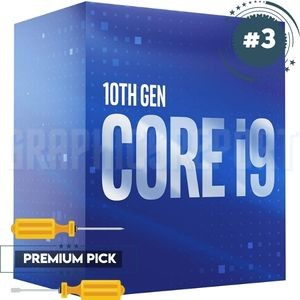
Specifications
- Number of Cores: 10
- Number of Threads: 20
- Cache: 20MB Intel Smart Cache
- TDP: 65W
- Base Clock: 2.8GHz
- Boost Clock: 5.2GHz
- Socket: LGA1200
- Max Operating Temperature: 100C
Highlights:
- One of the best 10th Gen Intel CPU
- Highest boost clock in the competition
- Comes with Intel UHD Graphics 630
- Great price to performance ratio
- Very power efficient at only 65W
Drawbacks:
- Cannot be overclocked
- might be pricey for some buyers
The Intel Core i9-10900 desktop processor is a powerful, reliable processor for your everyday desktop use. It’s compatible with 400 series chipset motherboards and comes with a free cooler in the package!
It is capable of a boost clock up to 5.2 GHz depending on your motherboard and cooling equipment, allowing you to play the latest games at their highest settings! There’s no need to upgrade your current processor box when you can get more power for less with this one.
Cache, Cores & Threads:
The Intel Core i9-10900 has 10 cores and 20 threads which allow you to get things done faster. That means not having to wait for your computer to catch up with you next time!
Performance:
The boost clock of Intel Core i9 10900 is up to 5.2 GHz, which makes it a great processor for intense gaming and/or running demanding programs like Adobe Photoshop, Illustrator, Maya, etcetera.
The high performance of the Core i9 10900 is thanks to its many cores and threads that allow you to multi-task/multitask while you play without any frame-rate loss or sluggishness .
Coming with 10 cores also means that the Intel Core i9-10900 can take on several tasks at once without much effort, so you can go back to playing your games in no time!
You can watch the latest movies and TV shows, watch for pop-ups or have Discord running in one window while playing your favorite games, the multitasking performance is phenomenal .
My Findings:
I found that this processor will do everything most users need, from light tasks like internet surfing to heavy tasks like gaming, rendering video, and photo editing.
If you’re looking for a fast, reliable, and upgradeable processor, the Intel Core i9-10900 is a great choice!
It is hands down one of the best processors on the market, with 10 cores at its max clock speed of 5.2 GHz. It comes at the 3rd number in my list of best CPU for RTX 3070.
#4- AMD Ryzen 7 5800X
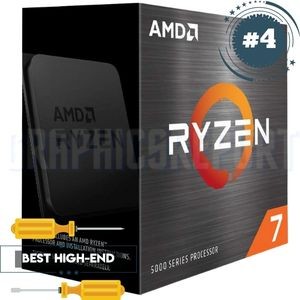
Specifications
- Number of Cores: 8
- Number of Threads: 16
- Cache: 32MB
- TDP: 105W
- Base Clock: 3.8GHz
- Boost Clock: 4.7GHz
- Socket: AM4
- Max Operating Temperature: 90C
Highlights:
- Phenominal multithreaded and single-core performance
- Price to performance ratio is one of the best
- Can be overclocked
- Supports any AM4 socket mobo
- Operates at only 105W
Drawbacks:
- Does not have integrated graphics
- CPU cooler is not included in the package
The AMD Ryzen 7 5800X is the best mainstream CPU for gaming. Based on its price and performance, it’s one of the few CPUs you can get if you’re looking to go above an i7-9750 or an i9-9900K.
This CPU, combined with an RTX 3070 or RTX 2070, will provide you with excellent performance in 1080p and 1440p. Also, this CPU is not just for gamers. It can also be used in content creation and streaming.
Cache, Cores & Threads:
Its 8 cores are clocked at 4.7 GHz out of the box, while its 16 threads are some of the fastest for a processor in this price range.
AMD’s Ryzen 7 5800X has a TDP of 105W and comes with a 3-year warranty. Moreover, it has a cache of 36MB which means it can handle more than 10 tasks at once.
Performance:
The performance of the AMD Ryzen 7 5800X is better than Intel Core i7-9750H and Core i9-9900K. While it’s only a few percent, every little percentage helps if your CPU is bottlenecking your GPU.
It’s high-performing in multi-threaded tasks like rendering media or playing games while also streaming, and using several other apps/software.
You can enjoy up to 100 FPS in popular games such as Battlefield V or Apex Legends and up to 200+ FPS in CS: GO. This makes the Ryzen 7 5800X a great choice if you want to play your favorite games at their highest settings.
My Findings:
I found that the AMD Ryzen 7 5800X is the best CPU for most high-end rigs that are equipped with RTX 3070. It can provide you with around 100 FPS in games like Warzone, Apex Legends, and Fortnite when playing at ultra settings.
It’s also one of the few CPUs in this price range that overclocks well. If you’re looking for a CPU to do some rendering or streaming, then I would recommend this CPU too.
I think it is one of the best CPU for 3070 as I really love how the Ryzen 7 5800X performs in games. It’s an excellent choice, and I highly recommend it over Intel CPUs for gaming.
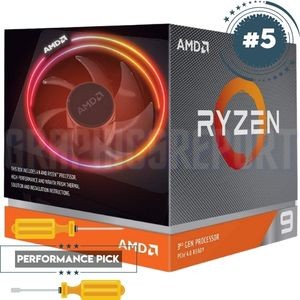
#5- AMD Ryzen 9 3900X
Specifications
- Number of Cores: 12
- Number of Threads: 24
- Cache: 64MB
- TDP: 105W
- Base Clock: 3.8GHz
- Boost Clock: 4.6GHz
- Socket: AM4
- Max Operating Temperature: 95C
Highlights:
- Great numbers of cores and threads
- Multithreaded performance is one of the best
- It has some good overclocking potential
- One of the best 3rd Gen Ryzen CPUs
- The overall benchmarks performance was great
Drawbacks:
- Has no integrated graphics
- You might need a better cooler, included cooler is not enough
- Lacks behind in single core performance
The AMD Ryzen 9 3900X is a great all-around high-end CPU that’s as good as any on this list for RTX 3070 owners. It has a max boost clock of 4.6 GHz and a bundled cooler with a color-controlled LED.
When combined with an RTX 3070, you’ll be able to run the latest AAA titles with comfortable frame rates at their highest settings.
It’s also unlocked for overclocking and compatible with DDR 3200 memory, so it can be easily upgraded later on.
Cache, Cores & Threads:
It has 12 cores and 24 threads, which is excellent for multitasking, and it can deliver impressive performance in the latest games, even at ultra settings. It has 64MB of game Cache and supports DDR3200 memory.
With this much cache, you’ll be able to run high-end games fast. If you’re looking for a top-of-the-line CPU with tremendous value , this is it.
It comes with Windows 10, RHEL x86 64-Bit, and Ubuntu x86 64-Bit operating system support. It’s a very capable processor overall.
Performance:
The performance of the processor is outstanding; it works excellent with RTX 3070 or computers. The overall level of performance has been verified by many tech enthusiasts, and everyone agrees that it performs very well.
You can expect an average of 100+ FPS when playing games. According to my testing so far, the performance of AMD Ryzen 9 3900X is excellent compared to similar CPUs in the market.
You will be able to play all the latest games in high/ultra settings without any problems. With 12 cores and 24 threads, you’ll multitask like a pro with this CPU, it’s an excellent choice.
My Findings:
Among all the CPUs that I have tested and listed in this article, the AMD Ryzen 9 3900X 12 cores 24 threads is a performance beast. It can handle all the latest games with 100+ FPS and ultra settings without any issues.
It’s one of the best RTX 3070 compatible CPU that can play the most demanding games at the highest settings.
I have also found that it’s a CPU that will last you for years, so it’s worth the investment if your budget allows it.
I highly recommend it to people who want a gaming performance CPU, because the price is very reasonable compared to similar CPUs in the market right now.
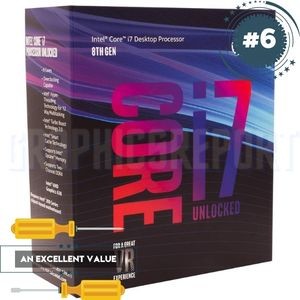
#6- Intel Core i7-8700K
Specifications
- Number of Cores: 6
- Number of Threads: 12
- Cache: 12 MB Intel Smart Cache
- TDP: 95W
- Base Clock: 3.7GHz
- Boost Clock: 4.7GHz
- Socket: LGA1151
- Max Operating Temperature: 100W
Highlights:
- Great overclocking headroom
- Comes with Intel UHD Graphics 630
- Best budget option for 3070
- Best performance in this price range
- Supports a base TDP of 95W
Drawbacks:
- Comes without a fan or heatsink
- Low number of cores
The Core i7-8700K is a powerful CPU that will easily handle all the latest games. This is a great processor for those who are looking for a high-end processor that won’t break the bank .
Although it’s slightly cheaper than the Core i7-9700K, you can expect a nearly identical performance with both processors.
The only real difference between the two is that the i7-8700 does not have hyper-threading. It is compatible with Motherboards based on Intel 300 Series Chipsets.
Cache, Cores & Threads:
The Core i7-8700K is a 6 core 12 thread CPU that runs at 3.70 GHz by default and can be boosted up to 4.70 GHz when needed. This processor also supports overclocking if you want to push it even further.
Performance:
With 6 cores and 12 threads, it will offer great performance for any multi-tasker who is looking to use photos/videos editing tools or using streaming-related apps while playing their favorite game.
The i7-8700K also has 12MB of cache, which is double what the i5-8600K had. The i7-8700k comes without any heatsink or fan, so you’ll have to buy an external cooling solution for this CPU.
It is a middle/high-end CPU that is very reliable and runs almost everything smoothly. Any type of game, application, or media will run without any issues. It performs really well in rendering projects and editing.
This is an unlocked CPU, so it can be overclocked with a compatible motherboard . Although it is cheaper, you will get a nearly identical performance if you choose the i7-9700K instead of it.
The performance of this CPU is excellent, and it will not let you down. You can run pretty much anything on high or higher settings with ease.
My Findings:
My experience with this CPU is that it offers great performance. If you’re looking for a high-end processor at a reasonable price, this will be an excellent choice.
With 6 cores and 12 threads, it will provide more than enough power to run any game smoothly and multitask with ease.
Higher-End CPU vs Lower-End CPU: Which Is Enough For RTX 3070?
So, what are higher-end, and lower-end CPUs, and which one you should select?
Higher-end CPUs are typically on the “Extreme” level of processors, they cost more but they will also deliver an exceptional level of performance.
They’re designed for gaming and highly productive tasks , so they’ll give you the best performance possible when playing games at 1080p, 1440p, and 4K resolutions while also providing high FPS.
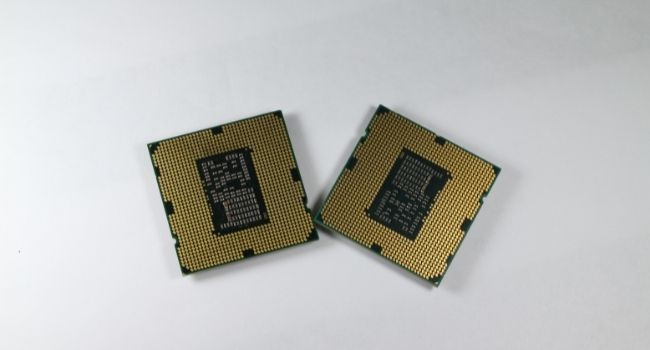
The lower-end options are mostly budget-friendly or last-generation processors, they do provide some great numbers in performance as well but lack some new features that are available in current processors.
For the RTX 3070, you can get a budget CPU if you’re planning to game at Medium and High mix settings. If you want to play your games in high or ultra settings, then you’ll need a higher-end CPU.
Choosing the right CPU won’t be easy as there are a lot of options out there, and each one of them is suited for different purposes.
For example, AMD has its Ryzen lineup of CPUs, and Intel has its own set of CPUs (Intel Core Series), while Ryzen is best for Multitasking purposes Intel is exceptional in the single-core performance .
You’ll need to check out CPU benchmarks for each CPU, or you can carefully read the guide I have provided here, so you can get an idea of which one will suit your requirements.
RTX 3070 CPU Requirements And Compatibility
These are the CPU requirement for RTX 3070 support:
- 4 Cores
- 8 Threads
- 7th or 8th Generation Intel Core i7/i9 Processor
- Supports Intel Turbo Technology 3.0
- LGA 1151 Socket or LGA 1200 socket or AM4
- Compatible with your motherboard
- Up to 95W TDP (Thermal Design Power)
You can use CPUs that have a lower TDP, but they’ll have to be paired with Nvidia’s Turbo technology. RTX 2070 has the same requirements as the RTX 3070 , so you can use the same CPUs for both.
High Core And Thread Counts – Should I Consider?
The number of cores and threads in a CPU is important when it comes to Gaming, but not all games can effectively make use of high core counts.
CPUs like the Core i7 9700 and Ryzen 5 5600X only have 6 cores and 12 threads, but they’re suited for gaming as they can easily outperform other CPUs that have more cores and threads. The reason for this is that games are not fully optimized to use the additional cores and threads.
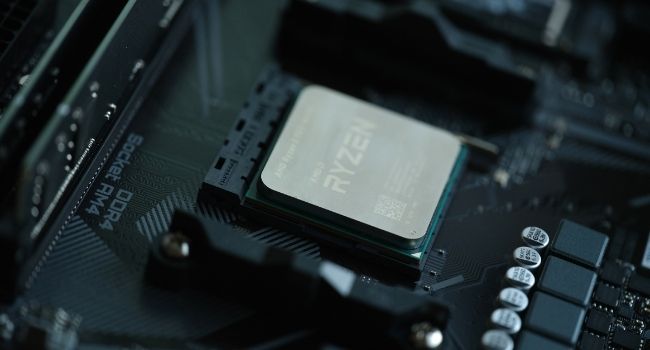
They also happen to be cheaper than CPUs with higher core counts, so you can save money if you don’t need more cores and threads.
However, some modern games do benefit from having high core count CPUs, especially those that are CPU-intensive, like PlayerUnknown’s Battlegrounds (PUBG) or Destiny 2 PC.
If you’re planning to play games that will take advantage of having a lot of cores and threads, then it would be better if you got a CPU with lots of them, like the Core i9 9900K.
Ryzen Processors vs Intel Processors For RTX 3070
Among Ryzen and Intel, it is quite a debate that which one you should choose for RTX 3070. The average fps that are provided with Intel i7 9700K is considered better than Ryzen 5 2600X.
If you’re looking for an RTX 3070 compatible CPU , then Intel has the upper hand as they have better single-core performance than their AMD counterparts.
This is because Intel CPUs are primarily designed for gamers who play titles that only need 1 to 2 cores/threads.
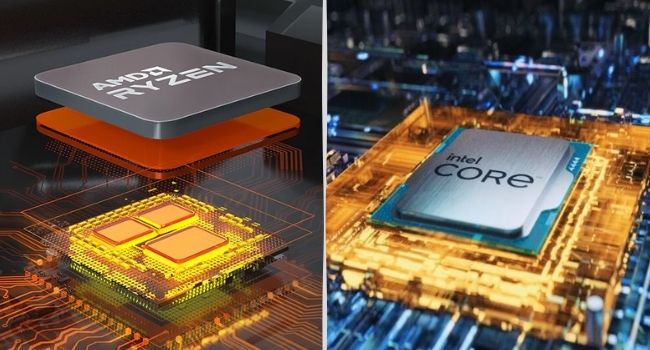
The Ryzen lineup of CPUs, on the other hand, is designed to work with higher core counts. This is why they have the upper hand when it comes to massive multi-threaded applications and games that can effectively utilize a high number of cores/threads.
So which one should you choose? It really depends on what you need. If you’re going to be playing titles that only need 1 to 2 cores/threads, then I’d recommend you get an Intel CPU like the i7 9700K.
This is because it has better single-core performance and higher clock speeds than its AMD counterparts for a more affordable price.
Which CPU Is The Right One For Your RTX 3070 Card?
Each CPU that I have listed above has its own advantages and disadvantages over others, but they all have one thing in common: they can all effectively run the latest AAA games with RTX 3070 card. So, which CPU from the above list is the right one for you?
Let’s first take a look at the CPUs’ specs and performance:
- AMD Ryzen 5 5600X & Ryzen 9 3900X – 8 Cores, 16 Threads
- AMD Ryzen 7 5800X – 8 Cores, 16 Threads
- Intel Core i7-8700K – 6 Cores, 12 Threads
- Intel Core i9-10900 – 8 Cores, 16 Threads
- AMD Ryzen 9 3900X – 12 Cores, 24 Threads
- AMD Ryzen 9 5950X – 16 Cores, 32 Threads
As you can see, the top five CPUs on this list all have at least 6 cores and 12 or more threads. There’s also one Intel CPU that has 8 cores and 16 threads, but there are two CPUs on this list that have 16 cores and 32 threads.
The Ryzen 5 5600X is a great pick for gamers who are looking to play games that can make use of 6 or more cores/threads.
While it doesn’t perform as well as some of the other CPUs in terms of multi-core performance, it can still deliver very good performance for its price.
It features a base clock speed of 3.6 GHz and can be overclocked to 4.1 GHz (with Core Voltage- 1.35v), which is pretty high considering that the average multiplier of Ryzen CPUs is around x40 or x45 depending on whether they’re overclocking or not.
The Ryzen 9 3900X, on the other hand, has better multi-core performance than the Ryzen 5 5600X . It is slightly more expensive than the R5 5600X, but it offers an excellent value for money.
It performs way better than even some of Intel’s CPUs, like i7 9700K, which is the best CPU you can get for RTX 3070.
It also has a higher base clock speed at 3.8 GHz, and it comes with more cores (12). It’s capable of hitting 4.6 GHz, but since it’s still somewhat new, reaching those clock speeds might be difficult depending on the temperature of your CPU.
If you want your CPU to last you a long time , then the Ryzen 9 3900X might be the best option for RTX 3070.
Frequently Asked Questions (FAQs)
Which CPU is best for RTX 3070?
The CPUs that I recommend in this article are all great choices. Now, it depends on your budget and what you’re going to use your PC for.
Is Ryzen 9 5950X overkill for RTX 3070?
Yes, it will be overkill. If you’re just going to play games that are optimized for 1 to 2 cores/threads, then even a Ryzen 5 or 3 will do. However, if you’re building a gaming rig for the future where titles are still being made to take advantage of high core counts, then I’d recommend getting the Ryzen 9 3950X or the Ryzen 9 5950X.
What CPUs are compatible with RTX 3070?
The CPUs that you want to use with RTX 3070 must have 4 cores, 8 threads and should be at least 7th generation with the supported socket type.
Does the 3900x bottleneck a 3070?
It’s hard to say whether the 3900x will bottleneck your 3070, but I can tell you that it will certainly bottleneck an RTX 2080.
The truth is, only time will tell because games are still being adapted to take advantage of 8 cores.
What will bottleneck 3070?
The first bottleneck for 3070 is the 9700K and 9900K. Those CPUs will bottleneck your card to a certain degree but not as much as you might think.
Second, RAM speed will be another bottleneck, especially if you use slower RAM modules with high clock speeds.