Теория:VPN:Выбор VPN-протокола
На этой странице приведен обзор и сравнительная таблица наиболее часто используемых протоколов. При этом надо помнить, что в жизни используются большое количество других протоколов, таких, как GRE, IPIP и т. д.
Протокол туннелирования точка-точка (Point-to-Point Tunneling Protocol) – это протокол, изобретенный Microsoft для организации VPN через сети коммутируемого доступа. PPTP является стандартным протоколом для построения VPN уже на протяжении многих лет. Это только VPN-протокол и он опирается на различные методы аутентификации для обеспечения безопасности (наиболее часто используется MS-CHAP v.2). Доступен как стандартный протокол почти во всех операционных системах и устройствах, поддерживающих VPN, что позволяет использовать его без необходимости установки дополнительного программного обеспечения. PPTP остается популярным выбором как предприятий, так и VPN-провайдеров. Его преимущество также в том, что он использует меньше вычислительных ресурсов, следовательно обладает высокой скоростью работы.
Хотя PPTP обычно и используется со 128-битным шифрованием, в следующие несколько лет после включения этого протокола в состав Windows 95 OSR2 в 1999 году были найдены ряд уязвимостей. Наиболее серьезной из которых явилась уязвимость протокола аутентификации MS-CHAP v.2. Используя эту уязвимость, PPTP был взломан в течение 2 дней. И хотя компанией Microsoft была исправлена эта ошибка (за счет использования протокола аутентификации PEAP, а не MS-CHAP v.2), она сама рекомендовала к использованию в качестве VPN проколов L2TP или SSTP.
- клиент PPTP встроен почти во все операционные системы
- очень прост в настройке
- работает быстро
- небезопасен (уязвимый протокол аутентификации MS-CHAP v.2 все еще много где используется)
L2TP и L2TP/IPsec
Протокол туннелирования 2 уровня (Layer 2 Tunnel Protocol) – это протокол VPN, который сам по себе не обеспечивает шифрование и конфиденциальность трафика, проходящего через него. По этой причине, как правило, используется протокол шифрования IPsec для обеспечения безопасности и конфиденциальности.
L2TP/IPsec встроен во все современные операционные системы и VPN-совместимые устройства, и так же легко может быть настроен как и PPTP (обычно используется тот же клиент). Проблемы могут возникнуть в том, что L2TP использует UDP-порт 500, который может быть заблокирован файрволлом, если вы находитесь за NAT. Поэтому может потребоваться дополнительная настройка роутера (переадресация портов). Кстати, протокол SSL, например, использует TCP-порт 443, чтобы быть неотличимым от обычного HTTPS-трафика.
Протокол IPsec на данный момент не имеет никаких серьезных уязвимостей и считается очень безопасным при использовании таких алгоритмов шифрования, как AES. Однако, поскольку он инкапсулирует данные дважды, это не так эффективно, как SSL-решения (например, OpenVPN или SSTP), и поэтому работает немного медленнее.
- очень безопасен
- легко настраивается
- доступен в современных операционных системах
- работает медленнее, чем OpenVPN
- может потребоваться дополнительная настройка роутера
Протокол безопасного туннелирования сокетов (Secure Socket Tunneling Protocol) – был представлен Microsoft в Windows Vista SP1, и хотя он теперь доступен на Linux, RouterOS и SEIL, он по-прежнему используется в значительной степени только Windows-системами (есть очень маленький шанс, что он появится на Apple устройствах). SSTP использует SSL v.3 и, следовательно, предлагает аналогичные преимущества, что и OpenVPN (например, возможность использовать TCP-порт 443 для обхода NAT), а так как он интегрирован в Windows, он проще в использовании и более стабилен, чем OpenVPN.
- очень безопасен (зависит от алгоритма шифрования, обычно используется очень стойкий AES)
- полностью интегрирован в Windows (начиная с Windows Vista SP1)
- имеет поддержку Microsoft
- может работать сквозь файерволлы
- работает только в Windows-среде
OpenVPN
OpenVPN является достаточно новой технологией с открытым кодом, которая использует библиотеку OpenSSL и протоколы SSLv3/TLSv1, наряду с множеством других технологий для обеспечения надежного VPN-решения. Одним из его главных преимуществ является то, что OpenVPN очень гибок в настройках. Этот протокол может быть настроен на работу на любом порту, в том числе на 443 TCP-порту, что позволяет маскировать трафик внутри OpenVPN под обычный HTTPS (который использует, например, Gmail) и поэтому его трудно заблокировать.
Еще одним преимуществом OpenVPN является то, что используемые для шифрования библиотеки OpenSSL поддерживают множество криптографических алгоритмов (например, AES, Blowfish, 3DES, CAST-128, Camelia и другие). Наиболее распространенные алгоритмы, которые используют VPN-провайдеры – AES и Blowfish. AES является новой технологией, и хотя оба считаются безопасными, тот факт, что он имеет 128-битный размер блока, а не 64-битный как у Blowfish, означает, что он может работать с большими (более 1Гб) файлами лучше. Различия, однако, довольно незначительные. То, как быстро работает OpenVPN, зависит от выбранного алгоритма шифрования, но, как правило, работает быстрее, чем IPsec.
OpenVPN стал технологией №1 при использовании VPN, и хотя он изначально не поддерживается операционными системами, этот протокол широко поддерживается через стороннее программное обеспечение. Совсем недавно невозможно было использовать OpenVPN на iOS и Android без джейлбрейка и рута, а сейчас появились сторонние приложения, которые частично решили эту проблему. С этим связана другая проблема OpenVPN – гибкость может сделать его неудобным в настройке. В частности, при использовании типовой программной реализации OpenVPN (например, стандартный открытый клиент OpenVPN под Windows) необходимо не только скачать и установить клиент, но и загрузить и установить дополнительные конфигурационные файлы. Многие VPN-провайдеры решают эту проблему путем использования преднастроенных VPN-клиентов.
- гибко настраивается
- очень безопасен (зависит от выбранного алгоритма шифрования, но все они безопасны)
- может работать сквозь файрволлы
- может использовать широкий спектр алгоритмов шифрования
- необходимо стороннее программное обеспечение
- может быть неудобен в настрой
- ограниченная поддержка портативными устройствами
Таблица сравнения
| PPTP | L2TP/IPSec | OpenVPN | SSTP | |
|---|---|---|---|---|
| Уровень шифрования | Текст ячейки | Текст ячейки | Текст ячейки | Текст ячейки |
| Поддерживаемые ОС | Windows, Mac OS X, Linux, iOS, Android, Windows Phone, DD-WRT | Windows, Mac OS X, Linux, iOS, Android, Windows Phone, DD-WRT | Windows, Mac OS X, Linux, iOS, Android | Windows |
| Безопасность | Низкая | Высокая | Очень высокая | Очень высокая |
| Скорость | Высокая | Требовательная к ресурсам ЦП | Отличная производительность. Работает быстро даже при соединениях с высокими задержками | Отличная производительность. Работает быстро даже при соединениях с высокими задержками |
| Настройка | Очень простая. Протокол встроен во многие устройства. Не требует дополнительного ПО. | Простая. Требует дополнительные настройки. Протокол встроен во многие устройства. Не требует дополнительного ПО. | Требует установки дополнительного ПО. Необходима установка сертификатов. | Протокол встроен в Windows Vista и более поздние. Необходима установка сертификатов. |
| Используемые порты | TCP 1723, GRE | UDP 1701, UDP 500, UDP 4500, ESP | TCP 993, TCP 443 | TCP 443 |
| Итого | Быстрый и очень легкий в настройке. Хороший выбор, если устройства не поддерживают OpenVPN или SSTP. | Хороший выбор, если устройства не поддерживают OpenVPN или SSTP и требуется высокая безопасность. | Рекомендованный протокол для Windows, Linux и Mac OS. Высокая производительность, безопасность и стабильность. | Работает только с Windows. Высокая производительность, безопасность и стабильность. |
Заключение
PPTP небезопасен (даже его создатели в Microsoft отказались от него), поэтому его использования следует избегать. В то время, как простота установки и кроссплатформенная совместимость являются привлекательными, L2TP/IPsec имеет те же преимущества и является более безопасным.
L2TP/IPsec является хорошим решением VPN, но не таким хорошим, как OpenVPN. Однако, для быстрой настройки VPN без необходимости установки дополнительного программного обеспечения остается лучшим решением, особенно для мобильных устройств, где поддержка OpenVPN по-прежнему на низком уровне.
OpenVPN является лучшим решением VPN несмотря на необходимость стороннего программного обеспечения во всех операционных системах. Это надежный, быстрый и безопасный протокол, хотя и требует немного больше усилий, чем другие протоколы.
SSTP предлагает большинство преимуществ OpenVPN, но только в среде Windows. Это означает, что он лучше интегрирован в ОС, но благодаря этому он слабо поддерживается VPN-провайдерами.
Большинство пользователей могут использовать OpenVPN на своих настольных компьютерах, возможно, дополнив его L2TP/IPsec на своих мобильных устройствах.
Best Mikrotik VPN
In this article, we are going to be talking about some of the best VPNs on the market that assure you data privacy and security.
One fast and easy way to guarantee every device in your home is successfully guarded against any hacking attempts is to install your preferred VPN.
Mikrotik is a network development company from Latvia that creates the most popular wired and wireless routers worldwide.
These fantastic low-cost routers provide you with high performance and speed. The company is also constantly reviewing and researching to create improved models that fit its consumers’ necessities.
1. Best VPN for Mikrotik 2023
After testing and reviewing several VPNs, we managed to find the five VPNs that fit the best with Mikrotik devices.
These top-tier VPNs protect your information and run effortlessly, improving your internet speed and allowing you to use websites and apps that might not be available in your country. Keep on reading to find out which ones got chosen.
1.1 NordVPN – Best Overall Mikrotik VPN
With more than 5400 servers in 59 countries across the globe, NordVPN puts itself at the front of the VPN industry. This company is constantly researching and creating new updates that appeal to the necessities that show up over time.
Its SmartPlay feature is an excellent example of this, as it provides you with high-quality streaming by connecting you to numerous servers that unblock restricted content for all of your devices. You can also get unlimited bandwidth for browsing as much as you want and a strict no-log policy to maintain the highest level of privacy throughout your daily use.
In addition, NordVPN uses 256-bit AES and a DoubleVPN feature for extra security, as well as a malware blocker that prevents any unwanted viruses from damaging your devices.
Finally, the best deal you can get for this VPN is its yearly plan that only costs $2.93 per month and helps you save up to 68% of the original price. You can also get three months free if you try this subscription plan.
1.2 ExpressVPN – Fastest VPN for Mikrotik
ExpressVPN is well known as one of the oldest and best VPNs in the industry. It is a fantastic option for Mikrotik users who want to enhance their internet speed while protecting their data. You don’t have to worry about complicated settings, as you don’t need to be too tech-savvy to set up this VPN with its handy and clear guide.
The installation process is very straightforward due to its custom firmware that immediately connects you to their servers and guarantees untraceable data protection. It features 256-bit AES encryption, a zero-knowledge DNS, and a no-logs policy, which makes it the safest option for regular internet users.
Its performance is out of this world, as it counts with over 3000 servers among 94 countries that provide incredible connection speed and can support P2P sharing for your heaviest downloads.
The best part of this VPN is its affordability. It has a yearly plan of $6.67 per month, a semestral plan of $9.99 per month, and a monthly plan of $12.95 per month. The company even goes as far as offering you three free months if you buy the yearly program.
1.3 Surfshark VPN – Best Budget VPN for Mikrotik
Surfshark is a prime quality option for Mikrotik users. It supports OpenVPN and IKEv2 protocols that ensure top-tier encryption standards for all of your devices.
Additionally, its unique features that improve your browsing experience have been confirmed to work efficiently and be compatible with thousands of devices. Some of those features are:
- Multihop: This passes your traffic through two servers, giving you extra protection from decoders.
- Whitelister: This allows you to remove the VPN encryption for specific apps that don’t need it or work better without it, for example, your banks’ apps.
- Cleanweb: This is a malware blocker for avoiding viruses while browsing the web.
- Camouflage Mode: this final feature helps you hide your online identity.
Moreover, it counts 1700 servers distributed all over the globe, which adds to the speed and strength that it can provide. Its customer service is also a massive perk since you can access quick solutions 24/7.
In pricing matters, it offers three subscription plans. You can buy a two-year subscription that goes as low as $1.99 per month, a yearly subscription that costs $5.99 per month, and finally, the monthly option that’s offered for $11.99.
1.4 CyberGhost – Safe VPN for Mikrotik
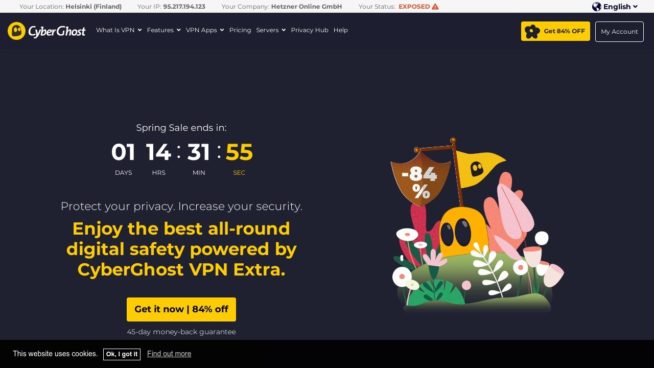
Cyberghost is ahead of every other VPN due to its number of servers, with over 7000 servers distributed among 90 countries and 100% verified to unblock any geo-restricted apps and websites.
It gives you unlimited bandwidth; hence, it’s able to support as many devices as you please as long as it’s connected to your Mikrotik router, which allows you to hide your IP address from anyone during your browsing time. This VPN also features a no-log policy, kill switch, leak protection detail, AES-256 encryption, and doesn’t store time-stamps, which gives you a very high level of privacy to help you become invisible on the net.
Moreover, one of their main reasons for being so secure is that the headquarters are located in Romania, out of the 14 eyes surveillance countries. It’s a fantastic VPN for protecting your devices when connected to public or unknown networks, as it has highly functional malware protection.
The yearly plan is a fantastic deal since you can save up to 84% of its original price and get it for only $1.90 per month. However, if you prefer short-term plans, you can still get a monthly subscription for $12.99 per month.
1.5 UltraVPN – Mikrotik VPN with Many Features
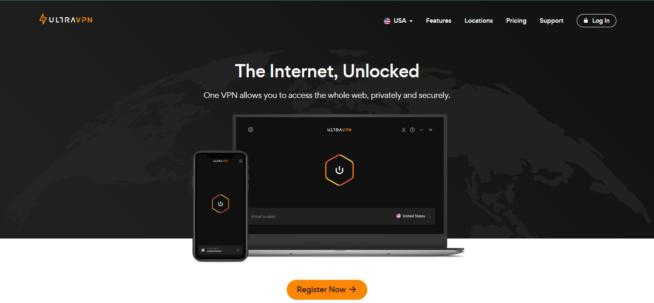
UltraVPN is one of the newest VPNs in the market, with only 1000 high-speed servers but millions of other features that make it highly appealing to the modern VPN user. It offers unlimited bandwidth for the heaviest of uses and downloads, as well as next-level security from its 256-bit encryption, an impeccable no-log policy, and a super-effective firewall.
This VPN has an interesting perk in its advantage: its ability to unblock famous social media platforms like Facebook. This way, instead of getting your IPS blocked, you can be part of international communities with the help of UltraVPN,
The subscription plans are also quite wide. They start as low as $3.75 per month for a yearly subscription. However, you can also get a 6-month plan for $5.99 or a monthly plan for $7.99. If you’re not convinced with the service, you can always get a complete refund for any of its plans if you file for it during the first 30 days of usage.
2. Mikrotik VPN FAQ
Finding the right VPN is easier said than done, and now your mind is probably filled up with all types of questions. Don’t worry about it; check out the frequently asked questions we’ve collected about VPNs for Mikrotik.
2.1 How to Set Up Your VPN on Mikrotik Routers
The installation is pretty simple in most cases, and you shouldn’t worry about it. All you need to do is buy the subscription to the VPN of your choice, configure it by following their websites’ instructions, and finally connect all your desired devices to the net.
2.3 How Many Devices Can I Connect?
In most cases, as many, as you want. This is the main perk of using VPNs directly on your Mikrotik router; all your devices can use the unlimited safe net. That might not be possible if you install it directly on your phone or laptop.
2.3 How Do I Turn It On?
You don’t. Unlike VPNs that you install on your phone, you don’t have to log in every time you want to use it. You only need to set it up once, and it is going to make the process automatic with your desired settings and security standards.
2.4 What Are the Most Important Things When Choosing a VPN?
This question is answered by checking how well the VPNs perform in these aspects:
- The level of encryption for protecting your data.
- How many networks they have and how fast they can get.
- Make sure they provide a no-log policy.
- They must offer multiplatform app support and guides.
2.5 Why should I use a VPN?
- You can use one to avoid unwanted censorship that your region might be involved in.
- They’re also a great tool for accessing geo-blocked content on streaming platforms like Netflix or Hulu.
- If you’re traveling and desire to access your bank account from abroad.
- You can use them to get better deals on products during online shopping.
- If you’re using a restricted network and desire to bypass unwanted firewalls.
- If you’re connecting to unknown networks and want to protect your devices.
3. Bottom Line
Getting a VPN for your home is a fantastic investment in your long-term security, and Mikrotik routers are highly compatible with most VPNs out there. That’s why you shouldn’t miss out on the opportunity to upgrade your browsing experience and get the best and most undercover VPN you can find.
After finishing this guide, you have all the necessary tools to make the best out of your Mikrotik router, so let’s get handy and happy browsing!
5 Best VPNs for MikroTik in 2023 (That Actually Works)

We live in the “internet-age,” and this highlights the importance of security and privacy when it comes to our digital data.
Thankfully, Virtual Private Networks (VPNs) help us remain private and stay secure. They do this by encrypting traffic, thereby preventing users from falling victims to hackers and other cybercriminals.
Fortunately, VPNs can be configured on routers. This makes them excellent for MikroTik, one of the most popular router and wireless ISP developers.
In this article, we’ll highlight the most suitable VPNs for MikroTik routers and the several benefits that come with using them.
ExpressVPN
Features
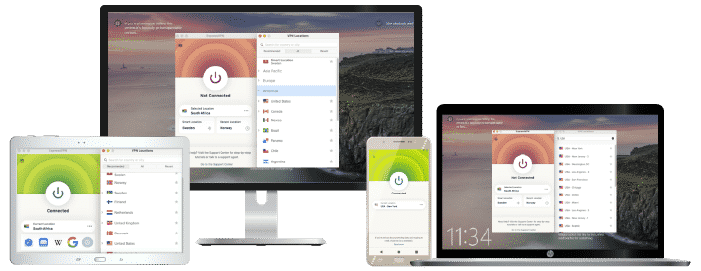
- Number of servers: More than 3,000
- Speeds: Unlimited
- Server locations: 160 in 94 countries
- Maximum devices supported: 5
- 24 live chat: Yes
- 30 day money back guarantee: Yes
Pros/Cons
ExpressVPN tops our list, and it is an excellent choice for MikroTik routers, thanks to its high-value services. This VPN also offers a clear and detailed guide that should help you set up and use its services on MikroTik.
ExpressVPN also provides you with its custom firmware. This makes the process of installing and connecting your router to its servers straight-forward, and you can safeguard all your services in one swoop.
This VPN is remarkable when it comes to equipping your router with the required security. Its 256-bit AES encryption ensures that your traffic is inaccessible to unwanted parties like hackers. Also, ExpressVPN maintains a zero-knowledge Domain Name Server (DNS) and no-logs policy, which guarantees that your activities are untraceable on the web.
In terms of performance, ExpressVPN is doing exceedingly well. It has over 3000 servers located across 94 countries. These servers offer you excellent connection speeds. Also, ExpressVPN is among the top VPNs that support P2P sharing. This makes it a fantastic choice for heavy downloaders and torrent users.
ExpressVPN has three affordable subscription plans. You can pay $6.67/m for 12 months or $9.99/month for six months. However, it also has a monthly plan that costs $12.95 every month. The 12-months package is an exclusive deal, and it comes with an additional three months of free usage.
ExpressVPN offers a 30-day money-back guarantee on all its plans.
- Pros: Fastest VPN out there; Strict no logs policy; 256-bit AES encryption;
- Lowest price: $6.67
NordVPN
Features
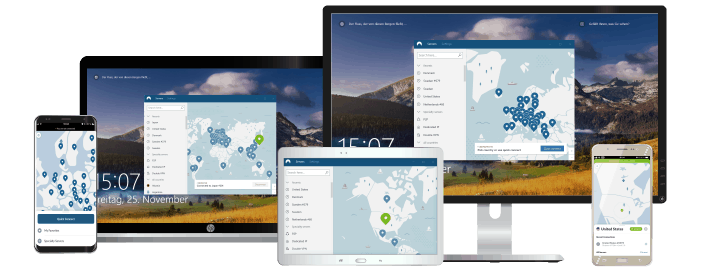
- Cryptocurrency accepted? Yes
- Simultaneous connections: 6
- Dedicated IP-addresses? Yes
- Servers: 5342 in 58 countries
Pros/Cons
If there’s a VPN you can count on to keep you safe on your MikroTik router, then it would be NordVPN. The VPN allows your router to connect to its servers using PPTP, L2PT, and OpenVPN protocols.
Also, NordVPN allows you to protect your personal information whenever you’re online through its world-class features. These include its military-grade 256-bit AES encryption, and its CyberSec and Double VPN features.
CyberSec is a convenient tool that ensures you do not fall victim to malicious websites on the Internet. The feature also protects you from DDoS attacks and blocks unsolicited ads while you browse the web. So, you can expect to significantly improve your browsing experience on all your Mikrotik devices with NordVPN.
The Double VPN feature, on the other hand, directs your router traffic through two NordVPN servers instead of one. This makes your traffic more secure without compromising your connection speed. Like other top VPNs, NordVPN maintains a no-logs policy and protects your data against DNS leaks.
NordVPN ranks far from regular VPNs in terms of its performance. The VPN provides you with excellent connection strength and speed as it has an intriguing number of 5796 servers worldwide. These servers are spread across 59 countries, thereby giving NordVPN a more-than-fair coverage.
NordVPN subscription plans include $3.49/month for three years and $4.99/month for two years. However, you could also pay $6.99/month for one year, and $11.95 for a one-time monthly subscription. All plans come with a 30-day money-back guarantee (free trial).
- Pros: Lots of pricing options; Netflix support kept up to date; 256-bit AES encryption;
- Lowest price: $3.71
Surfshark
Features
- Free trial? Yes
- Simultaneous connections: Unlimited
- Ad blocking? Yes
- Servers: 1000+ in 61 countries
Pros/Cons
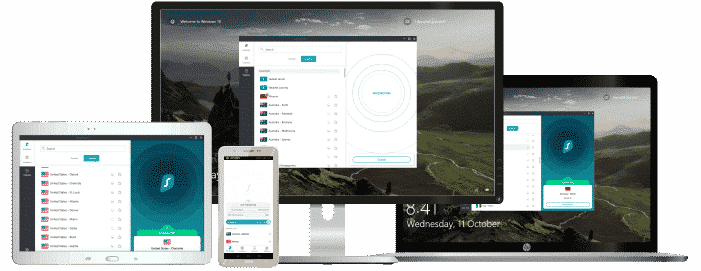
Surfshark is a top choice for MikroTik routers as it supports both OpenVPN and IKEv2 protocols. The reason for this is that these protocols guarantee leading encryption standards for your router and all devices connected to it.
In addition to its high-level privacy, Surfshark offers you special features that help you improve your internet experience. These include the MultiHop, Whitelister, CleanWeb, and Camouflage Mode.
Surfshark’s Multihop ensures that your router’s traffic gets an extra layer of protection by passing it through two severs. The Whitelister allows you to bypass VPN services for particular apps on your devices. On the other hand, its CleanWeb helps you block malware and ads as you surf the web. Lastly, Surfshark’s Camouflage Mode disguises your identity on the Internet.
Surfshark has over 1700 servers spread across the globe. This ensures that it is capable of providing its services to you at reasonable speeds and strengths. Also, Surfshark is a VPN that pays proper attention to customer satisfaction as it offers you a 24/7 live chat support.
The VPN offers affordable packages as its subscription rates go as low as $1.99/month. This is for its most extended duration plan, which is 24 months. Apart from that, Surfshark offers two other packages at $5.99/month for 12 months and $11.99/month.
Surfshark also provides a 30-day money-back guarantee for all its packages.
- Pros: No footprints; Allows torrenting; 256-bit AES encryption;
- Lowest Price: €2.09
UltraVPN
Features
- One click connect? Yes
- Servers: 100+ superfast servers
- Bandwidth cap? No
- Platforms: Mac, Windows, iOS, Android
Pros/Cons
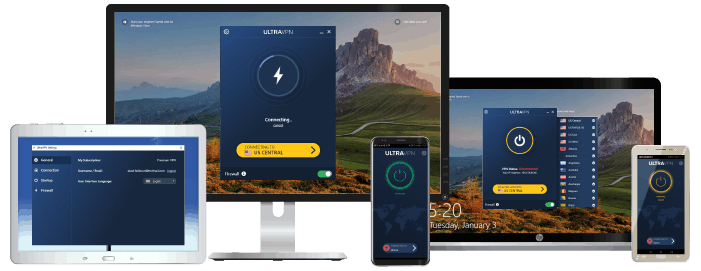
Although UltraVPN is not as old as most top VPNs, it has been remarkable in providing excellent services for internet users. UltraVPN has over 100 super-fast and 1000 high-speed servers that connect your router easily to the internet.
UltraVPN is among the few top VPNs that do not place a cap on your data bandwidth. So, you can browse the web endlessly with an enormous volume of data using your router.
It guarantees your security through its military-grade 256-bit encryption, as well as other high-standard protective features. These include its no-logs policy and an impeccable firewall.
UltraVPN is also among the few top VPNs that offer you unrestricted access to top social media platforms like Facebook. A situation where this tool is convenient is when you want to access local social media communities in a different region or country. Ordinarily, your ISP might block your access, but UltraVPN can help remove this restriction.
UltraVPN has a 12-month plan that costs $3.75/month and a 6-month plan that costs $5.99/month. However, you could opt for its monthly plan, which goes for $7.99/month.
You can also get a complete refund on any of its plans if you request one within the first 30 days of using the VPN.
- Pros: Firewall; Apps for all devices; 256-bit AES encryption;
- Lowest price: €2.99
CyberGhost
Features
- Connected devices at once: 7
- Automatic kill switch? Yes
- One click connect: Yes
- Servers: 5900 worldwide
Pros/Cons
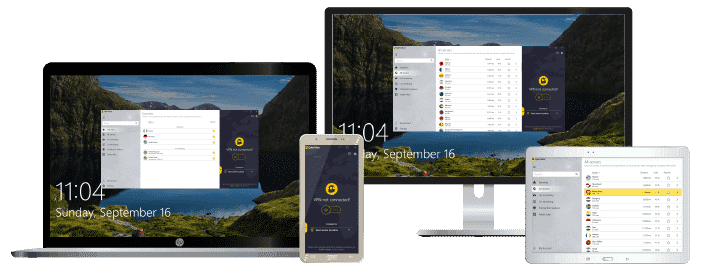
CyberGhost is a budding VPN that offers impressive speeds and security. It also supports different firmware, thus, making it compatible with your MikroTik routers. CyberGhost provides you with 24/7 live chat from its customer support.
CyberGhost packs some of the most impressive security features you’ll find. It provides your router traffic with the world-class 256-bit AES encryption. But that’s not all. It also offers top-value protective features like DNS leak protection and a kill switch. CyberGhost is also among the few top VPNs that provide reliable protection for your devices when you’re connected to public networks like Wi-Fi.
The VPN has over 6000 servers across all accessible continents on the globe. This gives it an incredible coverage and confirms its reliability in guaranteeing super-fast connection speed and strengths. Also, CyberGhost is headquartered in Romania, a nation that’s out of the reach of the “14 eyes” surveillance countries.
CyberGhost offers a variety of subscription packages that suit your short-term and long-term needs. These include a 3-years plan at $2.75/month and a 2-years plan at $3.69/month. However, it also has a 1-year plan that costs $5.99/month, and a monthly plan that costs $12.99 every month.
Furthermore, you could get a dedicated IP server for $5 every month. Its long-term plans have a 45-day money-back guarantee, and you can use its short-term plan risk-free for 14 days.
- Pros: No logs policy; 24/7 live chat; Apps for mobile devices and routers;
- Lowest price: €2
Additional benefits of using VPNs for MikroTik
1. Access to geo-restricted platforms
Apart from guaranteeing your security by encrypting your MikroTik router traffic, VPNs also allow you to change your location. This is possible as VPNs usually have several servers located in different countries. By connecting to a particular server, your traffic is identified with the location of that server.
The function is handy when you want to access contents that are restricted to particular locations. This could be streaming platforms, websites, gaming networks, and so on. All you need to do is simply connect to a VPN server in the location you want to access, and voilà! You’re in.
2. Multi-device protection
Using a VPN with a router offers an additional advantage that isn’t available on other devices. That perk is the opportunity to enjoy VPN services on more devices.
Most VPNs allow you to connect multiple devices with a single subscription account. However, there’s usually a limit on the number of devices. Using a VPN on your router counts as one device, but considering your router links many devices, your VPN services are extended to them as well.
This only works if the VPN permits simultaneous connections to a single account.
How to get started with VPNs for MikroTik
VPNs provide their users with detailed guides on how to set up and use their services for routers such as those of MikroTik. These guides are usually available on their websites. However, we’ll run through the fundamentals of setting up VPNs for your Mikrotik router.
1. Purchase a VPN plan
The first step in enjoying VPN services on your router is to choose a VPN provider and subscribe to its services. We have listed five of the most suitable options for the Mikrotik router above.
2. Set up your router to work the VPN
To configure your routers to enjoy purchased VPN services, you will need to connect both using appropriate firmware. Fortunately, the top five VPNs listed above offer excellent compatibility in this sense.
Also, guides on the required configurations are usually available on the VPN websites. This makes setting them up with your MikroTik router an effortless task. If you’re having difficulties, top VPNs such as those listed above have readily available customer support to bail you out.
3. Establish your connection
Once the configuration settings are completed, you can begin to enjoy excellent VPN services on your router.
Can I use a free VPN instead?
You must have noticed that the best VPNs for MikroTik all require that you pay for a subscription plan. But should you jump over this loop by using a free VPN? Here are a couple of reasons we think doing this is a bad idea:
1. Most free VPNs do not have enough servers: One downside to using free VPNs is that many of them don’t have robust server bases to go around all their users. So, if you get a free VPN, you’d probably be sharing the server you connect to with many other people. Ultimately, this would lead to slow connection speeds.
2. Most free VPNs do not have the best security features: You shouldn’t expect to find many free VPNs that can offer you AES-256 encryption or state-of-the-art firewalls.
3. Most free VPNs do not operate a no-logging policy: Unlike paid VPNs, there’s no guarantee that your data and traffic are not being sold to the highest bidder in the market.
4. Most free VPNs do not allow simultaneous connections: You’d have to create a new account for each device you want to use the VPN on, which can be stressful.
5. Most free VPNs do not have reliable customer support platforms: If you run into any trouble, you might have to fix it all by yourself.
Are VPNs legal?
VPNs open up new worlds of possibilities on the internet. They are tools that guarantee your digital safety, so their use falls within the confines of the law in most countries. However, you should not use a VPN for criminal purposes.
Also, another exception is the case of countries that ban the use of VPNs entirely or partially. This includes nations like China, Iran, and Belarus, to mention a few.
In a nutshell, VPNs are legal, given they are not banned in your country, and you do not use them for criminal purposes.
In conclusion
MikroTik offers you the best in terms of hardware that keeps you connected to the internet. However, this could be risky, given that the internet has many hackers lurking around corners.
VPNs help mitigate that risk by providing you with adequate security, privacy, and a host of other benefits. We’ve listed five of the best options above. So, all that’s left is for you to take charge and get one for MikroTik.
VPN и mikrotik, что выбрать?

Если OpenVPN не подходит то любой тип PPP или GRE туннеля + IPSec в транспортном режиме.
Например L2TP + IPSec.
- Вконтакте
вот настройки моего туннеля l2tp + ipsec в транспортном. Никаких сертиков я не использую
На стороне сервера:
/ppp> export
/ppp profile
add change-tcp-mss=yes name=tunnel only-one=no use-encryption=required \
use-ipv6=no use-mpls=no
/ppp secret
add local-address=172.16.0.12 name=L2TP_LOGIN password=*** profile=tunnel remote-address=172.16.0.11 service=l2tp
/ip> ipsec export
/ip ipsec proposal
set [ find default=yes ] enc-algorithms=\
des,3des,aes-128-cbc,aes-192-cbc,aes-256-cbc pfs-group=modp1536
add enc-algorithms=aes-128-cbc,aes-256-cbc name=vpn
add enc-algorithms=des,3des,aes-128-cbc,aes-192-cbc,aes-256-cbc name=tunnel \
pfs-group=modp1536
/ip ipsec peer
add address=CLIENT_IP/32 dh-group=modp1536 dpd-interval=disable-dpd \
enc-algorithm=3des,aes-128,aes-192,aes-256 exchange-mode=main-l2tp \
generate-policy=port-override passive=yes secret=youipsecsecret
/ip ipsec policy
add dst-address=CLIENT_IP/32 dst-port=1701 priority=2 proposal=tunnel protocol=udp \
sa-dst-address=CLIENT_IP sa-src-address=SERVER_IP src-address=SERVER_IP/32
На стороне клиента:
/interface l2tp-client> export
/interface l2tp-client
add add-default-route=no allow=pap,chap,mschap1,mschap2 connect-to=SERVER_IP dial-on-demand=no \ disabled=no keepalive-timeout=disabled max-mru=1450 max-mtu=1450 mrru=disabled \
name=tunnel password=*** profile=default-encryption user=L2TP_LOGIN
/ip ipsec> export
/ip ipsec proposal
set [ find default=yes ] enc-algorithms=\
des,3des,aes-128-cbc,aes-192-cbc,aes-256-cbc pfs-group=modp1536
/ip ipsec peer
add address=SERVER_IP/32 dh-group=modp1536 enc-algorithm=\
3des,aes-128,aes-192,aes-256 exchange-mode=main-l2tp generate-policy=\
port-override secret=youipsecsecret
/ip ipsec policy
add dst-address=SERVER_IP /32 dst-port=1701 protocol=udp sa-dst-address=\
SERVER_IP sa-src-address=CLIENT_IP src-address=CLIENT_IP/32