Squirrel: It’s like ClickOnce but Works
Squirrel for Windows is nifty. It really meets the goals set out for it in the README. It’s fast, it makes setup that doesn’t need wizards, UAC, etc. And if you already know how to make nuspec’s and nupkg’s, it’s easy to use for the developer too.
However, I didn’t already know how to make nuspec’s and nupkg’s, plus I wanted to generate setup.exe from my Makefile after building my .exe without an intervening GUI. That is, all command line. And using mingw32 entirely without Visual Studio.
It turns out, it’s pretty easy and not tricky, but I couldn’t find a step-by-step, so I thought I’d make one.
Install the tools
I’m assuming you’re already up and running with mingw32 and building your project with gnu make. So now you need nuget.exe and squirrel.exe.
Nuget Client, Command-Line Utility version is #4 on the (Installing NuGet Client)[https://docs.nuget.org/consume/installing-nuget].
Squirrel.exe is in Squirrel.Windows-0.99.2.zip on the (Squirrel.Windows’ github releases)[https://github.com/Squirrel/Squirrel.Windows/releases] page.
Unzip ‘em and put them in a folder on your path.
Create the .nuspec file
It’s a simple xml text file. Mine is at gpx.nuspec.
Some notes: First, “version” is required, but mine is essentially blank, I intend to override it with a -Version on the command line to nuspec.exe. Also, the “Publisher” field that shows up on the Uninstall list in Windows Control Panel comes from <authors> above, but it takes only the first author up to the first comma. I intended to list the authors with me at the end since that would match chronology, but then I put somebody elses name in the publisher field which seems like if I screw something up gets the wrong person in trouble. Some nuspec/nupkg authors recommend listing the <files> here, but not me, I make the directory tree hold the files and run nuget on that.
Create the .nupkg file
First I make a directory tree that contains all the files I want in setup. I use relative paths and a combination of cp and windeployqt since this is a Qt project. And then I call nuget.exe on it. From the Makefile:
Nuget CLI Reference (the pack command is the interesting one for making squirrel setup)
You’ll note here that I put everything (.exe’s, .dll’s) into lib/net45 hanging off of my BasePath. This is intentional. It’s what Squirrel.Windows expects. I believe it is an artifact of reusing .nupkg’s for the purpose and wanting it to be a no prompt install.
And then let Squirrel do its thing
This command goes at the end of that Makefile recipe above, but I break it out here so I can put in some more links.
And in that output directory (or in ./releases if you don’t specify), you’ll find a setup.exe that puts all of those files from lib/net45 in a folder in the local appdata folder. Usually %USERPROFILE%/AppData/Local/YourAppNameHere. Where your app name comes from the id tag in the nuspec.
It also drops shortcuts for every .exe on the desktop and puts them in the start menu. Apparently you can customize this behavior but I haven’t got to that yet.
And it runs all the .exe’s. Also customizable with an event handler, but like I say, I haven’t got that far yet.
Что за папка SquirrelTemp и можно ли её удалить
Кто интересовался содержимым директорий Local, LocalLow и Roaming в расположенной профиле пользователя папке AppDate, тот не мог не заметить, сколько в свою очередь они содержат файлов и каталогов, прямо указывающих на установленные на компьютере программы. Всё правильно, папка AppDate хранит настройки приложений, плагины, резервные копии, временные файлы и так далее инсталлированных на ПК программ. В первую очередь это касается папки Local, тогда как LocalLow хранит в основном данные, связанные с приложениями Mozilla, Adobe и нынче устаревшим и мало кем используемым Internet Explorer.
↑ Что за папка SquirrelTemp и можно ли её удалить
↑ Папка SquirrelTemp
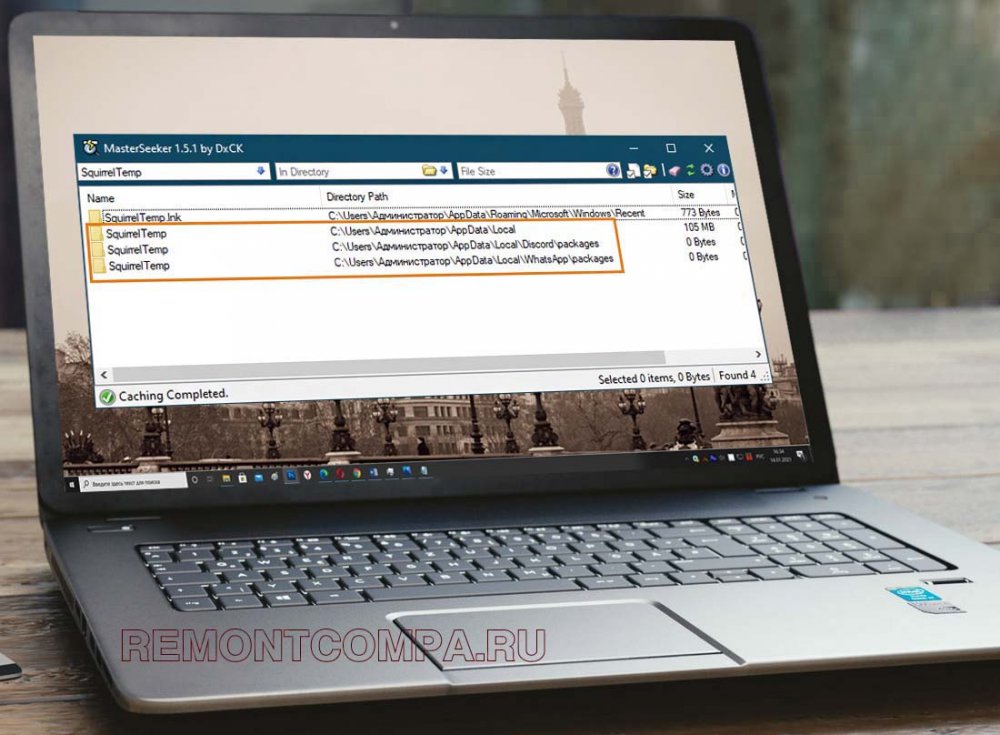
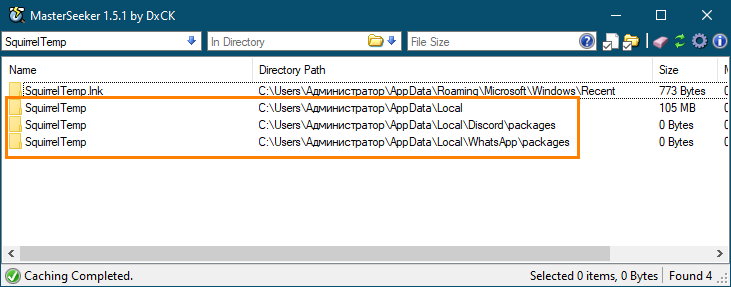
Папка Roaming так же содержит конфигурационные и временные файлы установленных на ПК программ, но в отличие от содержимого Local, файлы каталога Roaming могут быть перемещены вместе с профилем пользователя. Но в данном случае речь у нас пойдёт не об этом, а об одной «загадочной» папке, которую любопытные пользователи иногда обнаруживают у себя на компьютере в папке AppDate. Называется эта папка SquirrelTemp, что можно перевести как «временная папка белки». Пути к папкам SquirrelTemp вы можете видеть на приложенном ниже скриншоте.
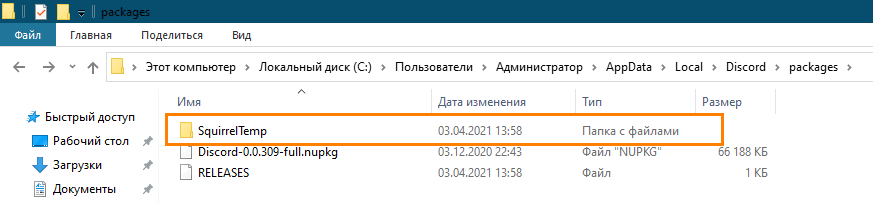
 В связи с непривычным для русскоязычного пользователя названия каталога у последнего может возникнуть вполне закономерный вопрос: а не дело ли это рук какого-нибудь вируса? Отвечаем. Ничего страшного в этой папке нет, создаётся она интернет-мессенджерами Discord и WhatsApp и служит для хранения различных временных данных — логов и программных пакетов, служащих для установки и обновления приложений, написанных на языке программирования C# или C++.
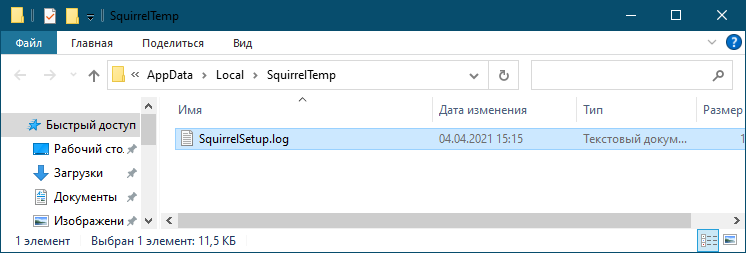
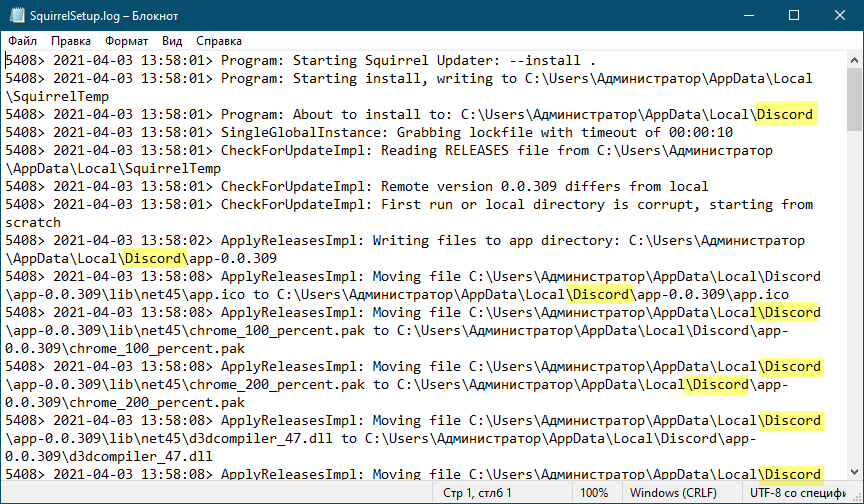
Что же касается самой «белки» (Squirrel), то он или она, если хотите, является интерпретируемым языком программирования, используемым при разработке приложений реального времени — компьютерных игр, интернет-мессенджеров и им подобным. Вот, кстати, пример лога, созданного в расположении %userprofile%\AppData\Local\SquirrelTemp интернет-мессенджером в процессе его инсталляции.
↑ Можно ли удалить папку SquirrelTemp
Поскольку содержимое каталога SquirrelTemp является временным, на что прямо указывает приставка «Temp», вы можете удалить имеющиеся в нём данные без особого риска потерять личные данные или переписку, поскольку они хранятся в других местах. Только вот есть ли в этом особый смысл? Вряд ли. Как правило, папка SquirrelTemp не занимает на диске сколь-либо значительного объёма, а значит и в удалении её нет особой нужды. Избавиться от неё вы можете после деинсталляции Discord и WhatsApp в рамках их переустановки, если вдруг в процессе повторной установки и настройки приложения возникнет какой-либо конфликт.
What is squirrel.exe?
squirrel.exe is part of Update and developed by GitHub according to the squirrel.exe version information.
squirrel.exe’s description is "Update"
squirrel.exe is digitally signed by WhatsApp, Inc..
squirrel.exe is usually located in the ‘c:\users\%USERNAME%\appdata\local\whatsapp\app-0.2.684\’ folder.
None of the anti-virus scanners at VirusTotal reports anything malicious about squirrel.exe.
If you have additional information about the file, please share it with the FreeFixer users by posting a comment at the bottom of this page.
Vendor and version information [?]
The following is the available information on squirrel.exe:
| Property | Value |
|---|---|
| Product name | Update |
| Company name | GitHub |
| File description | Update |
| Internal name | Update.exe |
| Original filename | Update.exe |
| Comments | Update |
| Legal copyright | Copyright © GitHub 2013-2015 |
| Product version | 1.2.5.0 |
| File version | 1.2.5.0 |
Here’s a screenshot of the file properties when displayed by Windows Explorer:
| Product name | Update |
| Company name | GitHub |
| File description | Update |
| Internal name | Update.exe |
| Original filename | Update.exe |
| Comments | Update |
| Legal copyright | Copyright © GitHub 2013-2015 |
| Product version | 1.2.5.0 |
| File version | 1.2.5.0 |
Digital signatures [?]
squirrel.exe has a valid digital signature.
| Property | Value |
|---|---|
| Signer name | WhatsApp, Inc. |
| Certificate issuer name | DigiCert SHA2 Assured ID Code Signing CA |
| Certificate serial number | 046660c4a56e0fd7e8fac0b7ba03a845 |
VirusTotal report
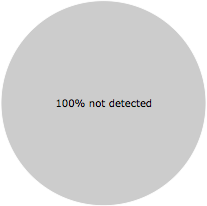
None of the 57 anti-virus programs at VirusTotal detected the squirrel.exe file.
Hashes [?]
| Property | Value |
|---|---|
| MD5 | d0e86f504681d1fb8b0cbc645cca295f |
| SHA256 | ede3d959a2b992adfc1fb77a1f1fce5c902aae186a905ae4afb6a5c25145696b |
Error Messages
These are some of the error messages that can appear related to squirrel.exe:
squirrel.exe has encountered a problem and needs to close. We are sorry for the inconvenience.
squirrel.exe — Application Error. The instruction at «0xXXXXXXXX» referenced memory at «0xXXXXXXXX». The memory could not be «read/written». Click on OK to terminate the program.
End Program — squirrel.exe. This program is not responding.
squirrel.exe is not a valid Win32 application.
squirrel.exe — Application Error. The application failed to initialize properly (0xXXXXXXXX). Click OK to terminate the application.
What will you do with squirrel.exe?
To help other users, please let us know what you will do with squirrel.exe:
What did other users do?
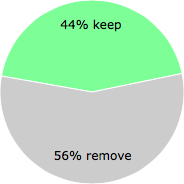
The poll result listed below shows what users chose to do with squirrel.exe. 56% have voted for removal. Based on votes from 159 users.
NOTE: Please do not use this poll as the only source of input to determine what you will do with squirrel.exe.
Malware or legitimate?
If you feel that you need more information to determine if your should keep this file or remove it, please read this guide.
And now some shameless self promotion 😉
Hi, my name is Roger Karlsson. I’ve been running this website since 2006. I want to let you know about the FreeFixer program. FreeFixer is a freeware tool that analyzes your system and let you manually identify unwanted programs. Once you’ve identified some malware files, FreeFixer is pretty good at removing them. You can download FreeFixer here. It runs on Windows 2000/XP/2003/2008/2016/2019/Vista/7/8/8.1/10. Supports both 32- and 64-bit Windows.
If you have questions, feedback on FreeFixer or the freefixer.com website, need help analyzing FreeFixer’s scan result or just want to say hello, please contact me. You can find my email address at the contact page.
Comments
Please share with the other users what you think about this file. What does this file do? Is it legitimate or something that your computer is better without? Do you know how it was installed on your system? Did you install it yourself or did it come bundled with some other software? Is it running smoothly or do you get some error message? Any information that will help to document this file is welcome. Thank you for your contributions.
I’m reading all new comments so don’t hesitate to post a question about the file. If I don’t have the answer perhaps another user can help you.
What Is Squirrel.exe and How Does It Impact Squirrels?
With the threat of cybercrime on the rise, it’s important to be aware of what Squirrel.exe is and the potential impact it may have on squirrels. Squirrel.exe is a type of computer malware that’s been known to cause a wide range of difficulties, such as disabling systems and corrupting data. If you come into contact with this malicious software, it could cause serious harm to any squirrels in the vicinity. In this article, we’ll discuss the potential negative and positive effects of Squirrel.exe on squirrels.
What Is Squirrel.exe?
Squirrel.exe is a computer virus that is commonly found on the internet, and can be dangerous if it ends up on a computer or device that a squirrel interacts with. It is a type of malware, which is a type of malicious program that can do damage to computers or other devices. Squirrel.exe can be spread through emails, online downloads, or even through physical contact with a device that has already been infected.
It can also be spread by simply visiting a website or clicking on an infected link. It is important to be aware of Squirrel.exe, and take steps to protect any device that a squirrel may come into contact with.
This includes making sure that all software and operating systems are up to date, and that any downloads or emails from unknown sources are avoided. It is also important to regularly scan for any potential threats and to use antivirus software to protect against any malicious programs. It is important to be cautious when using devices that squirrels interact with and to ensure they are secure and safe.
Impact of Squirrel.exe on Squirrels
It is very important to be aware of the impact of Squirrel.exe on squirrels. This malware can cause various adverse effects for squirrels when they come into contact with it. One of the main potential negatives is the potential for Squirrel.exe to cause physical harm to squirrels.
The malware can cause serious health issues and even death if it is not addressed quickly. Squirrel.exe can also cause behavioral changes in squirrels, such as changes in eating habits and aggression.
Another potential negative impact of Squirrel.exe on squirrels is the potential for it to interfere with their natural habitats.
If Squirrel.exe spreads to a squirrel’s habitat, it can cause trees and soil to become contaminated, which can have a negative effect on the local wildlife. Squirrel.exe can also reduce the amount of available food sources for squirrels, as it can cause the death of many plants and trees. To minimize the risks of Squirrel.exe, it is important to take preventative measures, such as regularly checking computer systems for the malware, avoiding contact with it if possible, and seeking immediate medical attention if it is found.
Potential Negatives
Squirrel.exe can have a variety of negative impacts on squirrels if it comes into contact with them. It is important to note that this type of malware can cause both physical and mental harm. Exposure to the malware can lead to a decrease in appetite, skin irritation, and the spread of infections.
The malware may cause confusion, disorientation, and severe stress. Squirrels may be exposed to the malware through contact with contaminated food, water, or plants.
To avoid negative impacts, it is important to keep squirrels away from any items that may have been exposed to Squirrel.exe. Squirrel.exe can also impact the environment.
The malware may be spread through contact with other wildlife or by leaching into the soil. This can create a dangerous and potentially toxic environment for squirrels and other animals in the vicinity.